
I started as an SEO expert. Actually still. But after years of working with WordPress, something has changed.
I lived in both worlds, understood what Google wanted and knew how to implement it through WordPress.
You see, I have seen all the SEO developments. The keyword stuffing days that Penguin and Panda updates that changed everything overnight.
Mobile-first indexing, Core Web Vitals, and now AI-generated content are challenging everything we thought we knew.
But here’s what interests me the most: Watch how SEO tools evolve alongside these changes.
As someone who writes daily and constantly optimizes content, I’ve seen firsthand how the right on-page SEO tool can transform a struggling website into a well-ranking website.
The problem? Most small businesses waste money on tools they don’t need. Or worse, they forego on-page SEO altogether because it feels too technical.
Today I’m reviewing the best on-page SEO tools I’ve used in the field over the past 10 years.
These aren’t tools I’ve read about. These are plugins and platforms that I have tested, implemented, and observed delivering real results for small businesses that want to be found online.
On-page SEO is more important than most people think.
You can build all the backlinks you want, but if your titles are weak, your meta descriptions are generic, and your content is poorly structured, you’re fighting an uphill battle.
Let’s fix this.
Key insights
What you will discover in this guide:
- How to test on-page SEO tools based on criteria that actually matter to small businesses
- Which tools deliver professional on-page optimization without requiring technical knowledge?
- The difference between WordPress plugins and external platforms for your workflow
- When free tools do everything you need and when paid tools justify their cost
- How to avoid the biggest mistake: collecting tools that you never use while the content is not optimized
- Smart ways to build an effective on-page SEO toolkit that grows with your business
How we test on-page SEO tools
Testing SEO tools isn’t about opening it once and being done. I use these tools as you would. On real WordPress sites, with real content that needs ranking.
This is what I focus on when evaluating on-page SEO tools:
- Setup and learning curve: Can a small business owner make it work without calling a developer? I measure how long it takes from installation to the first optimized page.
- If it requires a manual thicker than a phone book, that’s a problem.
- On-page optimization features: This is the core of the process. Does it help you write better titles and meta descriptions? Can it analyze your content and tell you what’s missing?
- I’m looking for tools that actually help you troubleshoot problems, not just point them out.
- Schema markup features: Structured data scares most people. With the best tools, adding a schema is as easy as filling out a form.
- I test how many schema types they support and whether you need programming knowledge to implement them.
- Accuracy of content analysis: Some tools ask you to use your keyword 47 times. This is not the right SEO optimization approach. I compare tool recommendations with the actual ranking on Google.
- The good on-page tools understand semantic SEO and natural language.
- Real-time feedback quality: Do you give any vague suggestions like “Improve your SEO”? Or does it say “Add your keyword to the first paragraph and create two more H2 headings”?
- Specific, actionable feedback wins every time.
- WordPress integration: If it’s in WordPress, it better not slow down your website. I check page load times before and after installation.
- Additionally, does it work smoothly with top page builders and other plugins you already use?
These criteria focus on what actually helps small businesses rank better. No vanity metrics or features you’ll never touch. Exactly what moves you when you’re trying to be found on Google.
Why trust IsItWP?
At IsItWP, we’ve been the go-to source for the WordPress community since 2009, helping over 2 million users choose better SEO tools and plugins.
We test tools on real projects and provide ongoing SEO advice for small businesses.
We don’t just install a plugin and write about it. Instead, we live with these tools for weeks, sometimes months. Additionally, we observe how they perform under pressure after 50 pages have been optimized at once, when traffic to your site increases, and when Google releases another algorithm update.
Our recommendations are based on real experience. No affiliate commission priorities or marketing hype.
Just honest assessments of what actually works for small businesses trying to rank better without hiring an SEO agency.
Best On-Page SEO Plugins for WordPress Sites
Now that you understand what I look for when looking for on-page SEO tools, let’s look at them in detail. First of all, you can use the following comparison table for comparison.
Here you will learn which SEO tool is best, its ease of use, which on-page SEO features are the best, and whether a free version is available.
Additionally, I calculated all prices annually, regardless of how they are presented by the SEO company. This way you can quickly compare.
| Tool | Best for | Important on-page features | Ease of use | Free version | Prices |
|---|---|---|---|---|---|
| 🥇 All in one SEO | Small businesses that want professional SEO | Content scoring, schema markup, automatic meta tags | Very simple | ✅ Yes | Start at $49.50/year |
| 🥈 Rank Math | Budget-conscious testing of SEO tools | AI content assistance, SEO checks, unlimited keywords | Simply | ✅ Yes | Starts at $95.88/year |
| 🥉 Yoast SEO | Complete SEO beginners | Color-coded feedback, readability check, meta preview | Very simple | ✅ Yes | Starts at $118.80/year |
| 4. SEOBoost | Small businesses with tight budgets | Content assessment, competitive insights, site audits | Simply | ❌ No | Starts at $270/year |
| 5. Surfer SEO | Content-intensive strategies | Live content rating, topic ideas, auto-correction | Moderate | ❌ No | Starts at $948/year |
| 6. SEMrush | Growing companies need multiple tools | Competitor analysis, site checker, writing help | Moderate | ❌ No | Starts at $1,407.96/year |
| 7. Ahrefs | Data-driven content strategies | Site checker, browser tool, real-time alerts | Moderate | ❌ No | Starts at 1,548/year |
| 8. Clearscope | Companies value the quality of their content | Keyword Reports, A+ Rating, Page Monitor | Simply | ❌ No | Starts at 1,548/year |
| 9. Scheme Pro | Entrepreneurs without technical knowledge | Easy schema setup, automatically get, set and forget data | Very simple | ❌ No | Starts at $69/year |
You can then jump to any SEO tool on this list using the table of contents below.
With that said, let’s get started.
1. All in One SEO (AIOSEO) ⭐⭐⭐⭐⭐
Business functions made easy | Best for: Small businesses that want professional SEO without the complexity
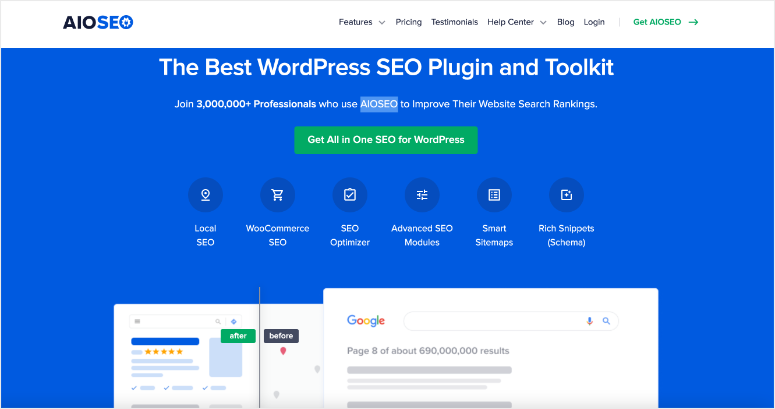
AIOSEO earned the top spot because it does something that most SEO plugins struggle with. This makes advanced on-page optimization feel effortless.
This is my top recommendation after seeing how it has changed the way non-technical business owners approach on-page SEO.
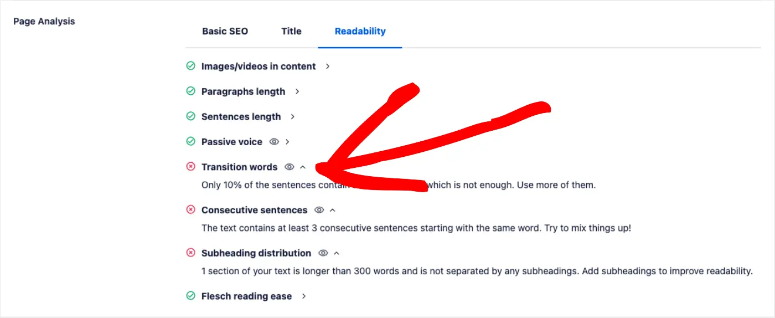
First of all, TruSEO score analysis is where AIOSEO really shines.
It evaluates your content based on 70+ factors and gives you a simple checklist instead of overwhelming jargon.
You’ll see things like “Add your focus keyword to the first paragraph” or “Increase your content to at least 600 words.”
It’s like having an SEO consultant looking over your shoulder, except you’re not paying $150 an hour.
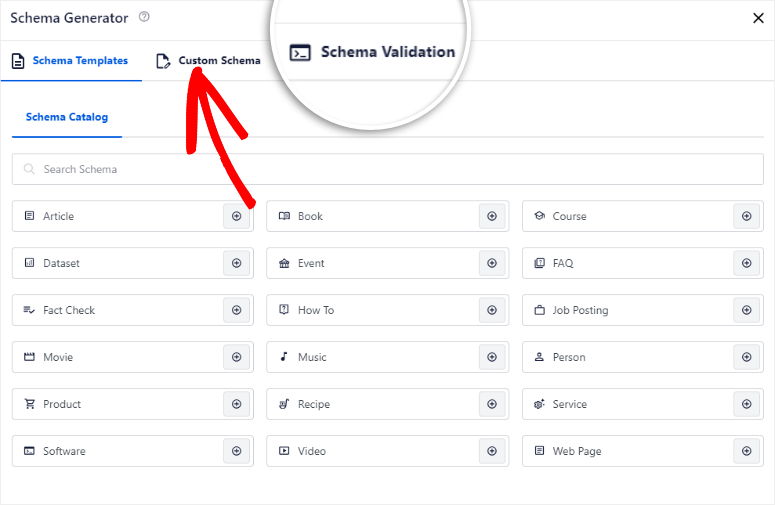
Additionally, the Schema Markup Generator removes any intimidation from structured data.
You get over 20 schema types via simple drop-down menus. For example, a restaurant owner can add a local business schema with hours, location, and menu links in less than 10 minutes.
No code. No confusion. Just click, fill out, done.
This alone can increase your click-through rates from the advanced search listings you see in Google.
What impressed me most was how AIOSEO replaces several plugins.
The smart one The Meta Title & Description Generator uses dynamic tags that automatically update things like copyright years without you having to touch them again.
Link Wizard scans your content and suggests internal links, strengthening the structure of your website without manual analysis.
Plus, you get XML sitemaps, easy-to-setup redirects, local SEO features, and internal linking automation in one neat package.
►Advantages
- The free version competes with the paid plans of other plugins
- Content AI provides actual insights into the competition, not general tips
- Unlimited keywords without paying anything
- 18 schema types included for free
►Disadvantages
- The 15+ modules can be overwhelming for beginners
- Pro version is required for advanced features
My verdict
AIOSEO offers professional on-page SEO without a professional learning curve. If you want powerful features that don’t require you to read a manual, this is your plugin.
Check out my latest AIOSEO (All in One SEO) review here. You can also compare the free version and the pro version of AIOSEO to find out which one is best for you.
Prices: Free plugin available. Start at $49.50/year.
2nd rank math ⭐⭐⭐⭐⭐
Generous free version with premium power | Best for: Budget-conscious businesses testing SEO tools
Rank Math is in second place because it does something bold. It offers features that other plugins charge hundreds for. This immediately caught my attention.
For example, in the free version you get unlimited focus keywords, 18 schema types, redirects, and 404 monitoring.
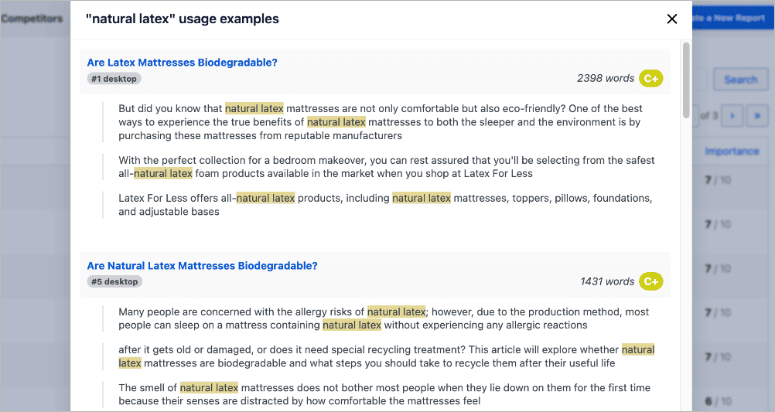
But it’s their Content AI feature that really caught my attention.
It scans the top-performing content for your target keyword and tells you exactly what works for them. You can see what topics they cover, what questions they answer, and what semantic keywords they use.
It then suggests improvements to your content based on this data. It’s like having x-ray vision of why competitors’ pages rank higher than your own.
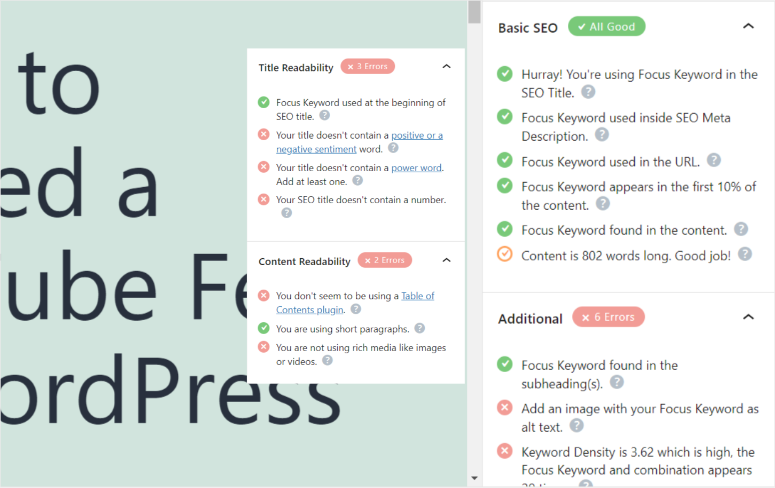
Additionally, SEO Analyzer performs over 30 checks with one click.
It examines your titles, meta descriptions, image alt text, internal link structure, and content quality all at once.
So instead of having to manually check each item, you get a complete report showing exactly what needs to be repaired.
►Advantages
- The free version competes with the paid plans of other plugins
- Content AI provides actual insights into the competition, not general tips
- Unlimited keywords without paying anything
- +18 schema types included for free
►Disadvantages
- For beginners, setup can be complex
- Too many modules can be overwhelming
My verdict
Rank Math rewards the time you invest in learning. If the budget is tight and you’re willing to watch a few tutorials, get professional SEO features for free here.
To give you better context about what the number one and number two plugins on this list offer, here is an AIOSEO vs Rank Math comparison article.
Prices: Free version available. Starts at $95.88/year.
3. Yoast SEO ⭐⭐⭐⭐
Market leader with beginner-friendly instructions | Best for: absolute SEO beginners

Yoast SEO remains the most popular WordPress SEO plugin for good reason. It teaches while you optimize. This is the reason it remained in my top three, despite newer competitors offering more features for less money.
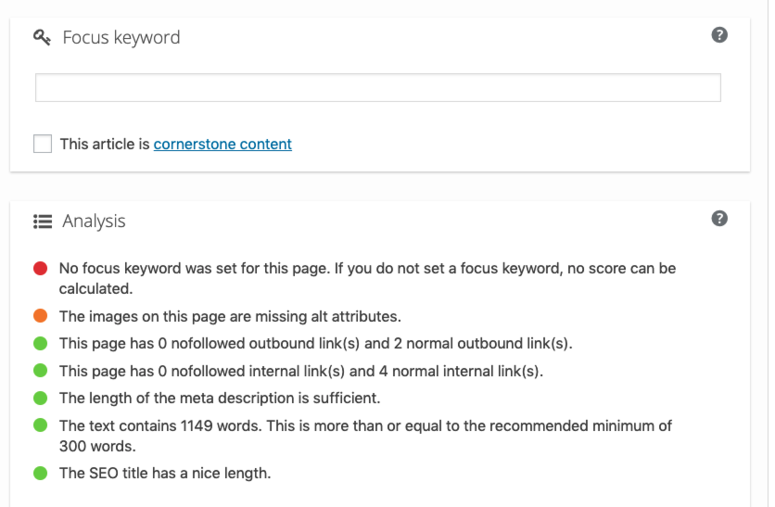
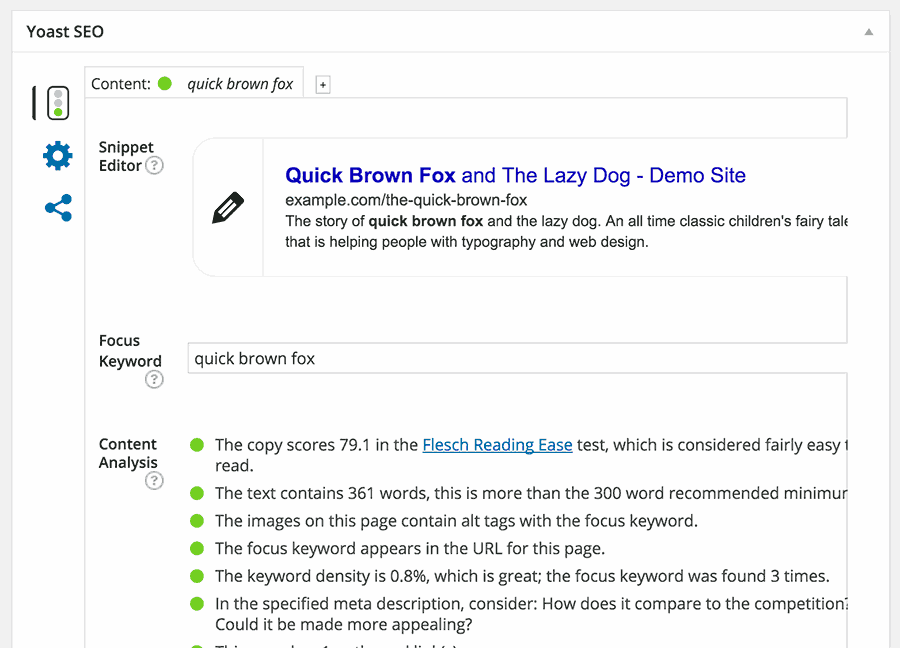
The traffic light system makes on-page SEO decisions a breeze.
Red, orange or green dots appear next to each optimization factor. Red means “Fix the problem now.” This often happens when your meta description is too short or your keyword doesn’t appear in the first paragraph.
Orange means “could be better”. I see this often when content needs more internal links. Green means you are fine.
As a beginner, you can optimize a page without understanding SEO theory as Yoast gives visual feedback that anyone can follow.
Readability analysis prevents the biggest mistake small businesses make.
It helps you write content that doesn’t sound like a robot. It highlights long sentences, excessive passive voice, and paragraphs that drag on for too long.
This is important because Google wants content that actually helps people, not keyword-stuffed nonsense.
With this simple tool, you can significantly improve the quality of your content by simply following these readability suggestions.
What makes Yoast different is education.
This SEO plugin explains why each factor is important, not just pointing out that it is important. If it suggests adding your keyword to the URL, learn why URLs affect rankings.
This makes users better SEOs over time, rather than just clicking buttons and following instructions.
►Advantages
- The traffic light system eliminates SEO puzzles for beginners
- Readability analysis naturally improves content quality
- The educational approach teaches you SEO basics
- Bundles local, video and news SEO for more value
►Disadvantages
- A single focus keyword in the free version is restrictive
- The premium prices are higher than Rank Math or AIOSEO
- The features are fewer than competitors at the same price over the years
My verdict
Yoast excels at making SEO easy for people who have never optimized anything before. If you’re starting with no prior knowledge and want a plugin that will walk you through every step, Yoast is for you.
For more information, see my Yoast review. You can also compare AIOSEO and Yoast SEO to see how the number one and number three SEO plugins on this list fit together.
Prices: Free version available. Starts at $118.80/year.
4. SEOBoost ⭐⭐⭐⭐
Affordable Content Optimization | Best for: Small businesses on a tight budget
SEOBoost caught my attention because the AIOSEO team developed it specifically to help small businesses with on-page SEO. You get enterprise-level content optimization without enterprise pricing.
Real-time content scoring works like Surfer, but costs a fraction of the price (discussed next). As you write, your content is analyzed against high-ranking competitors and immediately rated.
You’ll see exactly what keywords to add, what topics to cover, and how your content is performing.
The content audit tool evaluates existing pages based on current top rankings.
It shows what is outdated and needs to be updated on your website. This is critical to maintaining rankings as Google’s preferences evolve.
What sets it apart is the content campaign system.
You can organize complete workflows from research to publication, assign tasks to freelancers and track progress. This eliminates scattered Google Docs and endless email threads.
►Advantages
Premium optimization at affordable conditions
Content campaigns organize complex workflows
The audit tool automatically detects outdated content
►Disadvantages
- Newer, so it has less brand recognition than the competition
- Because it is new, the features are still evolving
My verdict
SEOBoost offers 80% of premium features at budget-friendly prices. Perfect for small businesses ready to move up from free tools without breaking their budget.
Check out my updated SEOBoost review.
Prices: Starts at $270/year.
5. Surfer SEO ⭐⭐⭐⭐
AI-powered content optimization | Best for: Content-intensive strategies
Surfer SEO comes in at number four because it transforms content optimization from guesswork to data-driven decisions.
What caught my eye was how it analyzes over 500 ranking factors from top performing pages and turns them into actionable steps.
The content editor scores your content from 0-100 in real time as you write.
You will immediately receive feedback: “add 6 more instances of this keyword”, “increase to 2,200 words”, “add 3 H2 headings”. No guesswork about what Google wants; Surfer SEO shows you based on actual ranking.
The Topical Map feature visualizes content gaps on your website. It shows exactly what the competition is writing about, what you’re missing, and helps you build topic expertise instead of creating random articles.
Additionally, Auto-Optimize provides one-click improvements.
It automatically adds missing keywords and fills topical gaps in seconds. Google Docs integration lets you optimize where you already work, not on another platform.
►Advantages
- Real-time scoring eliminates the need for optimization puzzles
- Topical Map reveals precise gaps in content
- Automatic optimization saves hours of manual work
►Disadvantages
- The monthly credit limits seem restrictive
- Expensive for small amounts of content
- If adhered to too strictly, this can lead to over-optimization
My verdict
Surfer SEO justifies its costs for companies that publish more than 10 optimized articles per month. Occasional content creators reach their credit limits frustratingly quickly.
Prices: Starts at $948/year.
6. SEMrush ⭐⭐⭐⭐
All-in-one SEO platform | Ideal for: Growing businesses that need multiple tools
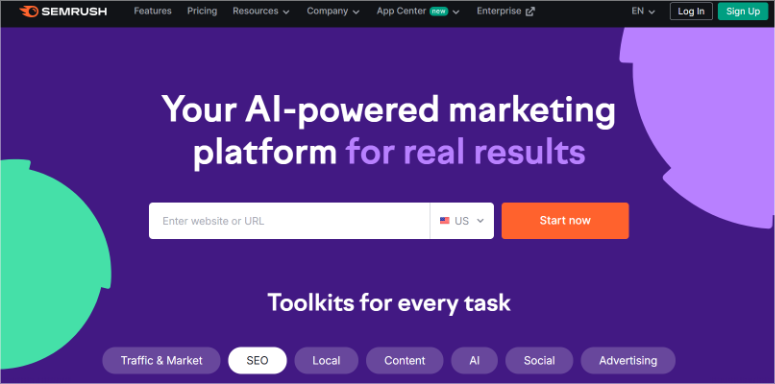
SEMrush deserves this spot because it replaces five different tool subscriptions. I like how it brings everything together in one dashboard without having to switch between platforms.
See, On-Page SEO Checker analyzes your pages in real time compared to the top 10 competitors.
It shows you exactly what works for them. For example, it shows you better title structure, more internal links, and missing semantic keywords.
It then prioritizes the recommendations so you know what needs to be addressed first.
The SEO Writing Assistant integrates with Google Docs and WordPress. You write and your content is evaluated in real time to ensure SEO optimization and readability.
This eliminates the need to jump between platforms or copy content back and forth.
Site Audit then performs more than 170 checks and color coding. Red means “repair now”, yellow means “later”. This means that non-technical owners finally know what really matters instead of staring at confusing technical reports.
►Advantages
- Replaces multiple subscriptions on one platform
- Real-time competitive analysis guides decisions
- Color-coded priorities simplify technical problems
►Disadvantages
- The credit limits have a restrictive effect when actively used
- Steep learning curve with over 55 tools
- Premium features require the expensive Guru plan
My verdict
SEMrush makes sense once your SEO budget reaches $3,000 per year. Among these, targeted tools offer better added value.
Prices: Starts at $1,407.96/year.
7. Ahrefs ⭐⭐⭐⭐
Comprehensive SEO Toolkit | Best for: Data-driven content strategies

Ahrefs makes this list because its data accuracy surpasses almost every competitor. I put it right next to SEMRush in this list because they are similar in the features they offer and what you can do with them.
You can actually compare Ahrefs and SEMRush here to see what I mean.
First, it is an excellent site audit tool.
It checks more than 170 technical and on-page factors and shows exactly what is hurting your rankings. Always-On Audit monitors your website 24/7 instead of weekly crawls.
So when critical SEO issues arise, real-time alerts are triggered.
These issues include broken pages, missing meta descriptions, duplicate content, and more. This allows you to fix problems before they affect rankings.
Additionally, an SEO Toolbar browser extension is included that provides instant on-page analysis with one click. You research competitors and boom!
Instant insights into title optimization, meta descriptions, heading structure and keyword usage. No tools to switch or copy URLs.
What impressed me most was the accuracy.
Ahrefs runs the second most active web crawler after Google, so the data reflects reality better than tools based on estimates.
However, the prices are high, which can discourage many small businesses from using it. Furthermore, it also works with a credit system, meaning this price can be even higher.
This is also the reason why it is not higher on my list.
►Advantages
- Most accurate data from an extensive crawl database
- Always-On Audit detects problems in real time
- The SEO Toolbar provides instant insights into the competition
►Disadvantages
High price barriers for small budgets
The complicated credit system confuses users
My verdict
Ahrefs justifies its cost for companies serious about data-driven SEO. Best for SEO agencies and large companies that need to make better data-driven decisions.
Prices: Starts at 1,548/year.
8. Clearscope ⭐⭐⭐⭐
Quality-oriented optimization | Best for: Companies that prioritize the quality of their content
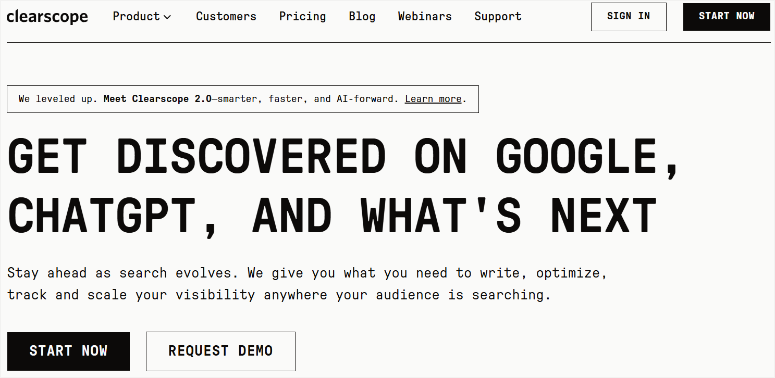
Clearscope comes in at number eight because the quality of content takes precedence over quantity. What caught my attention was how it simplifies optimization through a letter scoring system that everyone can understand.
The content reports analyze the top 30 ranking pages and provide semantic (related) keyword recommendations. You can see exactly which related terms competitors use and how often.
The letter grading scale (F to A++) takes the guesswork out of it – you know when your content is competitive.
Additionally, the Google Docs integration provides real-time sidebar suggestions as you write. No switching platforms or copying content back and forth.
What sets Clearscope apart is its content inventory management.
It integrates with Google Search Console to identify pages that are losing rankings before traffic plummets. It also shows ranking opportunities. This feature allows you to see pages in positions 11 to 20 that require minor adjustments to get to page one.
►Advantages
- Letter evaluation simplifies optimization decisions
- Content decay monitoring prevents traffic loss
- The top 30 page analysis provides comprehensive insights
►Disadvantages
- Expensive with tight monthly limits
- No free trial before paying
- Additional reports quickly become expensive
My verdict
Clearscope works for companies where the quality of the content justifies a higher price. High-volume publishers will find better value elsewhere.
Prices: Starts at 1,548/year.
9. Scheme Pro ⭐⭐⭐⭐
Best for: Non-technical business owners | Schema markup made easy
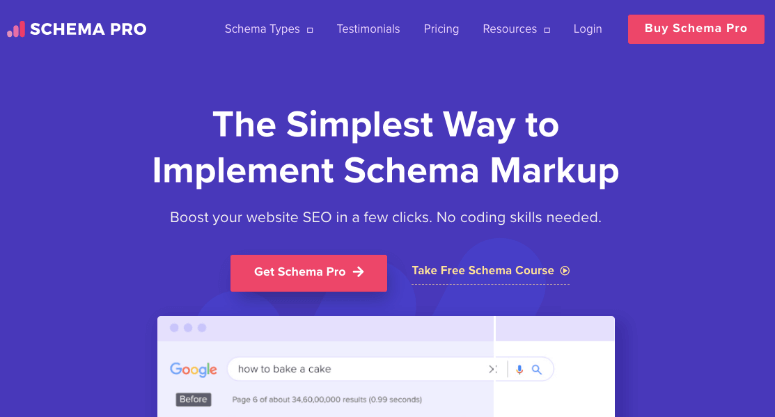
Schema Pro closes the top 9 because it solves the structured data problem that intimidates most business owners. I like how it converts complex code into simple dropdown menus.
Automatic field mapping pulls data directly from your WordPress content. Think about titles, dates, authors and featured images.
This allows a restaurant to add a local business schema that displays hours, location and menu information in under 10 minutes. No coding required.
Furthermore, this top schema plugin supports more than 20 schema types.
This includes FAQ schemas, products, reviews, recipes and events. Ecommerce stores automatically add a product schema to all WooCommerce items and display prices and reviews in Google search results.
Rules-based automation sets the schema once and applies it permanently. This configures the article schema for blog posts and every future post will automatically receive the correct markup.
►Advantages
- Makes structured data accessible without coding
- Automatic field assignment saves setup time
- The rules-based system maintains the markup forever
►Disadvantages
- Limited to schema markup only
- Must run together with other SEO plugins
My verdict
Schema Pro justifies its cost when structured data seems overwhelming. The $249 lifetime license costs less than hiring a developer once.
Prices: Free schema-only plugin available. Starting at $69/year or $229 one-time lifetime license.
This is my list of the best SEO tools with AI features. But before we conclude the article, let’s take a look at some bonus tools with great AI features that go beyond on-page optimization.
These tools don’t focus exclusively on on-page SEO, but they do support your optimization efforts in ways that are worth mentioning.
MonsterInsights
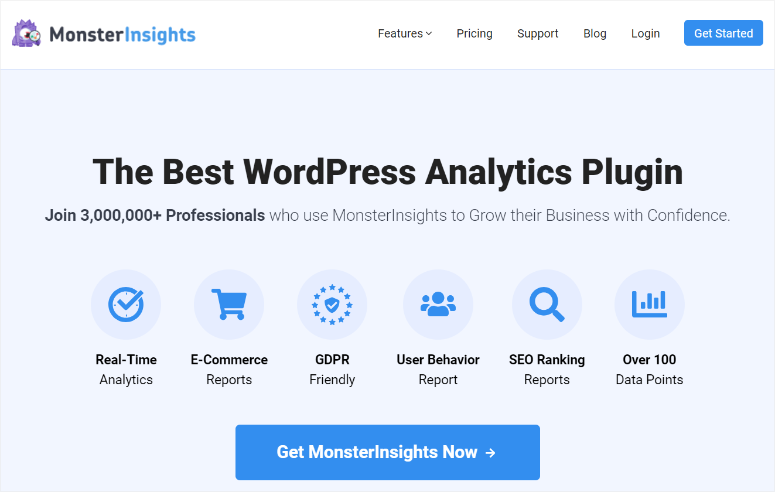
MonsterInsights connects Google Analytics 4 and WordPress, translating complex data into actionable insights.
The Search Console report shows your top-performing keywords, rankings, and click-through rates right in your WordPress dashboard. So no platform change is required.
The True Value of On-Page SEO?
You’ll see which pages actually drive traffic and conversions. This shows you where to focus your optimization efforts instead of guessing.
Additionally, the Custom Dimensions report shows which blog categories and publishing times perform best, so your content strategy is data-driven and not random.
Who it’s for: Business owners who need simplified analysis and want SEO performance data in WordPress.
For more information, see my MonsterInsights review.
Low fruits
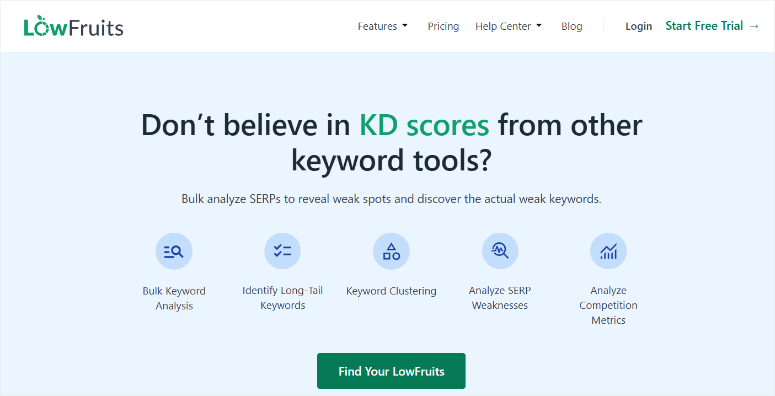
Low fruit specializes in finding low competition keyword opportunities through vulnerability analysis.
It identifies keywords that low-authority sites rank first for and shows you exactly which terms you can realistically target.
I like how the color-coded system makes opportunity evaluation instantaneous.
Green means low authority domains are ranking, so you have a chance. The Google Autosuggest integration detects long-tail keywords that competitors miss and is perfect for targeting in your on-page optimization.
Who it’s for: Small businesses with low domain authority need realistic keyword targets for their content.
For more information, see my LowFruits review.
Google Search Console
Google Search Console remains the non-negotiable foundation for any website doing SEO. It provides official Google data that no third-party tool can replicate.
The Performance Report tracks clicks, impressions, CTR, and rankings using 16 months of historical data.
Additionally, the page indexing report ensures that your optimized pages actually appear in search results.
This works well with the URL inspection tool, which diagnoses individual page problems and requests new content to be indexed. In the end, your pages will be visible within hours instead of weeks.
The most effective feature? Filter searches in positions 5-15 and optimize these pages to reach page one. This is aimed at existing visibility rather than building from the ground up.
Who it’s for: Every single website owner, regardless of budget or experience level. This is mandatory and not optional.
How to choose an on-page SEO tool
Choosing the right on-page SEO tool is not about finding the tool with the most features. It’s about adapting the tool to your actual needs and ability.
First, honestly assess your technical comfort level.
- If you’ve never optimized a page before, AIOSEOThe setup wizard is the best choice for you as it guides you step by step.
- Yoast’s traffic light system is also a great option.
- If you’re comfortable with WordPress and want more control, Rank Math’s free version offers advanced features without the beginner’s hand-holding.
Consider your primary on-page needs.
- Are you having trouble with titles and meta descriptions? Any WordPress SEO plugin will do this. Need help with content optimization and keyword placement?
- Take a look SEOBoost as my recommended option.
- Do you want structured data without touching the code? Schema Pro solves this particular problem.
The amount of content is more important than people realize.
- Publish 2-3 articles per month? Free plugins like Rank Math handle this perfectly.
- Release more than 10 optimized pieces every week? Content optimization platforms like AIOSEO justify their costs by saving time.
- Start with an AIOSEO voucher for the best deals.
Budget reality check.
- Free tools have come incredibly far. Rank Math’s free version includes features that competitors charge more than $100 per year for.
- Want a cheaper premium option with a wide range of features? Your best option is AIOSEO as the free version is also very powerful. This makes sense if you want to upgrade.
WordPress integration is not optional.
- Plugin based solutions (AIOSEORank Math, Yoast) live in WordPress and optimize as you write.
- External platforms (Surfer SEO, Clearscope) require switching between tools and copying content.
- Plugins feel more natural to most WordPress users.
Avoid these common mistakes when choosing an on-page SEO tool
- Don’t buy business tools like SEMrush before mastering Google Search Console.
- Avoid choosing tools based on features you will never use.
- Don’t ignore Google Search Console. It’s free, essential, and provides data that no paid tool can replicate.
- Always make sure you understand what SEO strategy you are implementing. Here is a guide to all SEO basics if you have any doubts.
- Do not implement every recommendation from the SEO tools. This goes back to my point above about first understanding your SEO strategy.
- Don’t just fix your on-page SEO, because everything is connected. Check out this list of the best all-round SEO plugins.
That’s it from me! I hope you enjoyed learning more about the best on-page SEO plugins. If something is unclear, check out the frequently asked questions below.
FAQs: About On-Page SEO Tools
What is the difference between on-page and off-page SEO tools?
On-page SEO tools allow you to optimize elements that are directly under your control. This includes titles, meta descriptions, content quality, headings, images and internal links. Off-page SEO tools focus on things outside of your website, like backlinks, domain authority, and social signals. On-page tools improve the content of your website, while off-page tools help with external reputation and link building.
Do I need multiple on-page SEO tools?
Most small businesses only need a WordPress SEO plugin (AIOSEO, Rank Math or Yoast) as a foundation. Only add specific tools when you face specific challenges. For example, Schema Pro if structured data seems overwhelming, or Surfer if you publish more than 10 articles per month. Google Search Console is the only non-negotiable addition. More tools does not mean better results.
Can free tools handle on-page SEO for small businesses?
Absolutely. The free versions of AIOSEO and Rank Math include keyword optimization, over 15 schema types, and content analysis. Features commonly found in premium plans. Combine one of these with the free Google Search Console and you have everything you need to rank well. Don’t upgrade to paid versions until you’ve exhausted the free features and know exactly what additional features you’ll add.
How long does it take until I see results from on-page optimization?
Google typically takes two to four weeks to re-crawl and re-rank optimized pages. For less competitive keywords, you may see an improvement in rankings within a month. More competitive conditions require 3-6 months of consistent optimization. But I often see that pages already ranked 5th to 15th jump to page one the quickest, sometimes within a few days of optimization changes.
Should I use SEO WordPress plugins or external SEO platforms?
WordPress plugins (AIOSEO, Rank Math, Yoast) integrate directly into your writing workflow and optimize the creation of your content. External platforms (Surfer, Clearscope) require switching tools and copying content back and forth. For most WordPress users, plugins feel more natural and save time. Only use external platforms if you need the advanced content intelligence that their algorithms provide.
What is the most important on-page SEO factor to optimize first?
Start with your title tags and meta descriptions. These appear directly in the search results and influence both rankings and click rates. Next, focus on the quality of the content. Here, make sure you’re actually answering what searchers want to know. Then take care of the heading structure (H1, H2, H3), the image alt text and the internal linking. Schema markup comes last but provides the greatest visual impact in search results.
Final Verdict: Start simple, scale smart
The on-page SEO tool landscape in 2025 offers something I never had when I started. Powerful optimization features at prices small businesses can actually afford.
What I’ve learned after a decade in this field: The tool is far less important than consistent use. Free plugins now include features that only years ago cost thousands. Premium platforms deliver enterprise-level insights at a small business price.
Start with Google Search Console. It is free and irreplaceable. Add a WordPress SEO plugin as a foundation. Master these two tools for 30 days before thinking about anything else.
The biggest mistake is not choosing the wrong tool. You end up with a build-up of subscriptions that you barely use while your content isn’t optimized. Simple tools used weekly beat expensive platforms used monthly.
Resource Center: Continue improving your WordPress SEO
On-page optimization is just one part of your SEO strategy. To help you develop a comprehensive approach that drives real traffic and conversions, check out the following guides:
Expand your WordPress foundation
Expand your SEO toolkit
Specialized SEO strategies
These guides work hand-in-hand with the on-page tools we covered today. Start with solid on-page optimization and then expand these areas as your website grows.
Each resource offers the same practical tests and honest recommendations you found here.