
Automated email segmentation uses dynamic rules and real-time data to automatically group contacts, eliminating the need for manual list updates while increasing campaign relevance.
By connecting unified customer data, you can create segments that update based on behavior, lifecycle stage, or engagement, and then trigger personalized workflows and content for each group.
Start cleaning your data, creating dynamic lists, connecting them to automated journeys, and using AI to scale targeting and copying. In this blog post, we’ll walk you step-by-step through setting up better targeting.
Table of contents
Unlike traditional static lists that require constant manual updates, automated segmentation continually adjusts audience membership based on changing customer behavior, preferences, and lifecycle stages.
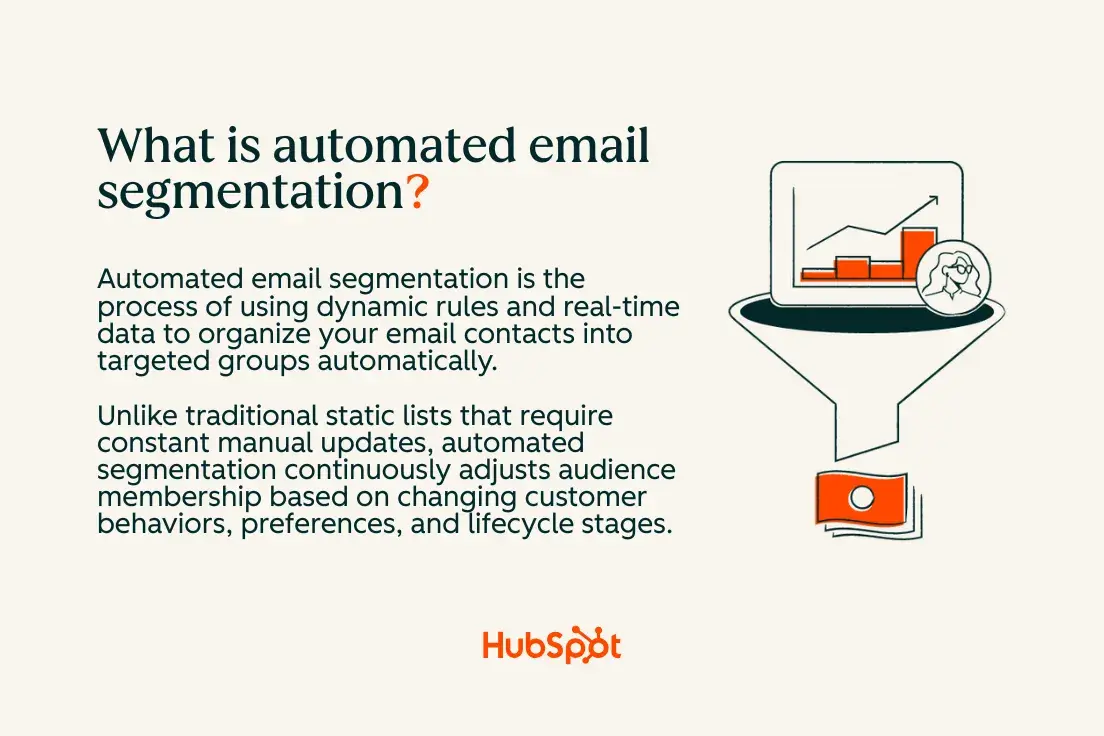
Dynamic lists automatically update segment membership in response to data changes, while static lists remain unchanged until manually changed.
For example, a dynamic segment for Recent Buyers automatically includes new customers who have completed a purchase and excludes those who have not made a purchase in the last 90 days. This automation eliminates the need for manual exports and improves message relevance by ensuring your segments always reflect current customers.
The main benefit is that segment membership triggers automated workflows and personalized content delivery. When someone moves from “Prospect” to “Customer,” they are automatically included in the corresponding welcome series while simultaneously being removed from sales promotion campaigns. Your Smart CRM serves as the foundation for this automation and maintains unified customer profiles that enable accurate segmentation rules.
What data do you need before automating segmentation?
Clean, consistent data enables reliable automated segmentation. Before you create dynamic segments, key contact characteristics, behavioral events, and engagement signals must be properly tracked and synchronized across your systems.
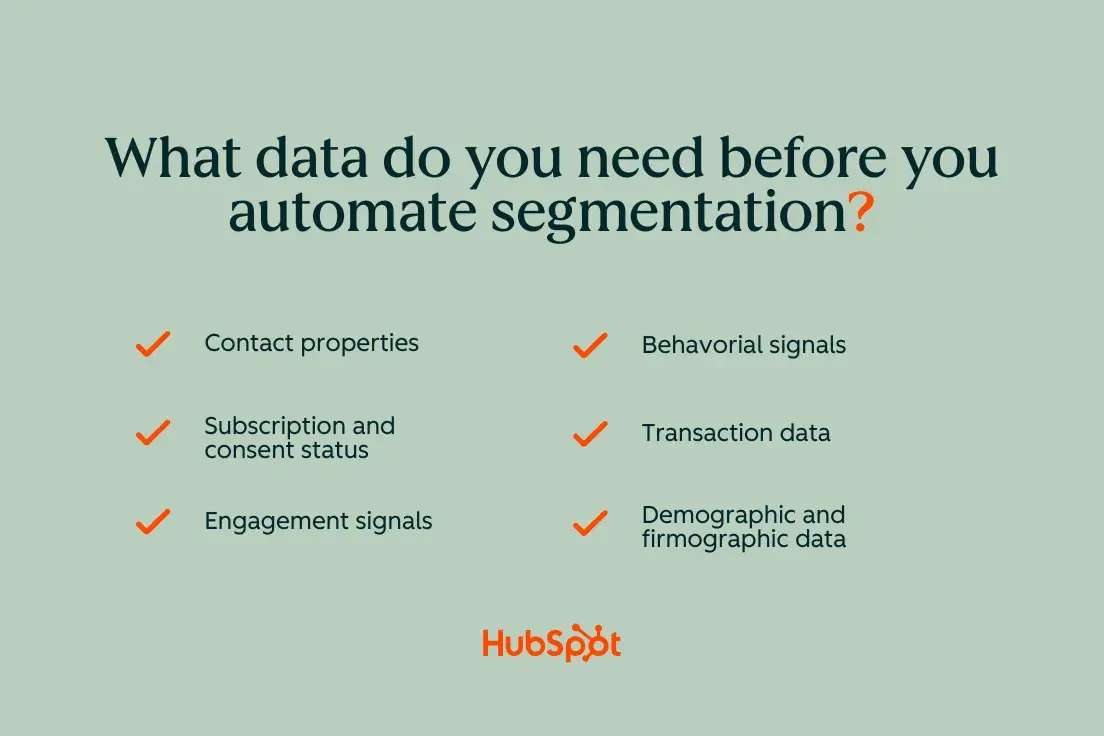
The essential data includes:
- Contact properties: Name, Email, Company, Role, Lifecycle Stage
- Subscription and consent status: login details, communication preferences
- Engagement signals: Email opens, clicks, website visits, content downloads
- Behavioral events: Product usage, trial activations, support tickets
- Transaction data: Purchase history, plan details, billing status
- Demographic and firmographic data: Industry, company size, geography
Use this decision tree to confirm your data readiness: Is data consistent across contacts? Is it accurate and up to date? Does it automatically sync between your systems? If you answer “no” to a question, address these gaps before creating automated segments.
Your Data synchronization and cleansing Processes ensure that the segmentation rules work reliably. Without clean, standardized data, automated segments can become unreliable or fail to reach key audiences.
Clean and normalize your properties.
First, review your contact properties to identify inconsistencies, duplicates, and missing values. Common issues include multiple company name variations (“HubSpot,” “Drift Kings Media,” “HUBSPOT”), inconsistent lifecycle stage mapping, and incomplete contact records.
Create a compact data dictionary that defines:
- Default values for drop-down properties (Industry, Company Size, Lifecycle Stage)
- Required fields for different contact types
- Custom property naming conventions
- Data validation rules
Standardize property values by merging duplicates and setting up drop-down options instead of using free text fields. Set mandatory fields for new contacts and implement validation rules to prevent data quality issues.
Pay particular attention to opt-in and consent hygiene. Ensure subscription status accurately reflects user preferences and meets legal consent requirements. Clean consent data prevents automated segments from accidentally including unsubscribed contacts or violating privacy regulations.
Map events to lifecycle phases.
Map behavioral events to lifecycle transitions to ensure your automated segments reflect real customer progress. With clear attribution, automated segments can identify when someone moves from a lead to a marketing qualified lead, to a sales qualified lead, and finally to a customer.
For B2B companiesSignificant events include:
- Lead: Form submission, content download, email subscription
- MQL: Demo request, page visit pricing, multiple content interactions
- SQL: Sales meeting scheduled, quote requested
- customer: Contract signed, first payment processed
- Active/at risk: Product usage, support interactions, renewal behavior
For E-commerce and product-based growthRail:
- Outlook: Account creation, product search, shopping cart activity
- Trial/Freemium: Registration, use of functions, completion of onboarding
- customer: Initial purchase, subscription activation
- Regular customer: Multiple purchases, subscription renewal
- champion: High engagement, recommendations, upgrades
Each event feeds specific dynamic segments. For example, “Pricing for site visitors in the last 7 days” becomes a high purchase intent segment for tracking sales, while “Test users who haven’t enabled key features” triggers onboarding workflows.
Set up data management and quality controls.
Implement ongoing data quality processes to ensure accurate segmentation. Automated segments rely on clean, consistent data to function properly. Therefore, set up regular audits and cleanup routines.
Set up automated data quality checks including:
- Duplicate detection: Identify and merge duplicate contacts weekly
- Property validation: Mark incomplete or inconsistent records
- Sync monitoring: Warn when data synchronization between systems fails
- Consent compliance: Regular checks of subscription preferences
Create data management roles with clear responsibilities for maintaining different property types. Marketing is responsible for lifecycle stages and campaign data, Sales manages lead qualification fields, and Customer Success manages product usage metrics.
How to automate email segmentation
1. Create your first dynamic email segments.
Dynamic list criteria patterns fall into three categories: field-based (characteristics like lifecycle stage or industry), event-based (behavior like email opens or page views), and time-based (recency filters like “last 30 days”). These patterns automatically update segment membership when your information changes.
Start with field-based segments using existing contact properties, then add behavioral criteria for greater precision. Time-based filters keep segments current by only including current activity or excluding outdated information.
AI and predictive scoring improve segmentation accuracy and targeting by identifying patterns that humans may miss and suggesting opportunities for optimization. However, always validate AI recommendations against your business logic before implementation.
Quick-win segment recipe
Create a “New Engaged Subscribers in the Last 14 Days” segment to identify your most active current subscribers:
Criteria logic:
- Contact Property: Email Subscription = Subscribed
- Email Activity: Email opened in the last 14 days
- Email activity: Clicked on email in the last 14 days
- List membership: Not in the unsubscribe list
Exclusions:
- Lifecycle phase = customer (to avoid overlap with customer care)
- Contact property: Do not send via email = True
This segment automatically captures highly engaged new subscribers and removes them when they become customers or unsubscribe. Preview list membership daily to ensure the right amount and contact profile is being captured.
Connect this segment to yours Marketing automation workflows to deliver a welcome series that benefits from their demonstrated engagement while being the most receptive to your content.
Behavioral Segmentation Starter Pack
Create these behavioral segments to capture different engagement levels and intent:
High-intent product browser:
- Visited the pricing page in the last 7 days
- Spent more than 2 minutes on product pages
- Downloaded product resources
- Exclude: Existing customers
Email Engagement Champions:
- Opened more than 50% of emails in the last 60 days
- Clicked on email in the last 30 days
- Forward rate above the account average
- Exclude: Recent unsubscribes
Leading content providers:
- Downloaded more than 3 resources in the last 90 days
- Attended a webinar or event in the last 60 days
- Blog subscriber with recent visits
- Exclude: Sales qualified leads
Test activation segment:
- Trial started in the last 30 days
- Key activation events completed
- Usage above median during trial period
- Include: Product usage characteristics
Each segment serves different campaign goals and should trigger corresponding automated workflows with relevant content and offers.
Lifecycle segmentation starter pack
Create these lifecycle-based segments to deliver stage-appropriate messages:
New customers (first 90 days):
- Lifecycle stage = customer
- First purchase date within the last 90 days
- Onboarding status = In progress or not started
- Excluded: Customers with support tickets
Candidates for recovery:
- Last email interaction more than 60 days ago
- Previous exposure above account average
- Subscription status = Active
- Exclude: Current buyers
VIP Champions:
- Customer for 12+ months
- High lifetime value or engagement score
- Product usage in the top 25%
- Include: Referral Activity, Case Study Participants
Danger from inactivity:
- No email interaction in more than 90 days
- Declining product usage (for SaaS)
- No current purchases (for e-commerce)
- Exclude: Current support interactions
Each lifecycle segment should trigger workflows with appropriate content depth, frequency, and conversion goals. New customers need education and onboarding, while champions can handle more promotional content and referral requests.
2. Connect segments with automated workflows.
Use segment membership as a trigger for workflow registration, but implement appropriate guardrails to prevent conflicts and excessive messaging. Set up suppression lists, termination conditions, and wait times to coordinate multiple workflows.
A simple itinerary for your New Engaged Subscribers segment might include:
- Day 0: Welcome email with brand story and content preferences
- Day 3: Educational content relevant to their interests
- Day 7: Social proof and customer success stories
- Day 14: Soft product launch or demo invitation
Configure enrollment triggers with these guardrails:
- Conditions of oppression: Recently contacted, logged out, or in other active workflows
- Exit trigger: Lifecycle stage changes, opt-out, or goal achievement
- Frequency limits: Maximum one workflow email per day
- Rules for re-enrollment: Allow or prevent multiple registrations
Basic workflow patterns
Create these core workflow patterns that work across different segments:
Welcome and Onboarding Series:
- Triggers: New subscriber segments, customer segments
- Duration: 2-4 weeks
- Goal: Education, activation, building commitment
- Coordination: Pause promotional processes during onboarding
Re-engagement campaigns:
- Triggers: Low engagement segments, vulnerable segments
- Duration: 2-3 weeks
- Goal: Restore engagement or clean list
- Coordination: Suppress other marketing during re-engagement
Upsell and cross-sell workflows:
- Triggers: customer usage patterns, anniversary dates
- Duration: 1-2 weeks
- Goal: increase sales, introduce functions
- Coordination: Avoid during renewal periods or support issues
Event-driven follow-ups:
- Trigger: Participation in the webinar, completion of the demo, expiration of the trial version
- Duration: 3-7 days
- Goal: Capitalize on the interest shown
- Coordination: Higher priority than general care
Use yours Marketing automation workflows to create branches and conditional logic that adapts the messages based on the recipient’s responses and behaviors within the sequence.
Avoiding over-segmentation in workflows
Over-segmentation leads to audience fatigue and operational complexity. Avoid workflow conflicts with these strategies:
Global Oppressions:
- Active customers in onboarding
- Recent unsubscribes or complaints
- Contacts in the sales process
- Radio Frequency Opt-outs
Frequency limits:
- Maximum of 3-4 marketing emails per week
- Minimum interval of 24 hours between work processes
- Weekly overview options for high volume periods
- Pause advertising during transaction sequences
Priority rules:
- Transactional emails are always sent
- Welcome series takes priority over care
- Re-engagement campaigns pause other marketing
- Sales workflows take priority over marketing campaigns
One-off vs. ongoing series:
- Welcome and onboarding: One-time registration
- Nurture campaigns: continuation of exit conditions
- Product training: Once per function introduction
- Seasonal promotions: Recurring annual registration
Monitor workflow performance metrics to identify conflicts and maintain a master calendar of all automated campaigns to identify potential overlaps before they impact recipients.
3. Personalize content for each segment.
Use personalization tokens, conditional content, and dynamic modules to deliver segment-specific messages without creating separate email versions for each audience. This approach scales personalization while ensuring operational efficiency.
Use these personalization techniques:
Subject line personalization:
- Basic: “, your weekly update”
- Lifecycle-based: “Exclusively for new customers:”
- Behavior: “Finish your demo setup.”
Dynamic Content Blocks:
- Show different offers based on lifecycle stage
- Show relevant product recommendations based on past behavior
- Customize call-to-action buttons for different segments
Examples of conditional logic:
Ready to learn how we can help you? Start your free trial…
Your dynamic content personalization The features enable sophisticated conditional modules that customize entire email sections based on recipient data. Create templates with multiple content variations that automatically display the most relevant version.
To create AI-powered content, use tools like AI email writer to generate personalized copy variants, or the AI email copy generator to create segment-specific messages that maintain your brand’s voice while addressing different audience needs.
Expand subject lines with AI generated suggestions integrate the segment features and optimize the preview text AI-powered recommendations to improve open rates in different segments.
4. Leverage AI and predictive scoring to scale targeting.
AI serves as an accelerator for segmentation strategy, helping to identify patterns, refine criteria, and generate personalized content at scale. However, as the ultimate editor, maintain human oversight to ensure AI recommendations align with your business goals and brand standards.
Breeze AI offers built-in predictive scoring, content generation, and segmentation optimization capabilities right in your marketing platform. Use these AI capabilities to improve strategic thinking rather than replace it.
Where AI offers the greatest added value:
- Segment idea: Identify overlooked behavior patterns and engagement opportunities
- Refinement of the criteria: Optimize segment rules based on performance data
- Content variation: Generate multiple copy versions for A/B testing
- Predictive insights: Predict churn risk, purchase probability and optimal timing
- Metadata maintenance: Automatically update segment descriptions and tags
Safe Use Guidelines:
- Validate AI-generated segments against business logic before activation
- Test the prediction values on small audiences before full deployment
- Review AI-generated content for brand voice and accuracy
- Monitor segment performance metrics to validate AI recommendations
- Maintain documentation of AI-powered troubleshooting decisions
Prompt library for segmentation and copying
Use these prompts to leverage AI for segmentation strategy and content creation:
Segmentation strategy prompts:
- “Propose codes of conduct to identify high-impact prospects in (the industry) who are likely to request demos within 30 days.”
- “Analyze our customer data to identify patterns that predict churn risk in months 6-12 of the customer lifecycle.”
- “Recommend segmentation criteria to identify expansion opportunities among existing customers using (product usage data).”
- “Identify risky over-segmentation scenarios and suggest consolidation opportunities for our currently 47 active segments.”
Content personalization prompts:
5. “Design email copy variants for VIP customers versus price-sensitive prospects promoting (a specific product/feature)”
6. “Create subject line variations that address different lifecycle stages while maintaining (brand voice description).”
7. “Generate preview text options for re-engagement campaigns that target inactive subscribers who have previously interacted with (content type).”
8. “Write conditional content blocks for customers and prospects who receive the same newsletter template.”
Framework for the AI context:
- Brand voice: Include 2-3 sample emails that reflect your tone
- Audience details: Specify segment characteristics and vulnerabilities
- Campaign goals: Specify desired actions and success metrics
- restrictions: Comply with any legal, compliance or messaging restrictions
This context helps the AI generate more relevant and actionable recommendations tailored to your business needs and unique audience characteristics.
Where prediction fields can be trusted
Predictive scoring helps prioritize segments and timing, but requires careful calibration and testing before full implementation. Strategically use predictive fields in registration criteria and workflow logic.
Practical Applications for Predictive Values:
Churn risk assessments:
- Incorporate high-risk customers into retention workflows
- Trigger Account Manager notifications for company accounts
- Adjust renewal campaigns based on risk level
- Exclude churning customers from expansion campaigns
Probability of purchasing scores:
- Prioritize sales follow-up for high-scoring leads
- Adjust email frequency based on purchasing propensity
- Product announcements should coincide with purchase windows
- Segment test users based on likelihood to convert
Lead scoring integration:
- Set minimum scores for sales-ready workflows
- Create points-based nurture tracks (high vs. low engagement)
- Trigger different content paths based on engagement levels
- Automate lead routing based on scoring thresholds
Testing and calibration checklist:
- ( ) Compare projected results to actual results on a monthly basis
- ( ) Test result ranges for small segments before full deployment
- ( ) Monitor false positive and negative rates
- ( ) Customize scoring models based on performance data
- ( ) Document results interpretation guidelines for team consistency
- ( ) Set up alerts for significant changes in points distribution
Start with one prediction field, validate its accuracy over 60-90 days, and then gradually incorporate additional scoring models as you build confidence in their reliability.
5. Measure, quality assurance and iterate without segment creep.
Create measurement and quality assurance processes that prevent automated segments from becoming stale or counterproductive. Regular monitoring detects issues before they impact campaign performance or customer experience.
Create a measurement dashboard for each key segment and workflow combination:
Registration metrics:
- Weekly login volume and trends
- Segment member growth/decline patterns
- Registration trigger accuracy (manual sampling)
- Exit condition performance
Progress tracking:
- Workflow completion rates by segment
- Email engagement rates compared to account average
- Conversion metrics relevant to campaign goals
- Time to conversion in different segments
Quality indicators:
- Unsubscribe rates by segment
- Frequency of spam complaints
- Correlation of customer service tickets
- Sales feedback on lead quality
QA routine (weekly):
- Test sign-up conditions with seed contacts
- Check whether the number of segment members makes logical sense
- Look for segments with 0 members or explosive growth
- Check workflow paths for broken logic or outdated content
- Check email playback across devices and clients with examples
Use yours Marketing automation workflows Performance views to access detailed analysis and identify trends that require attention or optimization.
- INTERNAL LINK: Include a link to the HubSpot Marketing Hub with the anchor text “Marketing Automation Workflows” to show where you can access workflow performance views.
How to troubleshoot common problems
Empty segments:
- Verify that data exists for all criteria fields
- Look for time-based filters that are too restrictive
- Confirm that integration syncs are working properly
- Review recent changes to the property name or value
Exploding segments (unexpected growth):
- Check for data quality issues that result in duplicate records
- Check recent import files for corrupted data
- The logic of the review criteria is not unintentionally broad
- Look for system changes that impact the real estate population
Conflicting rules:
- Map all segment criteria to identify overlaps
- Look for conflicting inclusion/exclusion logic
- Verify that the workflow suppression lists are working
- Review recent changes to custom properties or lifecycles
Deprecated lifecycle mapping:
- Review life cycle phase transitions quarterly
- Update automation rules as business processes change
- Ensure the sales team updates lifecycle stages consistently
- Check whether contacts are stuck in intermediate stages
Double registrations:
- Check the re-registration settings for active workflows
- Look for multiple segments that trigger the same workflow
- Check that the exit conditions are working properly
- Implement global suppression lists for active workflow participants
Deliverability issues:
- Monitor reputation metrics for different segments
- Check segment quality against industry benchmarks
- Check content relevance for declining engagement
- Implement re-engagement campaigns for underperforming segments
For data quality issues that result in segment errors, take advantage Data synchronization and cleansing Tools to identify and resolve underlying data issues that impact segmentation accuracy.
6. Expand beyond email with cross-channel orchestration.
Segments should enable coordinated experiences across ads, SMS, chat, and sales contacts to create cohesive customer journeys. Cross-channel orchestration increases segmentation value and improves overall marketing effectiveness.
Re-engagement audiences expanded to paid channels: Create a 90 Day Inactive Email Subscribers segment, then do the following:
- e-mail: Send a reactivation series of three emails over a 14-day period
- Facebook/LinkedIn Ads: Retargeting with brand awareness and social proof content
- Website personalization: View special offers or content recommendations
- Sales tracking: Notify account managers of inactive high value accounts
Coordinate messaging and timing across channels to avoid conflict while highlighting key themes and calls to action.
Onboarding experience aligned with sales: For “new trial user” segments:
- Email workflows: Educational content and product tutorials
- In-app messages: Functional highlights and application tips
- Sales tasks: Scheduled check-in calls based on usage patterns
- SMS (if applicable): Time-sensitive activation reminders
Use common segment definitions across all channels to ensure consistent targeting and avoid mixed messages that confuse recipients.
Channel coordination best practices:
- Uniform oppression: Consideration of logout settings on all channels
- Message hierarchy: Prioritize transactional and sales communications over marketing
- Frequency management: All touchpoints count when setting communication limits
- Attribution tracking: Use UTM parameters and channel-specific tracking to measure cross-channel impact
This orchestration requires close collaboration between marketing, sales, and customer success teams to ensure consistent experiences that support rather than compete with one another.
Starter templates for automated segmentation
Here are 7 copy-paste segment templates you can customize to suit your business model and industry:
B2B SaaS starter package:
- High intent prospects: Prices visited + demo viewed + case study downloaded (last 14 days)
- Risk of test activation: Trial started more than 7 days ago + Usage of key features below 25th percentile
- expansion candidates: Active customer + Usage growth >50% + Contract renewal in 60-180 days
- Champion advocate: Customer 12+ months + high engagement score + responded to feedback requests
E-commerce starter pack:
5. Cart abandoners: Added to cart in the last 48 hours + no purchase + email subscribed
6. VIP regular customers: 3+ purchases + total value > $500 + average order value above median
7. Recovery goals: Last purchase 60-120 days ago + previously active buyer + no recent email engagement
Industry adaptation guidelines
Professional service companies:
- Replace “Trial Activation” with “Consultation Booking”.
- Focus on interest in the service category rather than product features
- Emphasize consumption of thought leadership content
E-commerce merchants:
- Add seasonal buying pattern segments
- Include product category preferences
- Segment by customer lifetime value areas
B2B technology:
- Create segments based on company size and technology stack
- Consider job role and seniority criteria
- Focus on implementation schedule indicators
Each template is based on yours Smart CRM Maintain consistent customer profiles with the necessary behavioral and demographic data to support accurate segmentation rules.
Frequently asked questions about automated email segmentation
What is the difference between dynamic lists and static lists?
Dynamic lists automatically update segment membership when your contact information changes, while static lists remain unchanged until manually changed. If you create a dynamic list with criteria such as “Email opened in the last 30 days,” contacts will automatically join if they meet the criteria and leave the list if they no longer qualify.
Static lists should be used sparingly, especially for one-off campaigns, specific event attendees, or manually curated groups that shouldn’t change automatically. The main advantage of dynamic lists is that they eliminate the need for manual maintenance while ensuring that segments always reflect current customer status and behavior.
Which fields are mandatory for reliable automated segmentation?
The essential fields for automated segmentation include:
Core contact details:
- Email address (primary key)
- Subscription status and consent date
- Life cycle phase
- Date of contact creation
Engagement tracking:
- Email activity (opens, clicks, bounces)
- Website activity (page views, session data)
- Form submissions and conversion events
Business context:
- Company name and industry (B2B)
- Contact role and seniority level
- Product interests or purchase history
If these fields are not filled out consistently, automated segments become unreliable or miss important audience members. Establish data governance processes to maintain on-site accuracy and completeness over time.
How often should I review and re-segment audiences?
Review segment performance monthly and conduct comprehensive audits quarterly. Monthly reviews should focus on:
- Enrollment volume trends
- Engagement rate changes
- Conversion performance shifts
- Data quality issues
Quarterly audits should assess:
- Segment relevance to current business goals
- Criteria accuracy based on changes in customer behavior
- Opportunities to consolidate similar segments
- New segmentation options based on available data
Remove segments that consistently underperform or serve overlapping purposes. Merge similar segments to reduce operational complexity and improve message frequency management.
How do I prevent over-segmentation and target group overlap?
Implement these governance strategies:
Oppression management:
- Create global suppression lists for current customers, unsubscribes, and active workflows
- Set frequency limits at contact level (maximum emails per week)
- Implement priority hierarchies (Transaction > Onboarding > Nurturing > Promotion)
Segment consolidation:
- Limit the total number of active segments to 20-30 for most organizations
- Merge segments with similar criteria or performance
- Whenever possible, use conditional content instead of separate segments
- Regular audit segments with fewer than 100 members
Overlap prevention:
- Document segment purposes and target groups
- Test sample contacts against multiple segment criteria
- Use exclusion rules to prevent inappropriate registrations
- Monitor workflow registration conflicts using performance dashboards
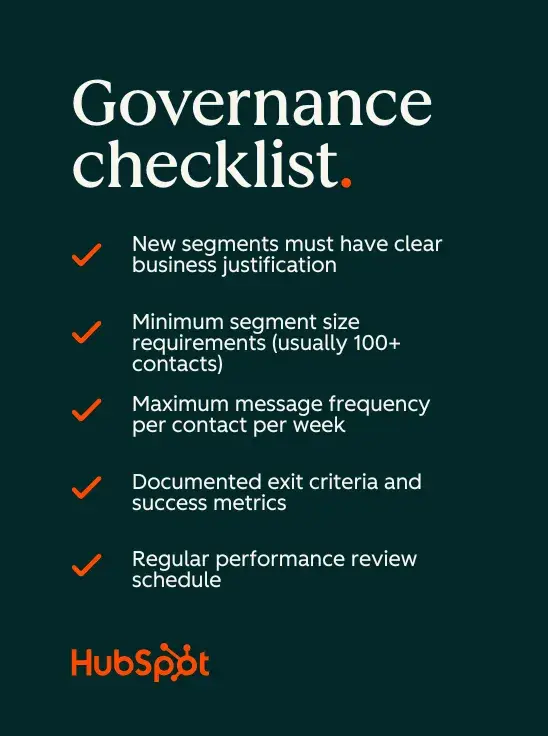
Governance checklist:
- ✅ New segments must have a clear business justification
- ✅ Minimum segment size requirements (typically 100+ contacts)
- ✅ Maximum message frequency per contact per week
- ✅ Documented exit criteria and success metrics
- ✅ Regular performance appraisal plan
How do I link segmentation to sales without complex models?
Use these simple attribution methods and proxy metrics:
Direct sales tracking:
- Track conversions from segment-triggered workflows
- Compare customer lifetime value across different acquisition segments
- Monitor upgrade/expansion rates by customer segment
- Calculate email revenue per segment using simple attribution
Proxy metrics showing revenue impact:
- Pipeline generation from lead segments
- Booking prices for sales meetings
- Demo request conversion by segment
- Conversion rates from the trial version to the paid version
Simple attribution options:
- First Touch: Credit the first segment that registered the contact
- Last Touch: The active segment at the time of conversion is credited
- Time decay: weighting of newer segment activities higher
- Position-based: Divide credit between the first and last touch points
Platform reporting: Most marketing platforms offer basic revenue attribution reports that link email campaigns to offers and revenue. Use these built-in reports instead of building complex custom models first.
Focus on trend analysis rather than precise attribution – look for segments that consistently generate higher conversion rates, shorter sales cycles, or larger business volumes. These patterns provide actionable insights for budget allocation and campaign optimization, eliminating the need for sophisticated modeling.
Ready to optimize your email targeting?
Automated email segmentation transforms manual list management into a dynamic, data-driven system that adapts to your customers’ changing needs and behaviors. Start with clean data, create your first dynamic segments, and use AI to scale your personalization efforts while maintaining operational efficiency.