


Are you looking for the best virtual phone number providers?
If you’re like me, you’ve seen how easily the lines between work life and home life can blur.
This has never been truer than when I almost lost a major client because I answered my home phone with, “Hey, what’s up?” answered.
Turns out it was their CEO calling about a project. “Awkward” doesn’t even cover it.
That’s when I realized that combining personal and business calls on one line was destroying my credibility. I also took work calls on family movie night at 9 p.m. As you can imagine, my kids weren’t thrilled.
A virtual phone number fixed both problems overnight. Now business calls go to my company line, customers hear a professional greeting and I actually have boundaries between work and private life.
Virtual phone numbers use a virtual phone system instead of the traditional PBX (Private Branch Exchange) system to create and Answer calls online.
You can purchase virtual phone numbers, add multiple users of the same number and start making and receiving your business calls.
In this guide, I’ll introduce you to the 8 best virtual phone number providers I’ve tested for small businesses. Each solves specific communication problems without breaking your budget.
Key Takeaways:
- Separate work and private life – Stop answering work calls over dinner or missing client calls because you don’t recognize the number.
- Look professional instantly – Custom greetings, call routing, and voicemail transcription make one-person engagements sound like full teams.
- Scaling without changing systems – The right provider grows with you from a sole proprietor to a small team, without forcing you to change platforms.
- Try it before you buy – Most providers offer free trials so you can test call quality, mobile apps and features with real business calls.
- Budget is important, but so is reliability – Cheaper isn’t always better when missed calls are costing your customers, but you don’t need enterprise pricing for solid basic equipment.
Short summary of the best virtual phone number providers
If you’re short on time, I created a quick comparison table for these top virtual phone number companies.
I’ll quickly show you what each one is best for, what features it offers, what size company is ideal, whether there’s a free trial, and what the starting price is.
| Provider | Best for | Best feature | Ideal company size | Free trial | Starting price |
|---|---|---|---|---|---|
| 🥇 Nextiva | General reliability | Global local numbers | From small to large | ✅ | $15/user/month |
| 🥈 RingCentral | Team collaboration | CRM integrations | Medium to large | ✅ | $20/user/month |
| 🥉 Ooma | Budget-conscious companies | Free virtual number included | Small business | ✅ | $19.95/month |
| 4. Grasshopper | Solopreneurs | Personal + business on one device | Freelance/Solo | ❌ | $14/month |
| 5. Phone.com | Pay-per-use flexibility | Usage-based pricing | Startups | ✅ | $15/user/month |
| 6. Google Voice | Users of the Google ecosystem | Google Workspace integration | Solo to Small | ✅ | Free – $7/user/month |
| 7. GoToConnect – formerly Jive | Cloud VoIP features | Car assistants | Small to medium | ✅ | $27/user/month |
| 8. FreshCaller | Modern interface | Number sharing for multiple users | Small business | ✅ | $15/user/month |
That being said, you can use the table of contents below to jump to any virtual phone number provider on my list.
How I test virtual phone number providers for small businesses
I don’t just log in and browse the features. I actually use these systems for real client projects and my own business communications.
That’s why I tested every provider on this list with actual phone traffic. Some have handled hundreds of calls flawlessly. Other? Not so much.
This is exactly what I rate:
- Easy setup: I measure how long it takes from registration to the first call. If I can’t activate a number within 15 minutes, that’s a red flag. I also check whether the onboarding process clearly explains the features or lets me browse through the help documents.
- Call quality: Clarity of audio quality is important. I test each system during peak and off-peak hours. I track dropped calls, voice delays, and background noise. Even a garbled customer call can cost you your trust.
- Mobile app experience: Most small business owners make a living from their phones. I test the mobile app daily for at least two weeks. Can I simply forward calls? Is voicemail synced? Will this drain my battery? These details are important.
- Functional scope: I look beyond the essentials. Sure, call forwarding and voicemail are standard. But I’m into auto-attendants, call recording quality, analytics dashboards, and team collaboration tools. I only recommend features that I have actually used.
- Inexpensive: I calculate the actual costs after the first year. Some providers convince you with low introductory prices and then surprise you with renewal surprises. I take into account the cost per user, feature limitations, and hidden fees.
If I have any problems, I also contact customer support. Response time and willingness to help count, especially if your telephone system fails.
Now let’s look at the providers that passed my tests.
Why trust IsItWP?
At IsItWP, we’ve been the go-to source for the WordPress community since 2009, helping over 2 million users make better business decisions.
Unlike review sites that never actually test the products, we maintain active accounts with these virtual phone number providers.
We use them for customer projects and run real businesses that rely on reliable communication systems.
We don’t just read data sheets; No, we make calls, test mobile apps and take care of customer support if something goes wrong. Our recommendations are based on real experiences and not marketing materials.
Choose the best virtual phone number provider
A virtual phone number is a smart way to connect with your website visitors. You can integrate it with your devices like mobile phones, desktop apps, tablets, etc.
This allows you to make and receive calls from anywhere using any device or web app. Users always see the same number regardless of whether they are calling from home or office.
There are several business phone providers on the market. A good virtual phone number service should include:
- Affordable and easy setup
- Call forwarding, call recording and call queue
- Spam filter to block unwanted calls
- Flexibility to add more users
- Toll-free and local numbers
- And more
Let’s take a look at some of the popular virtual phone number providers for your business that I’ve tested and reviewed.
1. Nextiva ⭐⭐⭐⭐⭐
Used by over 100,000 companies | Best for: Teams that need reliable global communications
Prices: Starting at $15/month per user.
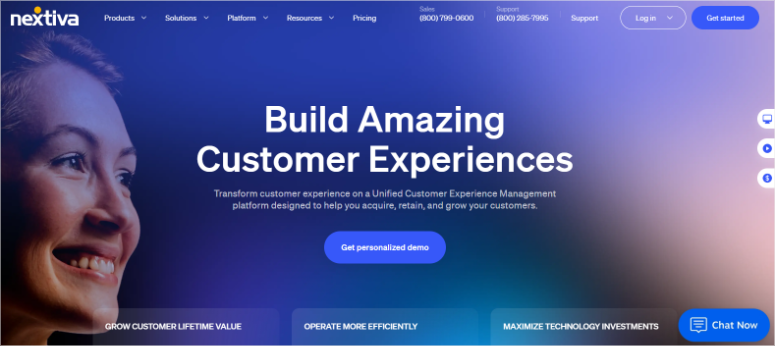
Nextiva became my default recommendation after smoothly handling a client’s international expansion. When managing teams across time zones, you need a system that simply works.
I have seen cheaper options. But none can match Nextiva’s reliability when it matters most.
My experience
I tested Nextiva on a client project that had remote teams in the US and Europe. The first thing that impressed me was that I got local numbers for all three locations in less than 20 minutes.
The call forwarding feature was a lifesaver, especially after a product launch that resulted in a lot of inquiries.
First of all, calls to the European number are automatically routed to available team members based on time zones. This resulted in no missed calls without any complicated setup.
If you’re traveling, the auto-attendant works great and takes maybe 10 minutes. The system walks you through recording greetings and forwarding options without having to read help documents.
What really stood out was the mobile app.
If you’re constantly traveling between customer locations, the app handles call routing seamlessly. Audio quality remains crystal clear, even with poor hotel WiFi.
Additionally, the call recording feature allows you to review customer conversations for training without losing quality.
Nextiva’s analytics tracking is simple and beginner-friendly.
I tracked metrics through Nextiva’s built-in analytics dashboard. It handled hundreds of calls without any disconnections. This reliability alone justified the price.
Adding this to the voicemail to email feature means your customer will no longer miss urgent messages.
Transcripts showed up in her inbox within minutes, which was very difficult with back-to-back meetings.
►Advantages
- Global local numbers are activated quickly and allow you to have a professional presence in multiple countries with ease.
- Call quality remains consistent even at peak times, which is important when closing deals.
- The mobile app works like your desk phone, so you’re never tied to your office.
►Disadvantages
- Prices are higher than budget options, but reliability makes up for it.
- Some advanced features require higher tariffs. So take this into account in your budget.
- If you are familiar with simpler systems, the interface requires a learning curve.
My verdict
Choose Nextiva when you need a virtual phone number system that won’t let you down in critical business moments. It’s perfect for growing teams that handle high call volumes or operate across multiple locations. The price surcharge gives you security.
Skip it if you’re just starting out as a solopreneur. You can find cheaper options that cover basic needs.
Check out the latest Nextiva review here. If this is the right virtual phone number for you, check out our Nextiva coupon page for the best deals.
Prices: Starting at $15/month per user.
2. RingCentral ⭐⭐⭐⭐⭐
Supports over 400,000 businesses worldwide | Best for: Teams using CRM systems
Prices: Starting at $20/month per user.
RingCentral solves one of my biggest problems with using virtual phone numbers: connecting to a CRM. RingCentral integrates seamlessly with HubSpot.
Connecting your phone system to your CRM can significantly reduce follow-up time.
I’ve tested many providers that promise CRM integration, but most only sync contact information. RingCentral actually logs every call detail automatically.
My experience
I set up RingCentral for a real estate client who was drowning in missed follow-ups. They used HubSpot for lead management, but manually logged every phone interaction, which hindered their productivity.
Configuring the HubSpot integration takes approximately 15 minutes.
Once connected, each incoming call automatically creates a timeline entry in the contact’s record. In addition, the duration and outcome of outgoing calls are logged and a link to call recordings is even created.
The call analytics dashboard breaks down performance by agent, time of day, and call outcome. This helps you analyze your team’s performance and your busiest times.
What impressed me the most was the automatic call forwarding feature.
You can set up rules based on lead source and interest. For my real estate client, I set it up so that hot leads from the website are immediately routed to the top agent.
While existing customers contacted their relevant account manager. Best of all, the system handled real-time routing decisions without interrupting calls.
The video conferencing feature is handy for things like virtual tours and meetings. Plus, the quality remains stable even when sharing screens with high-resolution photos.
I tested the mobile app to see how it compared to alternatives.
Call quality matched the desktop experience. This meant I could easily switch between devices during the call, making it convenient to hold meetings on the go.
Additionally, call queues help you easily manage peak times during peak seasons. When all agents are on a call, the system tracks new callers with customized hold music and estimated wait times.
►Advantages
- CRM integrations work automatically, saving you hours of manual data entry every week.
- The quality of video conferencing rivals standalone tools, so you don’t need multiple subscriptions.
- Call routing handles complex rules without complicated setup or IT support.
►Disadvantages
- When scaling to more than five users, the prices add up quickly.
- The user interface offers so many features that it seems overwhelming at first.
- Some advanced analytics require higher tier plans.
My verdict
Choose RingCentral if your team lives in your CRM and you’re tired of manually logging call data. It’s ideal for sales teams, real estate agencies, or any business where tracking customer interactions is important. The time saved in data entry alone is worth it.
Skip it if you’re a sole proprietor who doesn’t use CRM. You pay for integration services that you don’t use.
Check out the latest RingCentral review here. You can also check out some great deals on our RingCentral coupon page.
Prices: Starting at $20/month per user.
3. Ooma ⭐⭐⭐⭐⭐
No contracts required | Best for: Budget-conscious small businesses
Prices: Starting at $19.95/month without contracts.

I’ve recommended Ooma to any startup or small business that needs professional phone presence without burning cash. You can maintain the same affordable plan as you grow.
Every tariff includes a free virtual number, which most providers charge extra for.
My experience
I tested Ooma for a small consulting firm where three team members work remotely. Their biggest concern was cost. They had been using personal cell phones and it looked unprofessional.
The setup took about 20 minutes. Additionally, Ooma sent them a free business phone number immediately after signing up, with no waiting or verification delays.
I was immediately impressed by the virtual receptionist function.
You can record a simple greeting that directs callers to different extensions as needed. It makes a small team feel like a full office and ensures customers take you more seriously.
Another feature of Ooma that impressed me was the ring groups.
It solves coverage problems. So when someone calls the main line, all connected phones ring at the same time. This ensures that the first available person can answer the call.
This means you won’t miss a single call from a prospect, even if team members have different schedules.
I used the mobile app daily for two weeks.
Call quality remained stable on both WiFi and cellular data. Unlike some competitors, the app didn’t drain the battery. I could transfer calls, check voicemail, and adjust settings without touching a computer.
The music on hold feature allows me to upload a custom audio file. Small detail, but it beats the standard queue that makes callers think they’ve been disconnected.
Dialing the extension worked smoothly. Team members were able to reach each other by dialing three-digit extensions instead of full phone numbers.
It sounds insignificant, but it noticeably accelerated internal communication.
►Advantages
- Thanks to the free virtual business phone number, you can work professionally from day one.
- No contracts give you the flexibility to cancel at any time without penalty.
- The mobile app perfectly manages remote teams without draining your phone battery.
►Disadvantages
- The quality of call recording lags behind premium providers.
- Advanced features like detailed analytics are not as robust.
My verdict
Choose Ooma if you are a small business that cares about every dollar but still needs to look professional. It’s perfect for teams of fewer than 10 people who need solid fundamentals without paying for features they’ll never use. The no-contract flexibility means you can try it risk-free.
Skip it if you need advanced call analytics or premium integrations. As you get bigger you will outgrow it.
Prices: Starting at $19.95/month without contracts.
4. Grasshopper ⭐⭐⭐⭐
Best for: Solopreneurs and freelancers
Prices: Starting at $14/month per number.
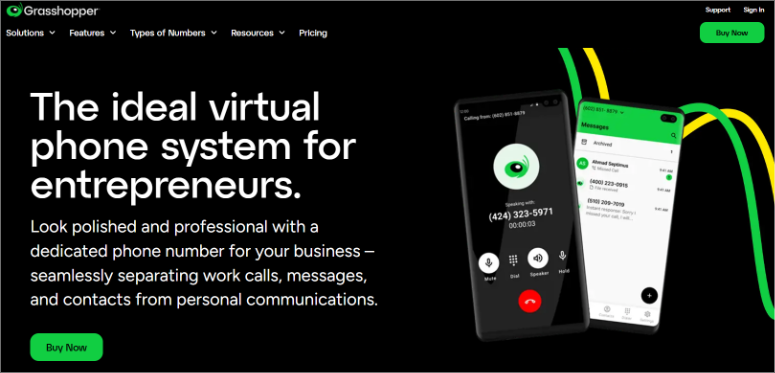
Grasshopper is an excellent virtual phone number provider. It offers toll free numbers, vanity numbers, real 800 numbers, 833 numbers and local numbers.
My experience
The standout feature is managing both personal and business calls on the same device.
When a business call comes in, Grasshopper will play a short tone before connecting. With this two-second warning you can go from “Hey!” switch. to “Thanks for your call, this is Sarah.”
I tested the vanity number feature. I noticed that it took about five minutes to find an easy-to-remember number like 1-800-DESIGNS.
This meant that customers could actually remember it, which noticeably increased callback rates.
Call forwarding between cell phone and office phone worked smoothly. You can set up business hours in the app and calls will automatically go to voicemail with a professional greeting.
Voicemail transcription saves time. Instead of listening to every message, you can scan the transcripts in your email and prioritize callbacks.
►Advantages
- Personal and business calls on one device means you don’t always have to carry two phones.
- Vanity numbers make your company memorable and strengthen your professional image.
- Call monitoring gives you advance warning before you respond, so you’re always prepared.
►Disadvantages
- The price per number adds up if you need multiple local numbers for different regions.
- Compared to team-oriented providers like RingCentral, the features seem simple.
- No video conferencing or advanced CRM integrations included.
My verdict
Choose Grasshopper if you’re a sole proprietor who wants to look professional without having to manage complex phone systems. It’s ideal for freelancers, consultants, or part-time workers where you’re the only person answering calls. The simplicity is the selling point.
Skip it if you’re building a team or need advanced features. You’ll grow out of it quickly.
Prices: Starting at $14/month per number.
5. Phone.com ⭐⭐⭐⭐
Best for: Pay-per-use flexibility
Prices: Starting at $15/month (billed annually).
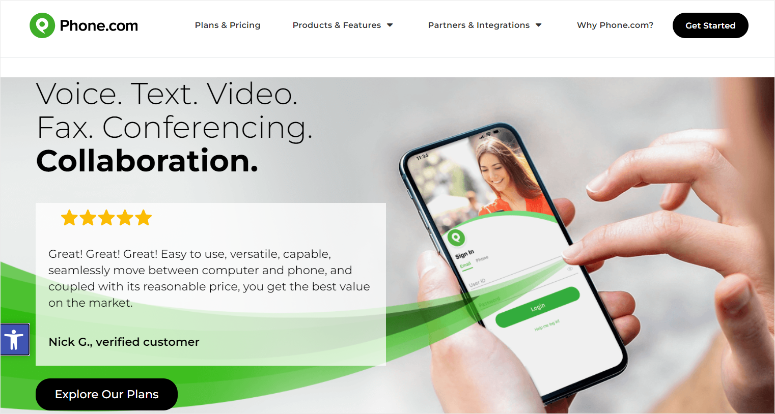
Phone.com is a premier cloud-based virtual phone number provider. I recommended Phone.com to a seasonal business that only needed comprehensive phone coverage for a few months of the year.
Paying flat monthly rates for services you rarely use can put a strain on your budget. Phone.com’s pay-per-minute plans have completely changed that equation.
My experience
I tested Phone.com for a business that gets overwhelmed with calls around Black Friday and remains largely quiet the rest of the year.
Since traditional providers charged them full price year round, I recommended Phone.com.
Because this virtual phone number service offers pay-as-you-go pricing, they paid for actual minutes instead of monthly fees per user.
The unlimited number of team members feature solves another problem.
You can add seasonal workers without paying per user fees. Five people used the same business number during a peak season at no additional cost.
Plus, you can easily set up local and toll-free numbers. The interface guides you through number selection and basic routing without any confusion.
Call quality remained consistent even when multiple team members were handling calls at the same time. I didn’t notice any dropouts or audio delays during the peak season stress test.
►Advantages
- With per-minute billing, you won’t waste money on unused capacity during slow times.
- Unlimited team members allow you to scale without per-user fees eating into your margins.
- Local and toll-free number options give you flexibility for different customer bases.
►Disadvantages
- Bills fluctuate from month to month, making budgeting less predictable.
- The user interface seems outdated compared to newer providers.
- Advanced functions cost an additional charge in addition to the basic price.
My verdict
Choose Phone.com if your call volume fluctuates significantly depending on the season or project. It’s perfect for businesses with unpredictable phone usage that don’t want to pay for unused capacity. The Unlimited Users feature is great for temporary workers.
Skip it if you need consistent monthly budgeting or want a modern interface. Fixed prices could give you more security.
Prices: Starting at $15/month (billed annually).
6. Google Voice ⭐⭐⭐
Best for: Google Workspace users
Prices: The personal plan is free. Offers a 14-day free trial for Pro; starts at $7/month per user.
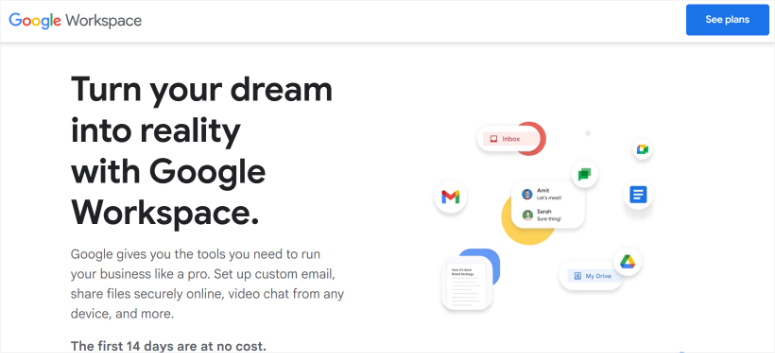
Google Voice is a professional virtual phone number provider. It works great on your smart devices and web applications to make business calls from your virtual number. You must sign in to your G Suite account to use this service.
I set up Google Voice for a customer who already used Gmail, Google Calendar, and Google Drive. Adding a virtual phone number that synced with everything they already used was a breeze.
The free personal plan sealed the deal for testing before committing to business features.
My experience
I tested both the free and business plans. The residential plan gave me a working business number in about five minutes. Perfect for solo entrepreneurs who are just starting out.
What immediately stood out was the integration of Google Voice into my existing workflow. Voicemails with transcriptions appeared in my Gmail inbox. I was able to return calls directly from Gmail without opening another app. Everything lived in one place.
I can use the web interface to make calls from my laptop during video conferences. I would join a Zoom call with video turned off and then quickly call a client using Google Voice without having to fiddle with my phone.
Call forwarding worked on all my devices. Call my cell phone, my desk phone and my laptop at the same time. The first device I grabbed received the call.
The business plan added useful team features.
Call routing based on business hours, shared voicemail boxes and better admin controls. At $7 per user, these upgrades made sense for small teams already using Google Workspace.
The biggest limitation was international calls. Google Voice works great in the US and Canada, but international rates add up quickly compared to dedicated international providers.
►Advantages
- The free personal plan lets you test out a virtual phone number before spending any money.
- Gmail integration syncs voicemails and call logs wherever you already work.
- Web calls from your laptop enable seamless multitasking during meetings.
►Disadvantages
- International calls cost more than specialist international providers.
- The features seem simple compared to enterprise solutions like RingCentral.
- Limited customization options for call routing and greetings.
My verdict
Choose Google Voice if you already use Google Workspace and want easy integration with tools you use every day. It’s perfect for sole proprietors testing business phone numbers. Or small teams that don’t need advanced features. The free plan makes trying it risk-free.
Skip it if you make frequent international calls or need complex call routing. You need a more robust system.
Prices: The personal plan is free. Offers a 14-day free trial for Pro; starts at $7/month per user.
7. GoToConnect – Formerly Jive ⭐⭐⭐
Best for: Cloud VoIP capabilities
Prices: Starting at $27/month per user.
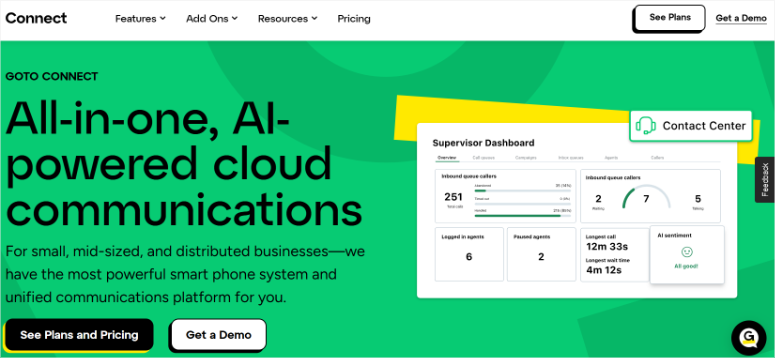
Jive, now GoToConnectis an affordable virtual phone number provider. It’s a cloud-based service with great VOIP features like auto attendants, voicemail boxes, call forwarding, calling plans, and more.
It offers local and toll-free numbers to make local and international calls with ease.
The service works perfectly on all your devices that have internet access. It also enables call recording, call monitoring, 3-way conferencing, speed dialing, and more.
My experience
I set up GoToConnect to see how the auto attendant works. I like how callers heard professional menu options like “Press 1 for new policies, Press 2 for existing customers” without us recording anything.
Furthermore, the text-to-speech feature of this virtual phone service does this automatically.
Additionally, you get call monitoring to help you manage your agents.
You can quietly listen in on live calls without the customer noticing. This is particularly useful for training without making new employees nervous about recording.
The three-way conference worked smoothly. Agents can bring in specialists from different departments during the call without transferring customers. Customers appreciated not being shuffled between people.
Calling plans allow calls to be routed differently depending on the time of day. Plus, you can redirect anything to voicemail with a custom greeting.
►Advantages
- Automated attendants with text-to-speech save you from having to record individual greetings.
- Call monitoring helps train new team members without cumbersome recording sessions.
- The cloud-based setup means there are no expensive hardware or installation costs.
►Disadvantages
- Call quality completely depends on the stability of your internet connection.
- If you only need simple calls, the features can be overwhelming.
- The price is mid-range without standing out for its value.
My verdict
Choose GoToConnect, formerly Jive, if you want professional phone system features without having to purchase physical equipment. It is ideal for small offices that require call screening, auto-attendant and flexible routing. The cloud-based approach keeps setup costs low.
Skip it if your internet connection is unreliable. VoIP quality suffers from poor bandwidth.
Price: Starting at $27 per month per user.
8. FreshCaller ⭐⭐⭐
Best for: Modern interface and user experience
Prices: Starting at $15/month per user.
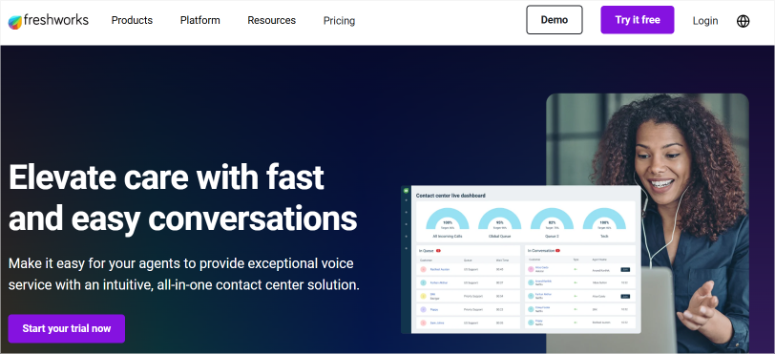
FreshCaller is a modern virtual number provider on the market.
It has a powerful phone system that allows you to get local phone numbers, toll-free numbers, international numbers and vanity numbers.
You can also use your current phone number as a virtual business number from any device.
My experience
When I set up FreshCaller, I quickly noticed that the dashboard immediately felt familiar, like opening a modern web app rather than clunky enterprise software.
The multi-user number sharing feature allowed team members to make and receive calls on the same business number.
On the other hand, customers will never know who specifically answers; All they know is that they will reach someone at the agency.
Custom greetings for different scenarios work smoothly.
You can set up separate greetings for business hours, after work hours, and holidays. I also really like how the holiday calendar feature allows you to plan months in advance.
Thanksgiving greeting? Set it for September and forget it.
Access monitoring tools that give you real-time visibility. You can see who was on the phone, how long they spoke for, and who was available. This helps distribute incoming calls more evenly across the team.
Most importantly, the mobile app matched the desktop experience. Same clean interface and features. You and your team can switch between devices without having to relearn anything.
►Advantages
- The modern interface feels intuitive compared to legacy enterprise systems.
- Sharing numbers across multiple users means one professional number for your entire team.
- Vacation planning lets you plan custom greetings months in advance.
►Disadvantages
- The feature set feels lighter than enterprise options like Nextiva or RingCentral.
- Fewer integration options with CRM and business tools.
- Call analytics are not as detailed as some competitors.
My verdict
Choose FreshCaller if clean, modern software is more important to you than the depth of a company’s functionality. It’s perfect for small teams that need solid fundamentals without having to deal with complicated interfaces. The affordable price and user-friendly design make it easy to onboard new team members.
Skip it if you need comprehensive CRM integrations or advanced call analytics. You’ll want something sturdier.
Price: Starting at $15 per month per user.
That’s it for my list of the best virtual phone number providers. I know it can be difficult to make the best choice for you. Here’s what you should pay attention to before you decide.
How to choose the best virtual phone number for your business
Choosing the right virtual phone number provider is all about matching the features to your actual needs. Here’s what you should consider before registering:
Company size and growth
- Individual entrepreneurs require different functions than teams of ten
- Plan for growth – if you’re adding three employees in the next quarter, you’ll need to choose a provider that can scale easily
- Prices per user add up quickly when multiplied by team size
Best options: Grasshopper for solopreneurs, Nextiva for scaling teams
Budget reality check
- Look beyond the monthly price
- A $15 plan with additional call recording fees may cost more than a $25 all-inclusive plan
- Calculate your actual costs based on the features you actually use
- Watch out for price jumps on renewals after the first year
Best options: Ooma for tight budgets, Phone.com for variable usage
Essential features
- Call forwarding and forwarding when working from multiple locations
- Voicemail transcription if you prefer reading messages rather than listening
- Quality mobile app if you rarely sit at your desk
- CRM integration if you track every customer interaction
- Auto attendants if you want to sound like a larger operation
Best options: Nextiva for comprehensive functions, Jive, now GoToConnect for car assistants
Integration requirements
- Already using Google Workspace? Google Voice makes sense
- Do you run HubSpot or Salesforce? RingCentral’s CRM sync saves hours every week
- Do you live with multiple business tools? Check which integrations your provider supports
Best options: Google Voice for Google users, RingCentral for CRM integration
Usage patterns
- Are you constantly switching between customer locations? Your mobile app better be bulletproof
- Sitting at a desk all day? Desktop features are more important
- Seasonal business with variable call volume? Usage-based pricing could save money
Best options: Nextiva for mobile reliability, Phone.com for seasonal businesses
Test strategy
- Most providers offer free trials. Use them
- Make actual calls, test the mobile app, try forwarding to different devices
- You’ll learn more in a week of real-world use than reading specs for a month
Best options: Start with Google Voice (free), then try Nextiva or RingCentral trials
Well done! You now have a good understanding of the best virtual phone number platforms and know how to choose the one that suits your needs. If something is unclear, check out the frequently asked questions below.
FAQs: The best virtual phone number providers for your business
What is a virtual phone number?
A virtual phone number is a phone number that is not tied to a physical phone line or location. It works over the Internet and routes calls to any device you choose, such as your cell phone, laptop, or desk phone.
You can get a local number for any area code, even if you are physically located somewhere else. This helps businesses target customers locally in different cities without having to open physical branches.
How much does a virtual phone number cost?
Prices range from free (Google Voice personal plan) to around $30 per user per month for premium providers like Nextiva or Grasshopper.
Budget options like Ooma or pay-as-you-go providers like Phone.com, which charge a base fee plus per-minute rates. The actual cost depends on the features you need. Simple calls cost less than systems with CRM integration, call recording and analytics.
Can I keep my existing business number?
Yes, most providers support phone number porting. This allows you to transfer your current business number into their system.
The process typically takes 7-10 business days. You will need your current provider’s account details. During testing, Nextiva, RingCentral, and Ooma handled the port smoothly and without service interruptions.
Do I need special equipment for a virtual phone number?
No special equipment required. Virtual phone systems work on devices you already own.
You can use your smartphone, computer or tablet. Some providers offer optional desk phones if you prefer traditional handsets, but these are not required. All you need for call quality is a reliable internet connection.
Can I get a toll-free number?
Yes, most providers offer toll-free numbers as add-ons or included in higher plans.
Nextiva, RingCentral, Grasshopper, and Phone.com all offer toll-free options. Prices vary, but for toll-free numbers you can expect to pay an additional monthly cost of $5 to $15, in some cases plus per-minute usage fees.
Final Verdict: Should You Use a Virtual Phone Number?
Yes, if you want to separate work and private life and look professional without expensive telephone systems.
Virtual phone numbers solve real problems. You will no longer miss business calls. Customers no longer hear, “Hey, what’s going on?” when they call. There are finally boundaries between 9 a.m. to 5 p.m. and family time.
Start with free trials. Try Nextiva when reliability matters most. If you live in your CRM, try RingCentral. Choose Ooma if budget is tight.
The right provider will depend on your specific needs, but any virtual phone number is better than using your personal cell phone for business purposes. Your credibility and sanity will thank you.
Well, if you are a more personal company. This is how you can set up appointment bookings in WordPress.
That being said, there are other posts here that I know will be of interest to you.
Each of these guides builds on what you’ve learned here and helps you stay connected with your customers.
I hope this list article has made choosing a virtual phone number provider a lot easier. Here’s to better communication and fewer missed calls.