
I helped a client open his first online store with great products and solid prices. Traffic looked good. But conversions? Terrible.
Visitors placed items in the shopping cart and then disappeared at the checkout. The problem wasn’t my products. It was trust.
See, FOMO gets people interested because urgency breeds excitement. But without the right trust signals to back up these tactics, customers hesitate.
You’re wondering, “Is this site safe? Will my payment information be safe? Will other people actually buy here?”
Trust badges close this gap.
They turn hesitation into confidence at the exact moment that matters most.
Research shows that trust badges can increase conversion rates by 2% to 30%. They extend dwell time and reduce shopping cart abandonment.
Most importantly, they answer the silent questions that run through every visitor’s mind before they click “buy.”
In this guide, I’ll show you 6 trust badge plugins that I’ve tested in real stores, as well as 3 bonus tools that add dynamic trust signals. We’ll then explain which plugin is best for each type of trust badge you need.
Key Takeaways:
Here’s what you’ll learn in this guide:
- How trust badges impact purchasing decisions – The psychology behind why security seals, payment logos and guarantees reduce cart abandonment
- 6 different approaches to trust badges – From flexible code solutions to visual builders, checkout optimization tools and earned third-party certifications
- Breakdown of free and paid features – What you can achieve without spending money and when upgrades actually add value
- 6 types of trust badges explained – Secure checkout seals, payment processor logos, credit card acceptance, customer reviews, partner credentials, and third-party recommendations
- Best tools for every ID card type – Which solutions are characterized by certain trust signals such as security certifications versus payment symbols or social proof?
- Dynamic trust signals beyond static badges – How live notifications, social feeds and privacy compliance create credibility that static images cannot
How I test Trust Badge Plugins for WordPress
Testing trust badge plugins is not about installing them and calling it done. I dig deeper.
Every plugin on this list has undergone real-world testing in active stores. I’ll look at what’s important for beginners who actually need trust badges that work.
Here is my testing process:
- Easy setup – Can someone with no programming knowledge install and configure the plugin in less than 30 minutes? I set the time for myself. If I’m constantly reaching for documentation, that’s a red flag.
- Variety of trust badges – Does it process static credentials (payment logos, security seals), dynamic signals (live notifications), or earned certifications? The best plugins offer multiple types.
- Placement flexibility – Can you place badges where they matter most? Product pages, checkout, shopping cart, headers and footers all serve different purposes of building trust.
- Visual customization – Does the badge match your brand’s colors and style? Or does it look like a cheap sticker plastered on your website?
- Impact on performance – I run Google PageSpeed tests before and after installation. Trust seals should not slow down crawling of your website.
- Real credibility – This is huge. Self-proclaimed badges (anyone can add) versus earned certifications (third-party verification) leave a completely different impression on customers.
These criteria focus on what beginners actually need. No complex business metrics or enterprise functions. Simply practical trust building that works.
Why trust IsItWP?
At IsItWP, we’ve been the WordPress community’s go-to source since 2009, helping over 2 million users choose better tools for their websites.
Unlike many review sites that never actually use the products, we maintain active, high-performing eCommerce stores, test plugins based on real customer traffic, etc Offer ongoing WordPress consulting through driftkingsmedia.
For this Trust Badge guide, I personally installed and configured each plugin. I tested them on WooCommerce and Easy Digital Downloads live stores.
I measured their impact on conversion rates, page speed, and customer behavior.
The plugins that made this list earned their spots through real performance, not affiliate commission rates. If a tool doesn’t provide real trust-building value for beginners, it’s not suitable.
You’ll get recommendations from someone who stakes their reputation on these decisions and works for your business.
Best Trust Badges for Ecommerce WordPress Sites
Now I’ve created a quick comparison table to help you make a decision if you don’t want to go through the entire article.
You can immediately see what each trust badge is best for, whether there is a free version, what the prizes are, and how easy it is to use.
| Plugin | Best for | Free version | Ease of use | Starting price |
|---|---|---|---|---|
| 🥇WP Code | Maximum flexibility through individual implementations | ✅ | Simply | $49/year |
| 🥈 FunnelKit Funnel Builder | Checkout-oriented trust integration | ✅ | Moderate | $99.50/year |
| 🥉 Advanced Woo Labels |
Sophisticated product-level badges | ✅ | Moderate | $59 License 1 Site |
| 4. Badge and product label | All-in-one marketing toolkit | ✅ | Simply | €39.00 license 1 location |
| 5. YITH ID card management | Balanced simplicity and power | ✅ | Simply | €79.99/year |
| 6. Trusted Site | Obtained safety certifications | ✅ | Very simple | $348/year |
Additionally, you can jump to any section of this article using the links below.
With that said, let’s get started.
1. WP Code ⭐⭐⭐⭐⭐
Code Snippets Plugin • 2M+ active installs | Best for: Maximum flexibility with custom trust badge implementations
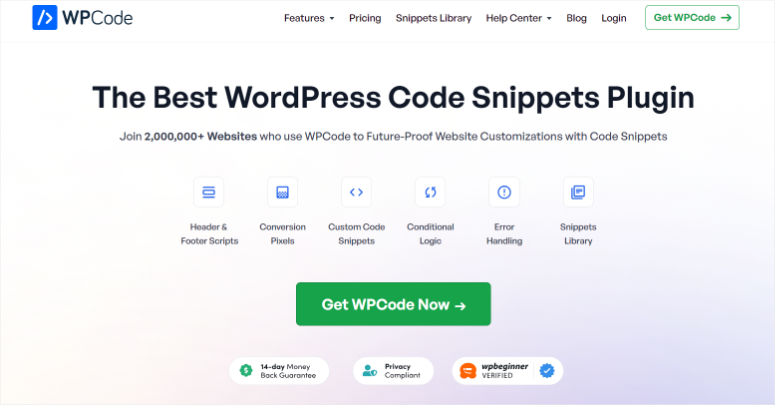
WP Code is a code snippets manager that allows you to add custom HTML, CSS and JavaScript anywhere on your WordPress site without having to edit theme files.
Think of it as a safe way to include code that will survive theme updates.
Although it is not a traditional trust badge plugin, its flexibility allows me to add custom trust badges through simple code snippets.
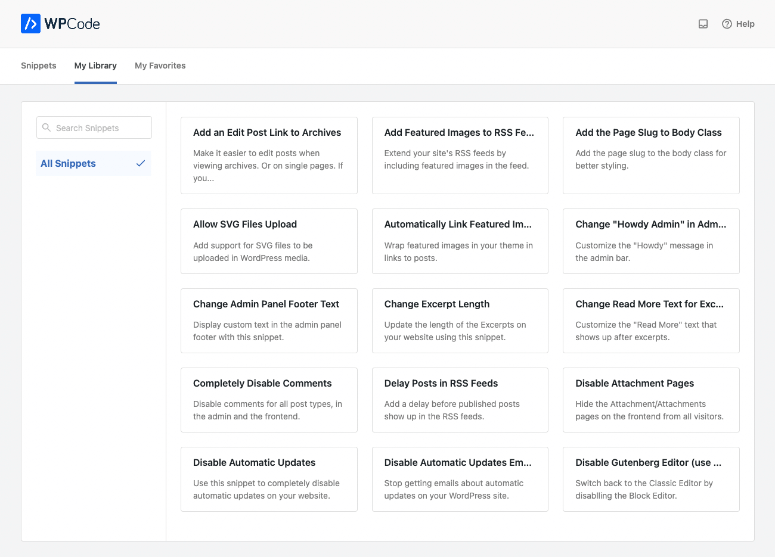
This is why I use WPCode to place payment processor logos in my checkout header, as it provides precise placement control that dedicated badge plugins cannot match.
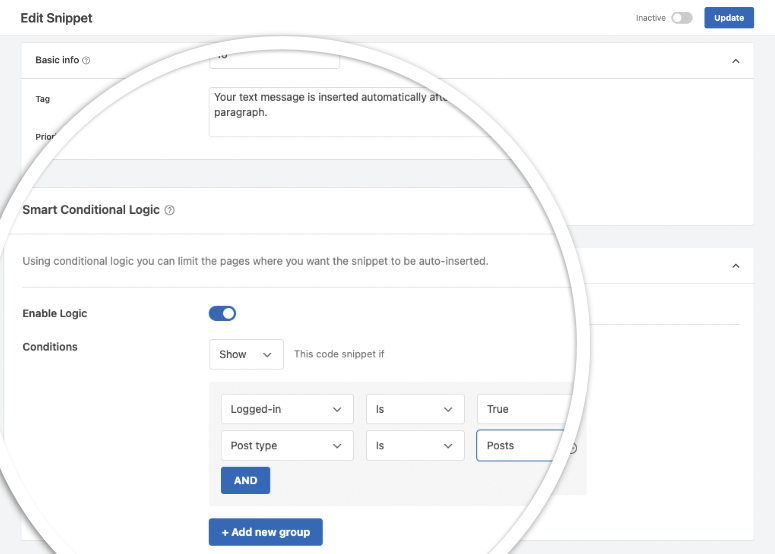
Smart conditional logic allows me to display different trust badges based on cart value.
For example, Premium Security Seals automatically appear when orders exceed $500, while Standard Security Seals appear on smaller purchases.
I also add custom HTML for Secure Checkout badges using header scripts. Using WooCommerce hooks, place “30-day money back guarantee” badges above the checkout button.
And display “Trusted by 10,000+ Customers” text in footers using the global paste feature.
The best part is that the code validation feature prevents errors that could break my website. This is especially important when placing trust elements in critical checkout areas.
The reason WPCode is at the top of this list of trust badge plugins is its device-specific loading.
I display full trust badge lines with detailed text on the desktop. However, on mobile devices, switch to compact icon-only badges as these offer separate mobile/desktop snippet controls.
Additionally, shortcode generation helps insert trust badge snippets into specific product descriptions where certain certifications are most important.
The free version for WPCode allows you to add trust badges through a more manual approach. But the Pro plans add WooCommerce-specific insertion points.
This allows you to place trust badges on the exact checkout elements without having to edit design files.
►Advantages
- Works with any badge design or certification you hold
- Code validation protects your website from corruption
- Device-specific loading optimized for mobile shoppers
- WooCommerce hooks in Pro allow control of surgical placement
►Disadvantages
- You must source your own trust badge images
- Basic HTML/CSS knowledge helps with custom implementations
My verdict
WPCode excels when you have specific trust badges from actual certifications (BBB, Norton, McAfee) and need to place them exactly where they work best.
It’s ideal for WordPress stores that want complete control over the appearance and positioning of the trust badge without being tied to pre-built templates.
Prices: Starting at $49/year. Free version available with global header/footer badges, unlimited snippets and basic conditional logic.
Check out my full WPCode review here.
2. FunnelKit ⭐⭐⭐⭐⭐
Checkout optimization suite | Best for: Checkout-focused trust badge integration
FunnelKit replaces your standard WooCommerce checkout with conversion-optimized templates that include built-in trust badge sections.
So instead of adding badges to your existing checkout, create an entirely new checkout experience based on trust.
I use FunnelKit to create two-stage checkouts with strategically placed trust badges at each stage.
This is because it offers pre-built templates with trust elements already positioned for maximum impact.
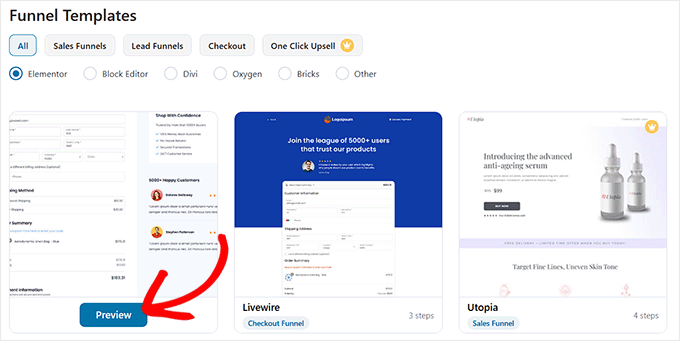
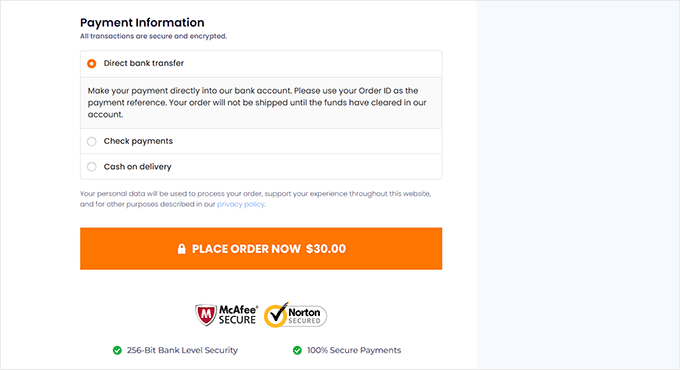
In the first step, payment security badges and the number of customer reviews are displayed directly below the shopping cart overview. In the second step, SSL certificates and money-back guarantees are displayed directly above the payment button.
Page builder integration simplifies customization.
You drag trust badge widgets into checkout sections using any top page visual builder, adjust the colors to match my brand, and add custom guarantee text without touching the code.
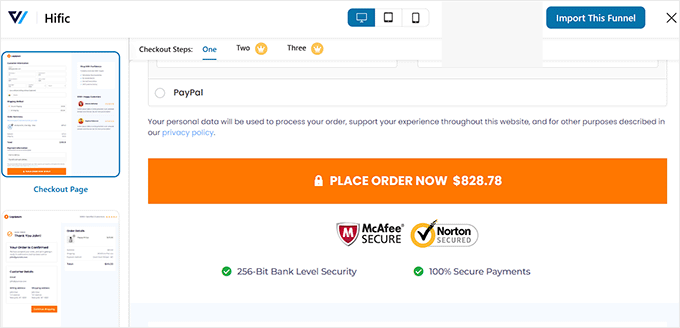
Additionally, the rules-based system allows me to display different trust badges depending on what is in the cart. Therefore, high-priced digital products receive extended warranty badges.
While physical products have shipping insurance seals. This is possible because it offers conditional display rules tied to product categories.
What really works is mobile optimization.
FunnelKit’s checkout templates automatically resize trust badges for smaller screens, stack them vertically on mobile, and ensure fast page load times even when displaying multiple trust elements.
►Advantages
- Ready-made templates already contain the positioning of the trust badge
- Comprehensive page builder integration for visual customization
- Mobile-responsive templates automatically optimize trust badges
- A/B testing shows which trust placements work best
►Disadvantages
- Requires replacing your entire checkout page
- Most professional templates are included in the free version
My verdict
FunnelKit shines if you want a complete checkout overhaul with trust badges built into the design.
It’s perfect for stores that want to streamline their entire checkout flow, not just add a few trust seals to what they already have.
Prices: Starting at $99.50/year. Free version available with 5 basic templates, trust element placeholders and mini cart customization.
Start here with FunnelKit.
3. Advanced Woo Labels ⭐⭐⭐⭐⭐
Product Badge Specialist | Best for: Sophisticated product-level conditional badges
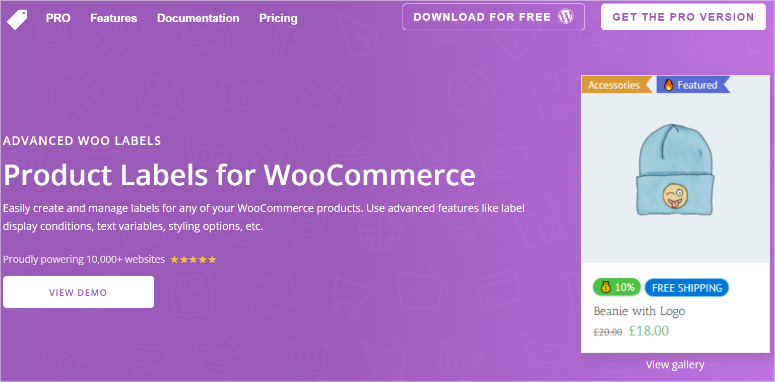
Advanced Woo Labels is a product badge plugin that automatically displays labels on your WooCommerce products based on the conditions you set.
It is specifically designed to display different badges on different products without manual assignment.
That’s why I use the price range targeting feature in the display conditions to display different badges depending on the item price.
In addition, you get dynamic text variables that save a lot of time.
I use the discount percentage badges on sale items, combining urgency with trust. Since it provides real-time product data in the badge text, I use the stock status badges to show product availability.
In addition, you can place trust seals directly on product images where they cannot be missed.
This allows me to strategically place different badges. For example:
- “Money Back Guarantee” badge in the top right corner of featured products
- Verified Seller badges on Marketplace merchant items
- Encrypted Payment badges on all digital downloads.
Remember that the conditional logic does everything automatically once I set the rules.
►Advantages
- Unlimited labels with sophisticated conditional logic
- Dynamic text shows real product data
- Compatible with over 40 themes and major page builders
- Comprehensive integration of multivendor marketplaces
►Disadvantages
- No image captions in the free version
- Steep learning curve for complex conditions
My verdict
Advanced Woo Labels is ideal if you have a large product catalog and need different trust badges to be automatically displayed on different products.
It’s perfect for stores where trust signals need to match product type, price range, or customer segment without manual badge assignment.
Prices: From $59 license for 1 site. Free version available with unlimited text labels, 5 shapes and basic conditions.
Get started here with Advanced Woo Labels.
4. WooCommerce product badges and sales boosters ⭐⭐⭐⭐☆
All-in-one marketing toolkit | Best for: Businesses that want bundled conversion tools with trust seals
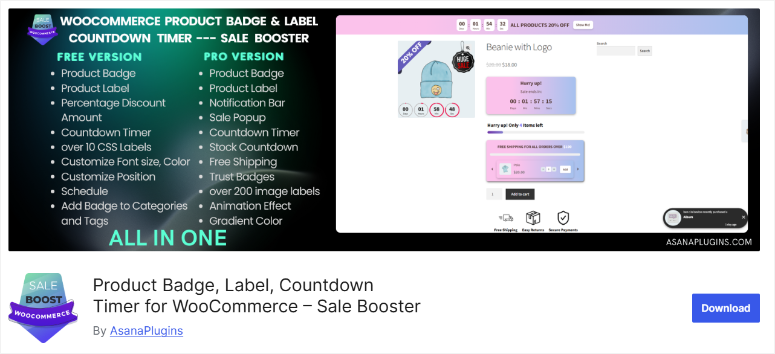
I like WooCommerce product badges and sales boosters because it goes beyond simple trust badges.
You also get countdown timers, notification bars, sales popups, and free shipping bars. It’s a comprehensive conversion toolkit where trust badges are part of a larger strategy.
I use this plugin to combine trust badges with non-invasive urgency elements as it offers multiple conversion features in one tool.
For example, you can place a “Secure Checkout” badge next to a beautiful countdown timer that shows when a sale ends.
Or add trust badges that say “Secure Payment” next to notification bars announcing “Free Shipping over $50.” Ultimately, the relationship between these elements creates complex trust signals.
The notification bar system is particularly good for building trust.
You can customize them to quickly display specific trust messages. Additionally, the bars can target specific pages such as shopping cart, checkout, and product pages. This displays relevant trust messages where they matter most.
For product-level trust, I use the CSS label templates to create Verified Seller and Secure Transaction badges that appear on product images.
►Advantages
- Combines trust badges with urgency tools in one plugin
- Notification bars are perfect for trust messages during checkout
- Over 200 pre-made badges in Pro, including trust themes
- Countdown timers increase the urgency of trust signals
►Disadvantages
- Limited CSS templates in free version
- The most advanced features are hidden behind Pro
- No custom image upload in free version
My verdict
This sales booster plugin works best if you want an all-in-one conversion toolkit where trust badges are part of a broader strategy.
It’s ideal for stores that require trust signals, urgency, and promotional features to work together rather than standalone badge management.
Prices: From €39.00 license for 1 site. Free version available with 15 CSS templates, countdown timers and basic conditions.
Get started here with WooCommerce Product Badges and Sale Booster.
5. YITH WooCommerce Badge Management ⭐⭐⭐⭐☆
Balanced Badge Manager | Ideal for: Middle ground between simplicity and performance
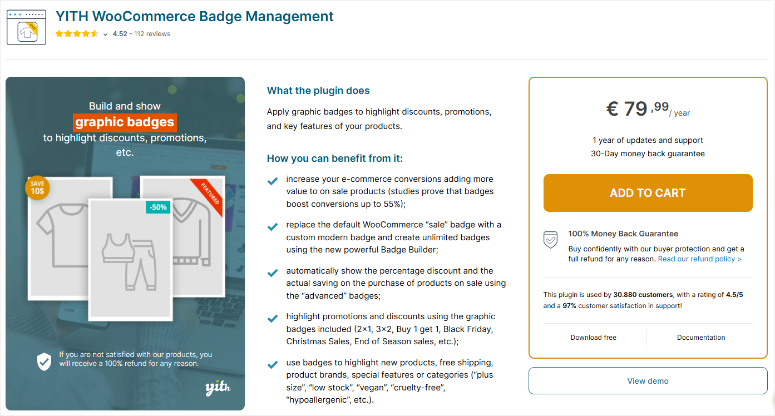
YITH WooCommerce Badge Management is a focused badge plugin that combines ease of use with advanced features.
It gives you enough power to create advanced trust badges without overwhelming you with options.
I use YITH WooCommerce Badge Management to easily create custom trust badges. It has a built-in badge builder with three badge formats.
You get plain text, CSS badges with full style control, and image badges with drag-and-drop positioning.
The automatic discount badges work great for trust. Dynamic calculation updates automatically as prices change.
Additionally, the badge displays both savings and a message of trust, combining value with assurance.
The scheduling feature allows me to run time-limited trust campaigns. This is great, especially for large eCommerce sites.
You can schedule secure checkout badges for holiday sales to only appear during sale periods. You will then automatically switch back to the standard “Secure Payment” badges.
Additionally, user role targeting means you can display more appealing trust badges like “VIP Customer – Priority Support” only to logged in members.
►Advantages
- Integrated badge builder with real-time preview
- Automatic discount badges dynamically calculate savings
- Over 60 pre-made seasonal trust badges in the library
- Planning and visibility controls for user roles
►Disadvantages
- Limited features of the free version compared to competitors
- No free premium trial period
My verdict
YITH WooCommerce Badge Management strikes a balance between beginner-friendliness and feature richness.
It’s ideal for large store owners who want more than just simple ID cards but don’t need enterprise-level conditional logic.
The integrated badge builder enables the creation of professional trust badges without any programming knowledge.
Prices: From €79.99/year. Free version with unlimited badges, 9 image options and simple text badges available.
Get started with YITH WooCommerce badge management here.
6. Trusted Site ⭐⭐⭐☆☆
Security Certification Service | Best for: Obtained third-party security certifications
Trusted Site works differently than other plugins on this list because it offers the following acquired certifications instead of Badges you design yourself.
This is a SaaS platform that actively scans your website and awards trust certifications that must be maintained through ongoing security compliance.
I use TrustedSite when I need legitimate third-party validation because it offers actual security scans and company verification instead of self-proclaimed badges.
The service scans my website for malware, viruses, phishing campaigns and Google Blacklist status. If my website passes the audit, it will show the Certified Secure and Verified Business certifications.
If security issues arise, the badges automatically disappear so customers only see verified trust signals.
The earned certification approach creates real credibility. Anyone can add a Secure Checkout image badge to their website. However, TrustedSite’s McAfee SECURE branding in Pro plans is based on active monitoring.
Additionally, the Issue Free Orders certification surveys my actual customers after purchase and displays their feedback, creating transparent trust based on real experiences.
The floating seal of approval appears in the bottom corner of every page and, when clicked, displays earned certifications in a modal window.
I can also place inline trust seals at specific locations. Since it offers multiple placement options, I can add them above checkout buttons, in cart summaries, or on product pages.
►Advantages
- Earned certifications through actual security scans
- Active monitoring removes badges when problems are detected
- Shopper Identity Protection in Pro offers real insurance value
- Third-party validation customers recognize this
►Disadvantages
- Extremely limited free plan (500 visits/month)
- The Pro plan can be expensive for small businesses
- May result in negative brand reputation on review sites
- Limited customization options compared to badge plugins
My verdict
TrustedSite works if you need legitimately earned certifications, not self-created badges.
Third-party validation carries weight with cautious customers. But the visit limits and monthly pricing make it expensive compared to other options.
Best suited for established stores with consistent traffic that require recognized security certifications.
Prices: Starts at $348/year. Free plan for 500 visits/month with 2 certifications, floating seal of approval.
This is my list of the best trust badge plugins for eCommerce WordPress sites. Now let’s look at bonus tools that support trust signals on your website and work great with these badges.
These tools complement trust badges by adding dynamic trust signals that show social proof, real-time activity, and privacy compliance.
TrustPulse
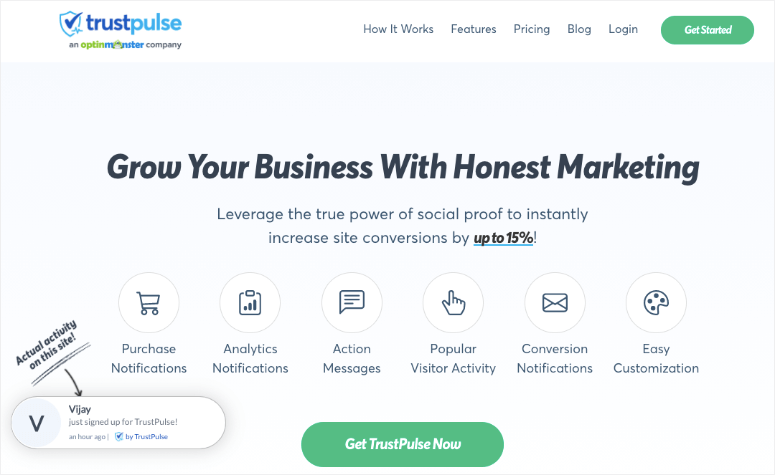
TrustPulse builds trust through live social proof notifications. Instead of static badges, customer activity is displayed in real time, such as: B. recent purchases, registrations, downloads and more.
This creates urgency and shows active engagement. The social proof notifications appear as small pop-ups while someone is on your website, confirming your store’s credibility.
The WooCommerce integration displays actual product purchases with images to make it clear that real customers trust your store enough to complete transactions.
Additionally, it automatically tracks user activity without requiring any manual input. This works great with trust badges as it proves that people are actually buying from you.
For a full breakdown, see my latest TrustPulse review.
Smash the balloon
Smash the balloon Displays social media feeds and customer reviews directly on your website, building trust through social validation.
The Reviews feed plugin Pulls in reviews from Google, Yelp, Facebook and TripAdvisor and shows real customer experiences alongside your trust badges.
Seeing actual five-star reviews with customer photos creates credibility that security badges alone cannot achieve.
Additionally, the visual feed customizer lets you showcase your best reviews in carousel layouts near checkout areas.
This complements Trust Badges by adding authentic voices. After all, customers trust other customers on a landing page more than any security seal.
Check out my latest Smash Balloon review here.
WPConsent
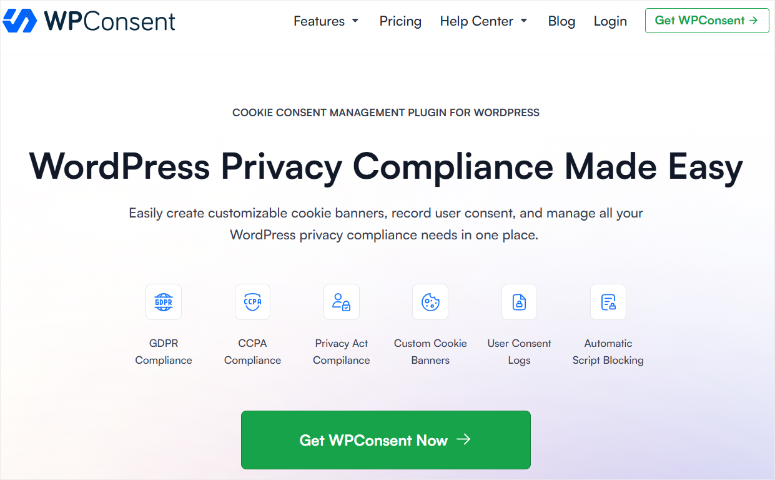
WPConsent creates trust through transparency and data protection compliance. It properly manages cookie consent by actually blocking tracking scripts until customers give their permission.
This shows respect for their data rights and ensures that no legal issues arise.
Automatic script blocking prevents Google Analytics, Facebook Pixel, and other trackers from loading pre-consent and shows your customers that you take privacy seriously.
This is important because privacy-conscious shoppers notice when websites respect their choices. The built-in cookie scanner detects what your website is tracking and displays it clearly.
When customers see that you are transparent about data collection and give them real control, trust is created that perfectly complements your security credentials.
Check out my WPConsent review here.
Understanding different types of trust badges
Not all trust badges serve the same purpose. Each type addresses a specific customer concern at different points in the buying journey. Here you can see which plugin from our list stands out for the individual important categories of trust cards.
Secure checkout badges
These are SSL certificates, McAfee SECURE seals and malware scan verification badges. They address safety concerns directly at checkout.
- Trusted Site is a great option because it provides earned certifications through actual security scans rather than static images that anyone can add.
- The badges automatically disappear when security issues are detected to ensure you are displaying legitimate trust signals.
- WP Code Works if you already have genuine security certifications from Norton, Sectigo or BBB and need to add their official verification codes to your website.
Payment processor badge
The acceptance logos for PayPal, Square, and Stripe payment gateways show customers which payment methods you accept.
- WP Code is the best and easiest solution. This allows you to insert payment logos anywhere using header/footer scripts to display them throughout the website.
- FunnelKit offers checkout templates that include pre-built payment card sections and Express Checkout Badge integration for PayPal, Google Pay and Apple Pay buttons.
- WooCommerce product badges and sales boosters Specifically includes payment method icons as an embed feature for product pages, shopping cart pages and checkout pages.
Credit card logo badge
You can use these trust cards to clarify whether you accept credit cards such as Visa, Mastercard, Amex and Discover.
- For site-wide credit card logo badges: WP Code offers the simplest implementation with global positioning control.
- For product pages, Advanced Woo Labels And YITH WooCommerce Badge Management are characterized by the display of credit card logos on individual product images.
- Additionally, their conditional logic functions display different options by category or price.
- For checkout pages: FunnelKit Templates contain dedicated areas for payment logos.
Customer satisfaction badge
Star ratings, the number of reviews and the display of testimonials provide social proof.
- Smash Balloon Reviews Feed Pro Designed specifically for this, it displays reviews from Google, Yelp, Facebook and TripAdvisor with collection features to manually select your best reviews.
- TrustPulse offers a dynamic alternative by displaying order confirmations through testimonial notifications.
- For WooCommerce product reviews as badges, Advanced Woo Labels, And YITH WooCommerce Badge Management All include the number of reviews and ratings in their dynamic text features.
Logo badges for customers and partners
As Featured In media badges, Trusted By company logos and partner certifications require maximum flexibility.
- WP Code stands out here by allowing custom HTML/CSS implementation anywhere and providing excellent control over responsive logo grids, hover effects and positioning.
- Conditional logic displays different partner logos depending on the page type or user role.
- Advanced Woo Labels Manages Authorized Dealer or Official Partner badges well if you need them for specific product categories.
Third-party referral badges
Industry awards, certifications, professional memberships, and BBB accreditation all require different approaches.
- For safety notices Trusted Site offers verified McAfee SECURE branding and Certified Secure badges through earned certifications.
- For awards and recognition, WP Code provides the best way to add a site-wide display.
- While Advanced Woo Labels is characterized by product-specific certifications such as “Organic Certified” or “Fair Trade” using conditional logic.
- Smash Balloon Reviews Feed Pro Displays Trustpilot and review platform reviews as third-party validation.
- WooCommerce product badges and sales boosters Includes embedding trust badges for BBB accreditation and industry association logos on checkout pages.
Congratulations! You can now choose the best WordPress trust badges for your eCommerce website. If something is unclear, check out the frequently asked questions below.
FAQs: Best Trust Badge Plugins
Do trust badges really increase conversions?
Yes. Studies show that trust badges can increase conversion rates by 2% to 30%, depending on implementation and industry. They work best at decision points like checkout pages, where security concerns are highest.
What is the difference between trust badges and trust signals?
Trust badges are static elements such as security seals, payment logos and guarantee symbols. Trust signals include dynamic elements such as live purchase notifications, real-time review feeds, and customer activity pop-ups. Both build credibility, but trust signals provide urgency and social proof that static badges cannot provide. The most effective businesses use both.
Can I use multiple trust badge plugins together?
Absolutely. Most successful shops combine plugins for different purposes. You can use WPCode for payment logos, Advanced Woo Labels for product badges, and TrustPulse for social proof notifications. Just avoid showing too many badges at once. Three to five well-placed trust elements work better than overwhelming visitors with dozens.
Should I use earned or static trust badges?
Badges earned carry more weight because they are verified by a third party. TrustedSite certifications, BBB accreditation, and verified review platform badges create greater credibility than graphics anyone can add. However, static badges still work for legitimate certifications you hold. The worst option is fake IDs as customers will recognize them and immediately lose trust.
Where should I place trust badges in my WooCommerce store?
Focus on high-intent pages. Post security badges near checkout buttons and payment forms. Display payment processor logos in cart summaries and product pages. Also, display warranty badges above “Add to Cart” buttons. Include general trust signals in headers or footers to ensure visibility across the site. Remember to test different placements because what works depends on the industry and target audience.
Final Verdict: Are Trust Badges Worth It?
When used correctly, trust badges offer absolute added value. They close the gap between visitor interest and completed purchases by addressing trust concerns at critical decision points.
The right plugin depends on your specific needs. WPCode offers flexibility, FunnelKit streamlines checkout, Advanced Woo Labels handles product-level automation, and TrustedSite offers earned certifications. Most successful stores combine multiple plugins instead of relying on one solution.
Start with free versions to test the impact on your conversion rates. Then monitor which badge placements work best. Finally, upgrade to paid plans to get advanced features to match your growth.
The cost of trust badge plugins is minimal compared to the lost sales from customers abandoning carts due to trust concerns. When visitors trust your store, they buy.
Want to improve your eCommerce conversions even further? Here are more resources:
Start with conversion basics:
Optimize your popups and timing:
Build and Captivate Your Audience:
Maximize content and track results:
Trust seals are just one piece of the conversion optimization puzzle. Combine the right trust badge plugins with proven conversion strategies from the resources above.
By doing this, you’ll build a complete system that converts more visitors into customers while establishing your store as a credible, trustworthy destination that shoppers return to again and again.