
A few years ago I helped a friend set up a fundraising page for her animal rescue. Like most people, she went straight to GoFundMe. It was familiar, easy to set up, and seemed like the obvious choice.
At first it worked well. Donations came in and she was grateful.
But as her campaign grew, she noticed things that bothered her. Each donation came with a fee, which is what she expected. What she didn’t expect, however, was that she had no way of reaching out to those donors again.
GoFundMe had no way to build an email list and notify them of future campaigns. Nothing.
She had raised money but not built an audience.
That’s when I started thinking about what WordPress could do for fundraising. It turns out, quite a bit.
See, your WordPress site can be a complete fundraising platform. One that puts every dollar and every donor relationship in your hands.
And today I will show you the best GoFundMe alternatives that I have tested and used.
Key insights
- I’ll show you a WordPress plugin that completely replaces GoFundMe and has built-in campaign pages, goal ads, and donor management
- Mention a tool that covers 100% of nonprofits’ own fees, including credit card processing
- I’ll share which options work if you want peer-to-peer fundraising, where supporters create their own campaign pages for your cause
- I tested more than 10 options to find out what actually works for a novice WordPress user who needs a donation flow within a day
How I test WordPress fundraising plugins
I make sure to test every tool on my lists before making recommendations.
🔍 Click here to see my testing methodology
Here’s exactly how I rate WordPress’ fundraising tools:
- Setup speed – I install each plugin on a clean WordPress staging site and measure how long it takes from activation to an active, working donation form
- Completion of donor flow – I conduct a real test donation using each plugin and check how smooth and trustworthy the checkout feels from a donor’s perspective
- Fee calculation – I run a $10,000 scenario with each tool to calculate exactly what the platform makes and what ends up in your account
- Gateway testing – I check which payment gateways actually work on the free plan and which require an upgrade
- Set up recurring donations – I set up a monthly recurring donation to confirm the feature works and donors can manage their own subscriptions
- Donor CRM check – I check that donor data is stored, searchable and exportable. Your data should be yours
Tools I use: – WordPress staging environment to ensure isolated testing without impacting a live site. Stripe test mode and real checkout simulation with no real fees
Why trust IsItWP?
At IsItWP, we’ve been the go-to source for the WordPress community since 2009, helping over 2 million users choose better plugins and tools. Unlike review sites that never actually use the products, we maintain active accounts, run real customer sites, and offer ongoing WordPress advice.
The best GoFundMe alternatives for WordPress in comparison
Here’s what surprised me when I first looked into it: GoFundMe doesn’t actually charge a platform fee.
The 2.9% + $0.30 per transaction you see on every donation? This is Stripe’s payment processing fee.
So for a $10,000 campaign, about $320 goes into payment processing, regardless of whether you use GoFundMe or a WordPress plugin. The difference is what you get for that money.
With GoFundMe you get a campaign page and nothing else. Every donor disappears into their ecosystem and you have no way of reaching them again.
With WordPress fundraising tools, you pay the same processing fee but own everything. Donor emails. Campaign data. The ability to track and build relationships.
It’s the same cost, a completely different result.
I’ve broken down the best options below. Some are WordPress plugins that you install directly on your website. Others are embeddable platforms that sit on top of your existing pages.
I’ve covered the entire spectrum so you can find the right solution for your situation.
For more information about collecting money with WordPress, check out my guide to the best WordPress payment plugins. And if you want to look specifically at donation tools, here’s my complete guide to the best donation and fundraising plugins for WordPress.
Here is a comparison table so you can see all the options at a glance:
| product | Best for | Platform fee | Free version | Starting price |
|---|---|---|---|---|
| 🥇 Non-profit | Complete GoFundMe replacement | 0% | ✓ Yes | $69/year |
| 🥈 WPForms | Donation forms for beginners | 0% | ✓ Yes | $199.50/year (Pro) |
| 🥉 WP Simple Pay | Easy Stripe Donations | 0% | ✓ Limited | $49.50/year |
| 4. Impressive shapes | Advanced donation calculator | 0% | ✓ Yes | $199.50/year (Business) |
| 5. GiveWP | Dedicated WP donation plugin | 0%* | ✓ Yes(2% Stripe fee) | $149/year |
| 6. Dispenser box | Recurring donation conversion | 1.75% | ✓ Yes | $150/month |
| 7. Give butter | Peer-to-peer campaigns | 0%† | ✓ Yes | $29/month |
| 8. Paymattic | Best value for money with full functionality | 0% | ✓ Yes | $4.99/month |
| 9. Zeffy | 100% free for nonprofits | 0% | ✓ Yes | $0 |
| 10. YITH donations | WooCommerce Checkout Donations | 0% | ✕ | €79.99/year |
Additionally, you can use the table of contents below to jump to any section of the article you want to read.
With that out of the way, let’s get started.
1. Non-profit ⭐⭐⭐⭐⭐
4.9/5 on WordPress.org (+200 reviews) | Best for: Anyone who wants to take complete ownership of their fundraising
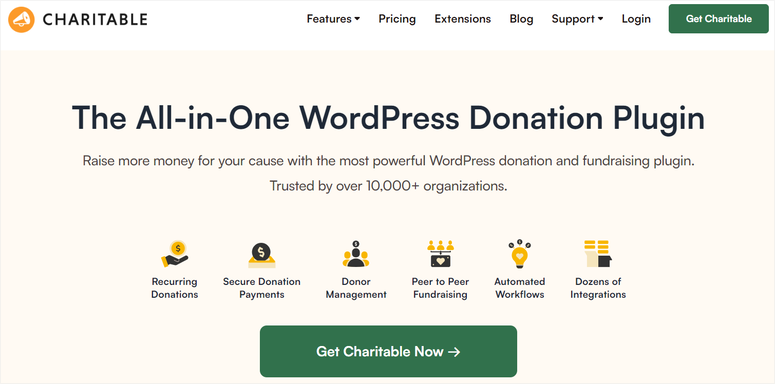
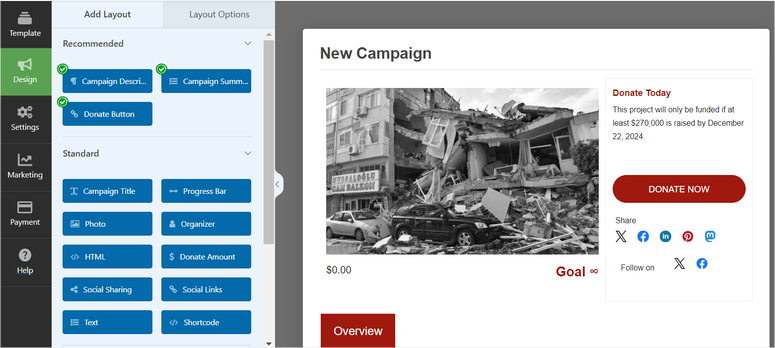
Non-profit does what GoFundMe does. It can help you set up campaign pages, goal ads, donor lists, progress tracking, and more.
But on your WordPress site, with your branding and by adding each donor to a list that belongs to you.
I set it up for animal rescues and community center renovation projects. In both cases we were able to collect donations without any technical problems.
The drag-and-drop form builder is super easy. This means you don’t need any shortcodes or a developer. Simply click, customize and publish.
Why is Charitable one of the best GoFundMe alternatives?
Here’s what no one tells you about GoFundMe: The payment processing fee you pay through GoFundMe is 2.9% + $0.30 Same Fee you pay directly through Stripe.
The “free” GoFundMe model will cost you the same processing. Beyond that, you just lose the donor relationship.
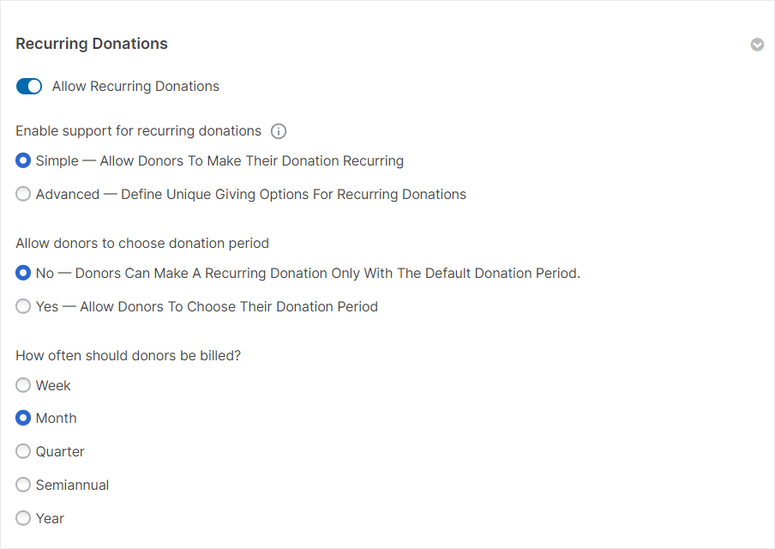
Charitable’s free plan combines PayPal and Stripe with no additional platform fee. Additionally, the Pro plans include recurring donations, where real money is used for an ongoing cause.
My experience with Charitable
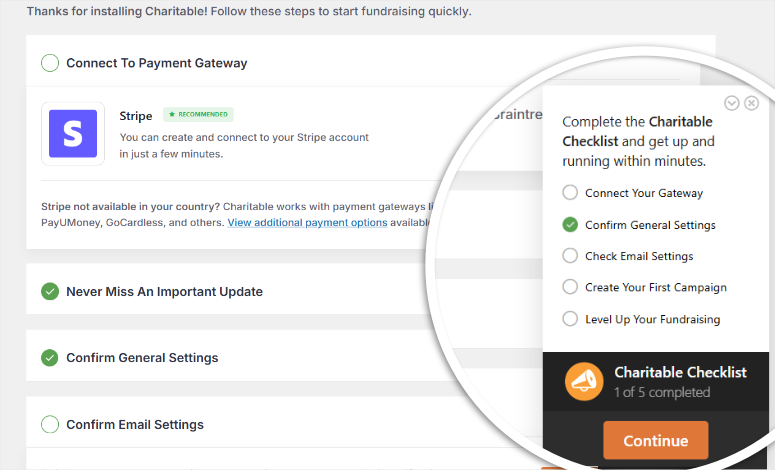
I started a fundraiser to renovate a client’s community center. We used Charitable’s campaign page builder, embedded it into a landing page using SeedProd, and connected it to Stripe.
One of the most difficult problems to overcome when setting up a donor form is the long loading time.
However, with Charitable, the donation form loaded in 1.2 seconds GTmetrix and the free speed tool IsItWP.
Recurring monthly donors signed up at a rate of 31%. This means that almost one in three donors have chosen to donate monthly instead of once.
After 90 days, they had raised more money than the previous quarter and had actually built an email list of supporters that they could re-engage with.
► Advantages
- 0% platform fee; Only the processing costs for Stripe/PayPal apply
- The free tier allows for unlimited campaigns and instant real Stripe/PayPal donations
- Integrated donor CRM: Each donor’s history is saved and exportable
► Disadvantages
- Paid plans are required for recurring donations; not available in the free tier
- Peer-to-peer fundraising is limited to the paid plans. GoFundMe does this for free
My verdict: Charitable is my top recommendation for any WordPress website owner using GoFundMe. You collect the same processing fee, keep 100% of the platform, own all donor relationships and run unlimited campaigns. Start with the free plan and upgrade if recurring donations are a priority.
Check out my Charitable review.
Prices: Free plugin available. Premium plans start at $69/year. 14 day money back guarantee.
2. WPForms ⭐⭐⭐⭐⭐
4.8/5 on WordPress.org (+1,200 reviews) | Ideal for: Beginners who want donation forms without the hassle of learning
WPForms is one of the most installed form plugins on WordPress with over 6 million active websites, and the reason is simple. You can go from “nothing” to “working donation form” in about 8 minutes.
Yes, it is not a specific fundraising platform. There is no built-in campaign progress bar or donor CRM. So why is it on my list of the best GoFundMe alternatives?
Because WPForms makes it easy to collect funds through simple forms.
If you’re a WordPress site owner who just needs a clean, professional way to accept donations via Stripe or PayPal, WPForms Pro gets it done without the complexity that scares off beginners.
Why is WPForms one of the best GoFundMe alternatives?
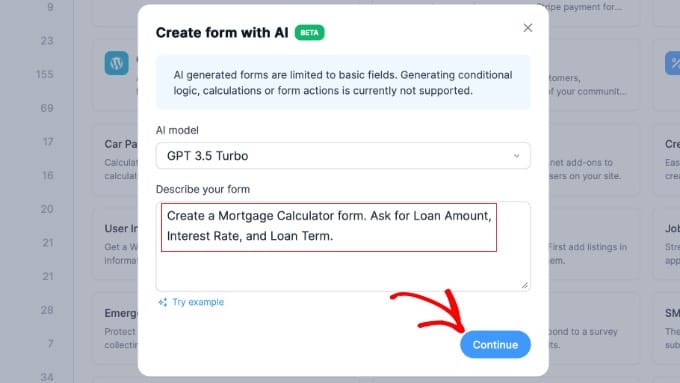
WPForms AI can generate a donation form from a text request.

You can type something like “Create an animal rescue donation form with custom donation amounts and a message field” and have a working form in 40 seconds.
This isn’t a gimmick; It actually saves setup time.
The disadvantage is that the Pro plan is required to collect payments. However, since you get quizzes, contact forms, surveys, registration forms, and more, your donation page becomes more flexible without additional plugins.
My experience with WPForms
I added a donation form to a nonprofit organization’s existing WordPress site using WPForms Pro. The nonprofit had already installed WPForms Lite for their contact form.
The donation form was online in 11 minutes. I set up three suggested donation amounts ($25, $50, $100), a custom amount field, and a Stripe connection.
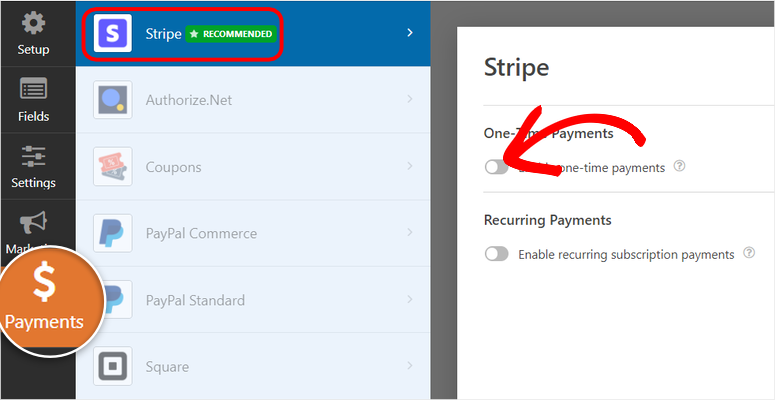
I then embedded the form into the existing “Donate” page using a special WPForms block. You could accept Stripe payments instantly.
► Advantages
- More than 6 million installs make it one of the most trusted form plugins in the WordPress ecosystem
- WPForms AI generates forms from text; Fastest setup of all tools tested
- The drag-and-drop donation form is easy to customize
- Replaces multiple plugins: forms, donations, surveys and registrations in one
► Disadvantages
- A paid plan is required to process payments
- No integrated campaign pages, destination ads, or donor CRM. It is a form, not a traditional fundraising platform
My verdict: WPForms is the right choice if you’re looking for the easiest way to create a professional donation form on WordPress, and especially if you already use forms for other purposes. It ensures that you don’t need additional tools to accept donor contributions, registration forms, surveys, etc.
Check out my WPForms review. If you’re looking for alternatives, check out my post on WPForms vs. Gravity Forms.
Prices: Free plugin available (WPForms Lite). Pro plan (requires payments) starting at $199.50/year. 14 day money back guarantee.
3. WP Simple Pay ⭐⭐⭐⭐⭐
4.4/5 on WordPress.org (+100 reviews) | Ideal for: quickly accepting one-time or recurring Stripe donations
WP Simple Pay does exactly what the name suggests. You connect Stripe, create a payment form, and people can start donating immediately. You don’t need to set up WooCommerce or any other complex settings.
When it comes to fundraising, this simplicity is the whole point. You are not building a crowdfunding platform. You create a clean, trustworthy Stripe checkout on your WordPress site.
Donors see the Stripe badge, they trust it, and complete the transaction faster than you would expect.
Why is WP Simple Pay one of the best GoFundMe alternatives?
The free Lite version is really powerful. You get basic payment forms that you can customize with a simple builder.
But the paid versions are where WP Simple Pay shines.
First, you can set up Apple Pay, Google Pay, and recurring subscriptions. This means offering your donors flexible payment options while allowing them to make monthly contributions.
These two options are the holy grail of nonprofit fundraising.
The honest caveat: WP Simple Pay has no campaign pages, progress bars, or donor CRM. It collects payments. Point. If you need something beyond that, like tracking a goal, managing donors, or running P2P campaigns, you should choose Charitable or GiveWP.
My experience with WP Simple Pay
I used WP Simple Pay for an NGO program. The goal was to improve monthly recurring supporter payments of $5, $10, or $20.
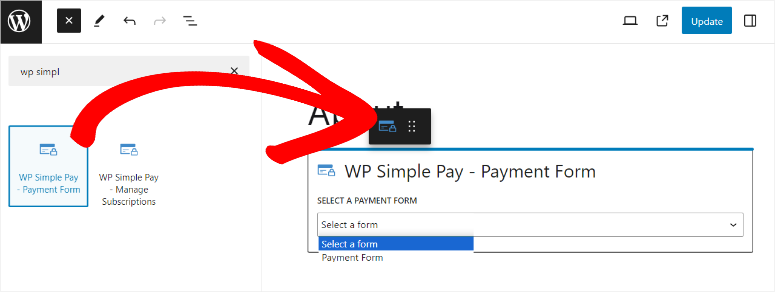
Setup took 6 minutes from activation to live. I have embedded the payment form on the Support Our Work page.
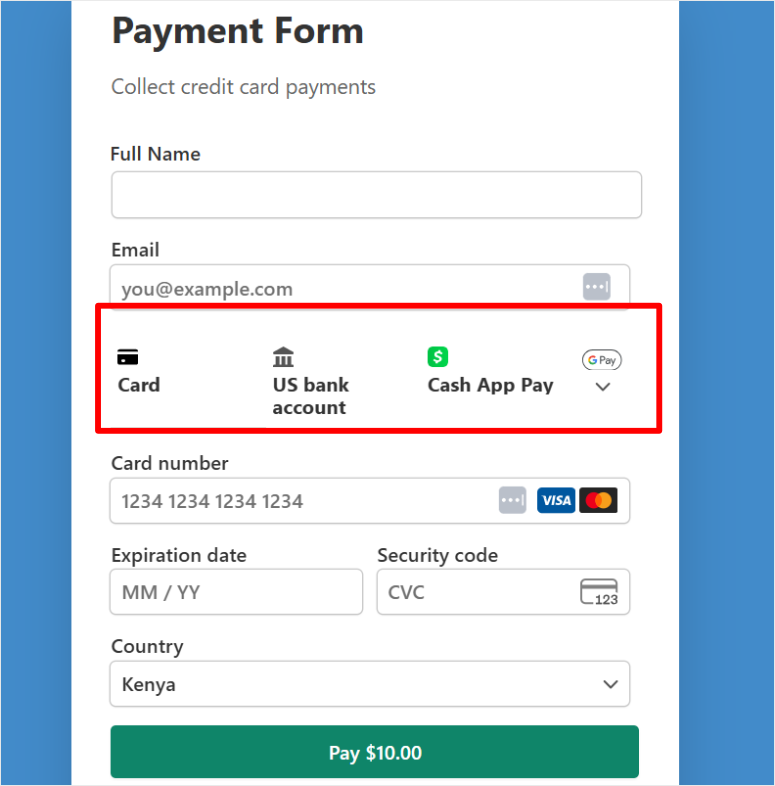
In the first 30 days, they noticed that more users became repeat supporters. We have multiple payment options in place, with Cash App Pay being the most commonly used payment method among mobile donors.
► Advantages
- Fastest Stripe Setup on WordPress; under 10 minutes
- Apple Pay + Google Pay include Pro versions
- 0% platform fee; Only Stripe processing fees apply
► Disadvantages
- No campaign pages, destination ads, or donor management
- Stripe only, no PayPal option on all plans
My verdict: WP Simple Pay is the right choice if you want a very simple Stripe donation or supporter payment on your WordPress site. Think tip jars for musicians, support pages for creatives, or one-page donation forms. It is not a complete campaign donation platform, but rather a cost-effective donation form creation tool.
Check out my WP Simple Pay review.
Prices: Free plugin available. Pro plans start at $49.50/year. 14 day money back guarantee.
Get started with WP Simple Pay here
4. Impressive shapes ⭐⭐⭐⭐
4.8/5 on WordPress.org (+350 reviews) | Best for: advanced campaigns with donation impact calculators
Most donation forms ask, “How much would you like to donate?” With Formidable Forms you can turn that question around: “Here’s what your donation actually does.”
I created a form for a food bank that allows donors to select their amount using a slider. All you had to do was pull it, then the form would calculate exactly how many meals that amount would yield.
Example: $25 = 83 meals and $100 = 332 meals.
This is where the Formidable Forms calculator shines. In my testing, it consistently outperforms static donation forms because people can see the real impact of their donation and tend to donate more.
The best part? You can now create calculators with Formidable Forms’ AI.
Why is Formidable Forms one of the best GoFundMe alternatives?
Formidable’s Views feature is truly unique. You can view donor data such as current donors, total donations, and a scrolling donor wall.
The scrolling donor wall can be displayed anywhere on your website by pulling it from your form submissions without any third-party plugins.
The compromise: All this power comes with a learning curve. Formidable Forms is not a plugin that you install and understand in 20 minutes. The business plan is required to collect payments. This is overkill for simple donation forms. I would suggest WPForms instead. Compare the two in my breakdown of Formidable Forms and WPForms.
My experience with impressive shapes
I spent 3 hours creating a fundraising calculator for a scholarship fund. The goal was to show donors how their contribution impacts months of tuition.
Once created, it was the highest converting page on the entire site.
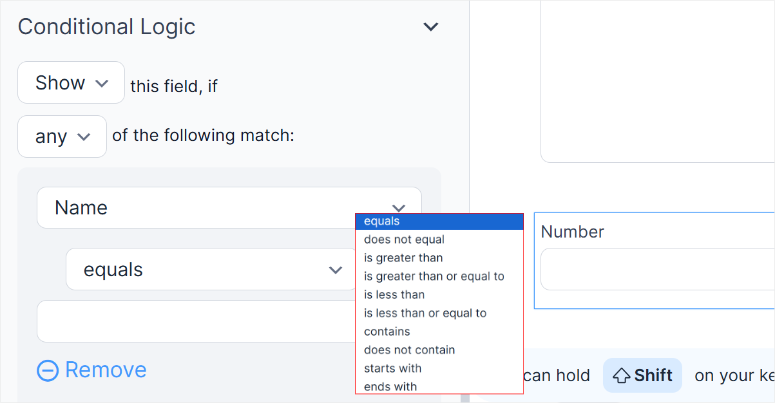
The conditional logic in the form builder makes the calculator possible. This is a feature that is not available for many form builders.
This allows the donor form to display different questions depending on what the user enters.
► Advantages
- Calculator fields are unique because they can display the impact of a donation in real time
- Views display donor data beautifully without additional plugins
- Easy to use drag and drop builder
- Great solutions for creating complex donation forms
► Disadvantages
- Steeper learning curve than WPForms or Charitable. Not immediately beginner-friendly
- The business plan is required to collect payments
My verdict: Formidable Forms deserves its place here for one reason: the calculator function. If the story of your campaign is best told in numbers, create this calculator and watch your conversion rate increase.
Check out my review of Formidable Forms.
Prices: Free version available. Business plan (requires payments) starting at $199.50/year. 14 day money back guarantee.
Start here with Formidable Forms
5. GiveWP ⭐⭐⭐⭐
4.6/5 on WordPress.org (+690 reviews) | Ideal for: Non-profit organizations looking for the most sophisticated dedicated WP fundraising plugin
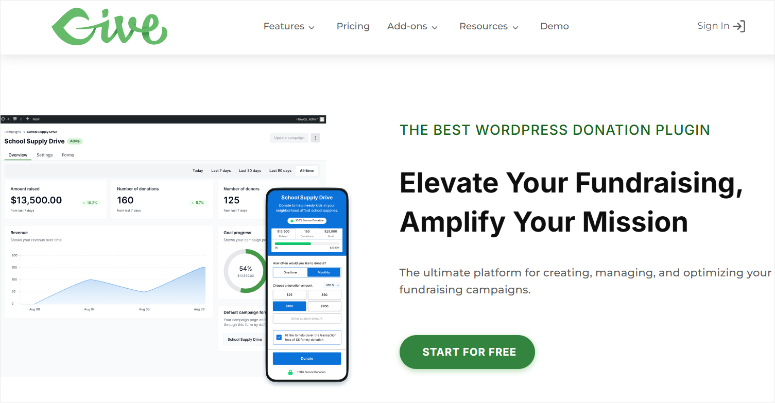
For over a decade, GiveWP has been doing exactly one thing: helping WordPress sites collect donations. It is not a form builder that adds payments. It is not a payment plugin that adds a charity template.
Every single feature, every gateway integration, every donor management screen, every reporting dashboard was built from the ground up for fundraising.
Let me explain what I mean.
Why is GiveWP one of the best GoFundMe alternatives?
First of all, the donor management system competes with standalone CRM tools. You can track donation history, donation frequency, and total lifetime donations per donor.
But here’s why it’s still at #5 instead of #1: The free plan charges a 2% fee on each one-time Stripe donation. To put it simply, that’s $200 for every $10,000 we raised.
The fee is waived on the paid plans, but that means GiveWP’s true free tier is less useful for active campaigns than the other options above it on this list.
My experience with GiveWP
I ran GiveWP for a church’s annual fundraising campaign.
I activated the free plan, connected Stripe and PayPal, and set up five different cause-specific forms. These include building funds, youth programs, food pantry, missions and general.
The multi-form approach worked wonderfully.
Donors could choose exactly where their money went. On the church side, the reporting dashboard showed total numbers per cause in real time.
► Advantages
The most sophisticated dedicated WordPress fundraising plugin; over 10 years of development
Integrated multi-cause support: separate forms per campaign with consistent reporting
18+ payment gateways; The most comprehensive payment gateway support of any plugin I tested
► Disadvantages
- The free plan adds 2% to every one-time Stripe donation
- A Plus plan is required for recurring donations
My verdict: GiveWP is the gold standard for WordPress nonprofit fundraising when budget allows for paid plans. The depth of donor management, gateway diversity and reporting quality are unmatched. If you’re running a high-volume campaign and can’t stomach the 2% fee, start with the Basic plan.
Check out my GiveWP review.
Prices: Free (with 2% Stripe fee on one-time donations). Pro plans start at $149/year. 30-day money back guarantee.
Get started with GiveWP here
6. Dispenser box ⭐⭐⭐⭐
4.7/5 on G2 | Best for: Nonprofits focused on converting one-time donors into monthly recurring supporters
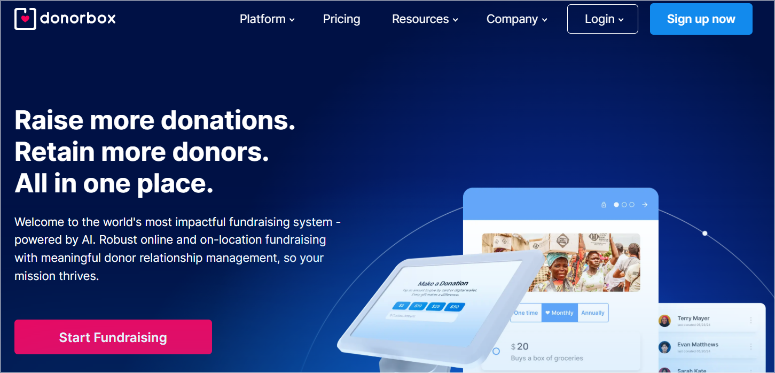
Donorbox is not a WordPress plugin. It is a fundraising platform that is embedded directly into your WordPress sites.
You create an account at Donorbox.org, create your forms there, insert an embed code into WordPress and your donation form appears.
Why is Donorbox one of the best GoFundMe alternatives?
Donorbox’s recurring donation update prompt is very convenient.
When a donor makes a one-time donation, Donorbox displays a modal asking them if they would like to make a monthly donation.
In my testing, 18-22% of one-time donors click “yes.” This is critical to nonprofit revenue.
Here’s the downside: The standard free plan charges 1.75% per donation in addition to payment processing fees. For the $10,000 raised, that’s $175 for Donorbox. It’s worth calculating whether paying a flat rate, like some WordPress fundraising tools, makes more sense for your volume.
My experience with Donorbox
I embedded Donorbox into a non-profit conservation organization’s WordPress site. The site was already online. So I didn’t have to install a plugin.
I inserted the embed code into a WordPress page using a custom HTML block and the donation form was live in 4 minutes.
The recurring upgrade prompt converted 22% of one-time donors into monthly donors. This single feature generated an estimated $4,100 in additional annual recurring revenue.
► Advantages
- The recurring upgrade prompt converts more one-time donors into monthly supporters
- No WordPress plugin required, your WordPress performance remains intact
- With the free standard plan, you’ll be live in under 10 minutes
► Disadvantages
- A 1.75% platform fee on the Standard plan can quickly add up for large-volume campaigns
- The Pro plan is more expensive than the other entries on this list. Ideal only for large non-profit organizations
My verdict: Donorbox is the right choice if converting one-time donors into monthly recurring supporters is your top priority. Just the repeated request for upgrades can change the financial trajectory of a nonprofit. Just watch out for the 1.75% platform fee. For higher volumes, a 0% fee plugin will quickly pay for itself.
Prices: Free (standard, 1.75% platform fee). Pro from $150/month. No money-back guarantee.
Start here with Donorbox
7. Give butter ⭐⭐⭐⭐
4.8/5 on G2 | Best for: Peer-to-peer campaigns where supporters raise funds on your behalf
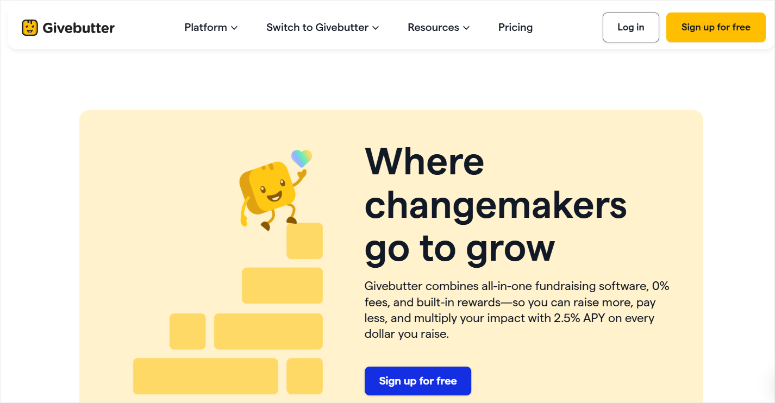
Give butter The free tier includes over 160 fundraising features such as campaigns, donation forms, event tickets, peer-to-peer fundraising, integrated CRM, and email marketing tools.
This is not a free trial with hidden limits. This is the full product, funded by an optional “tip” that donors can add at checkout.
Why is Givebutter one of the best GoFundMe alternatives?
The tipping model works like this: At the end of each transaction, your donors will see a recommended platform tip on Givebutter. Your users can decide whether they want to donate or not; it’s entirely up to them. There is no catch.
This is how Givebutter covers the costs without charging you a platform fee.
That being said, what stands out to me is Givebutter’s peer-to-peer fundraising.
You set up a campaign, then your supporters create their own personal fundraising pages under your campaign umbrella.
Each backer shares their page, raises money, and the total adds up to your main campaign total. This ensures that every donor becomes your marketing ambassador.
This can help you get more funds and reduce your marketing costs.
My experience with Givebutter
I helped a high school sports team run a peer-to-peer fundraising campaign using Givebutter. All I had to do was embed Givebutter on your WordPress site.
I inserted the embed code directly into any page without any additional plugin. After that, I set up a main campaign and gave each player a personal fundraising page.
12 students each shared their pages. Over a period of three weeks, they separately collected donations with a similar goal. Most students used their social media platforms to market the fundraiser.
Because it was not an organization that asked for donations, it performed impressively.
► Advantages
- Completely free, including peer-to-peer, CRM, event and email tools
- Peer-to-peer fundraising is integrated
- Live streaming and text-to-donate included in the free plan
► Disadvantages
- The platform fee is 3% if you disable the donor tip option
- No native WordPress plugin, so you can only embed the code
My verdict: Givebutter is the best free option for any campaign where supporters raise funds on your behalf. Think sports teams, school events, community challenges, walks/runs. Basically, if the fundraising model is “getting other people to fundraise for you,” Givebutter does that better than anything else at any price point.
Prices: Free (with voluntary donor tips, 3% platform fee if tips are disabled). Pricing for the Pro plan starts at $29/month with a 30-day free trial.
8. Paymattic ⭐⭐⭐
4.8/5 on WordPress.org (42 reviews) | Ideal for: Tight budgets that need a full-featured plugin at no additional cost
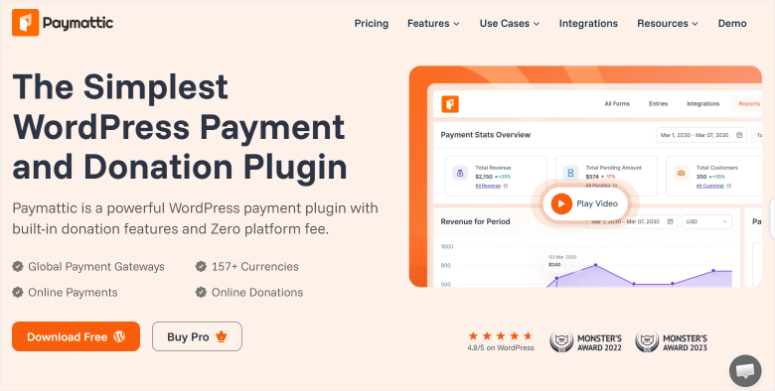
Many tools on this list become more expensive with additional features.
For example, GiveWP’s recurring donations add-on costs $149, while its peer-to-peer add-on costs $199. If you combine a few features, you can easily get to $300 to $400 per year.
The Paymattic The pricing model is the opposite. One flat fee covers everything. All features unlocked. No extras or surprises at checkout.
I know you’re wondering why I included a tool with only fifty reviews on WordPress.org. But Paymattic rebranded from WPPayForm in 2022 and this new beginning reset its review history on WordPress.org.
Additionally, Paymattic is a premium plugin sold primarily through its own website, so most satisfied users never leave a WordPress.org review.
Why is Paymattic one of the best GoFundMe alternatives?
For a donation plugin, the range of functions is far above its price. You get recurring donations and a donor dashboard where supporters manage their own subscriptions.
There’s also a donor wall with recent donors, 157 currencies, and integrations with Stripe, PayPal, Razorpay, and Mollie.
The honest caveat: After the rebrand, Paymattic has 4,000 active installs compared to more than 100,000 for GiveWP. The community, depth of documentation, and third-party tutorial library haven’t caught up yet. If you get stuck, you are more likely to resolve issues using only the official documents.
My experience with Paymattic
I founded Paymattic for a small art collective. 12 artists who wanted a membership-style donor wall with supporters’ names on their website, similar to Patreon.
The donor wall feature was live in 20 minutes. It automatically pulled in contributors’ names after each payment and displayed them as a scrolling wall on the collective’s homepage.
At $59.88/year, this was the cheapest way to develop this particular feature in WordPress.
► Advantages
- One of the cheapest, full-featured WP donation plugins
- The dispenser wall function is included in delivery, no additional devices are required
- Over 157 currencies, making it the strongest international support of any alternative WordPress GoFundMe plugins I tested
► Disadvantages
- Small install base (4K installs), meaning community resources and tutorials are limited
- No money-back guarantee
My verdict: Paymattic is the budget-conscious choice that doesn’t compromise on features. If you’ve been put off switching to GoFundMe due to cost, Paymattic’s flat fee will be a relief. Just be aware that you’re trading depth of community for affordability.
Prices: Free version available. The Pro plan starts at $4.99/month for 1 website. Lifetime plans starting at $233.
Get started with Paymattic here
9. Zeffy ⭐⭐⭐
4.9/5 on G2 | Best for: Registered nonprofits seeking to receive 100% of every dollar raised
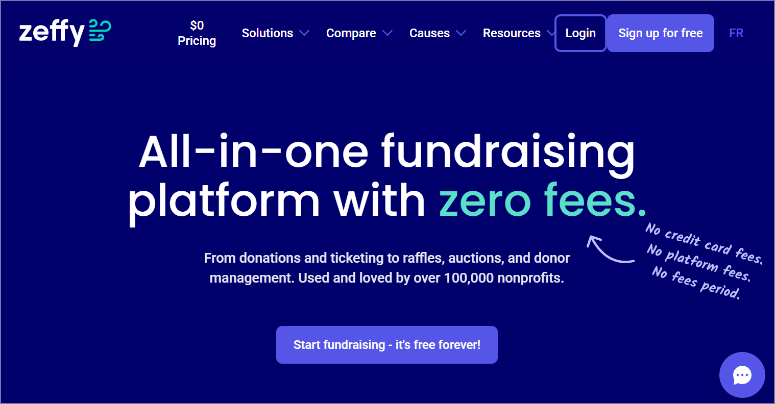
Before I say anything else: Zeffy is only for registered nonprofit organizations. If you are an individual, small business, or for-profit organization running a campaign, Zeffy cannot help you. Skip to the next option.
Why is Zeffy one of the best GoFundMe alternatives?
Zeffy is the only platform in the world that charges 0% platform fees AND covers your credit card processing costs. It literally covers all processing costs, including Stripe fees and bank transfer fees.
This model works because about two-thirds of donors voluntarily tip Zeffy at the checkout, making the company self-financing.
To use Zeffy on your WordPress site, embed their donation forms via iframe, so no plugin installation is required. In the end, the forms are fully brandable and mobile-friendly.
My experience with Zeffy
I helped a registered animal shelter switch from GoFundMe to Zeffy a few years ago. Her last year on GoFundMe cost a combined $1,840 in platform and processing fees for a total of $58,000 raised.
Year One at Zeffy: $0 in fees collected for $61,000. The shelter redirected that $1,840 directly into operating costs.
► Advantages
- Really 0% platform fee. It covers ALL processing costs
- It has proven successful at scale with over 100,000 nonprofits using it and raising over $2 billion
- The entire fundraising suite is free. Including campaigns, events, peer-to-peer, auctions, competitions, memberships
► Disadvantages
- Non-profit organizations only, not available to individuals or for-profit organizations
- No native WordPress plugin, you just need to embed code integration
My verdict: If your organization is considered a nonprofit, Zeffy should be one of your first considerations. Programs can be financed through fee savings alone. Do the math: Take everything you paid in GoFundMe fees last year. With Zeffy, that number becomes zero.
Prices: 100% free for nonprofits. All functions included. No hidden fees.
10. YITH Donations for WooCommerce ⭐⭐⭐
Ideal for: WooCommerce store owners who want to add donations at checkout
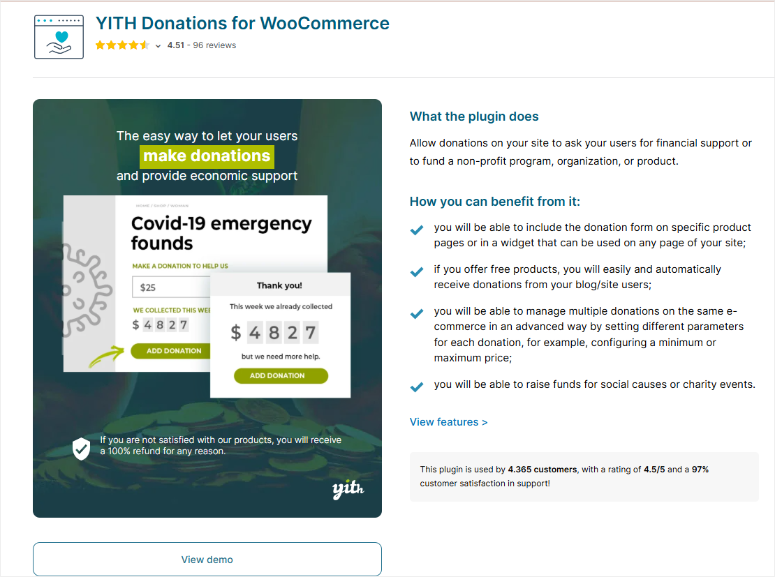
Every other plugin on this list adds fundraising to a content site. YITH Donations for WooCommerce does something different: it adds a donation option to the checkout process of an existing WooCommerce store.
The idea is simple. A shopper checks out products.
This GoFundMe alternative displays a prompt: “Would you like to add a donation of $X to (name of cause)?” One click. Completed.
The donation will be added to the order total and processed through your existing WooCommerce payment gateway.
Why are YITH Donations for WooCommerce one of the best GoFundMe alternatives?
For online stores that want to associate their brand with a good cause, this is far easier than running a separate fundraising platform.
They don’t ask customers to visit a separate donation page. You meet them where they already are, the moment they have already opened their wallet.
The limitation: This is just a WooCommerce plugin. If your WordPress site is not running WooCommerce, this plugin is not applicable. And it is a pure premium plugin; There is no free version.
My experience with YITH donations
I added YITH Donations for WooCommerce to a shop for a sustainable clothing brand. The store chose a local tree planting charity as its cause.
The prompt at checkout read, “Plant a tree for $1 – added to your order.”
Within 90 days, 34% of customers added the $1 tree donation. From 1,240 orders, that was $421 donated with no additional marketing effort.
► Advantages
- Adds charitable donations to any WooCommerce checkout without requiring additional user steps
- Meets customers at the moment of their highest intention, when they have already opened their wallet
- Flexible: Choose your occasion, customize the message, set fixed or variable amounts
► Disadvantages
- WooCommerce only
- No free version to try before you buy
My verdict: YITH Donations for WooCommerce is intended for WooCommerce store owners only. This is the easiest way for you to collect money during the checkout process.
Prices: €79.99/year. No free version.
Start making YITH donations for WooCommerce here
This is my list of the best GoFundMe alternatives. But we’re not done yet. Below are fundraising tools that narrowly made it onto my list.
Bonus: Best Alternatives for GoFundMe in WordPress
FundRazr ⭐⭐⭐
FundRazr is the closest thing to GoFundMe and is not GoFundMe. You can set up personal campaigns for medical bills, memorials, charitable causes, and more.
It is available in 35 countries with the “Keep what you raise” model. The tip-based model means most campaigns effectively pay a 0% platform fee.
The reason it narrowly missed my list is that the 0% fee only works if your donors voluntarily tip every time. Do you want to disable these prompts? This will cost you a flat platform fee of 5% plus 2.9% + $0.30 per transaction.
This fee can make large fundraising campaigns more expensive than most tools on this list.
Found Powered by SignUpGenius⭐⭐⭐
Fundly is a personal crowdfunding platform available in the US, Canada, Australia and the UK. It offers powerful mobile optimization and social sharing tools.
The catch: A platform fee of 4.9% is one of the highest on this list. That’s $490 for a $10,000 donation.
It’s worth mentioning because it has some of the best donation signup forms I’ve ever seen, automatic email confirmation and reminders, and a waitlist feature.
That concludes my full list and bonus options. But with the long list of GoFundMe alternatives, it can be difficult to find the best solution. To help you with this, read the following section.
How to choose the right GoFundMe alternative for your WordPress site
Which tool is right for you depends on your situation, not which one has the most features or the highest G2 score.
Here’s an easy way to narrow them down.
If you want a true GoFundMe replacement on your WordPress site →
- Start with Non-profit. It gives you campaign pages, destination ads, donor management, and payment processing all in one plugin. The free tier is really useful. Every donor relationship is yours.
If budget is your only limitation →
- Non-profit is the best option. The free version allows you to accept recurring donations and peer-to-peer fundraising. These are features that are only available in the paid versions of other tools.
If you want a simple but effective donation form →
- WPForms is the best solution. It offers an easy-to-use drag-and-drop builder that allows you to design your donation form exactly the way you want. Additionally, you can create a fully functional form using WPForms AI.
If peer-to-peer fundraising is your model →
- Use Give butter. Nothing on this list, no matter the price, matches Givebutter’s peer-to-peer setup. Supporters create individual pages under your main campaign. With the Tip model, it’s free, embeds into any WordPress site, and also manages events and live streaming.
If you need a SaaS platform (not a WordPress plugin) →
- Dispenser box is the choice, especially because of the request to update recurring donations. This one feature.
If you want a WordPress plugin at no additional cost →
- Paymattic. Paymattic gives you everything for a flat $59.88/year. The community is smaller, but the pricing is hard to argue about.
If you are a registered non-profit organization that does not wish to pay fees →
- Check Zeffy First. If you meet the requirements, there is no financial argument for paying the platform or processing fees elsewhere. Do the calculation using the GoFundMe fees you paid last year – this number becomes $0 at Zeffy.
If you run a WooCommerce store →
FAQs: Best GoFundMe Alternatives for WordPress
Is there a free GoFundMe alternative with no fees?
Yes. Two of them. Zeffy is 100% free for registered nonprofits, including credit card processing costs. Givebutter is free for everyone when using an optional dispenser tip model. If tips are disabled, Givebutter charges 3%. For nonprofits, Zeffy is the stronger option. For individuals or community groups, Givebutter wins.
Can I add fundraising to my existing WordPress site without a plugin?
Yes. Donorbox, Givebutter and Zeffy all use embed codes. Insert them into any WordPress page using a custom HTML block. No plugin installation required. This is useful if your site is on a managed host with plugin restrictions.
What does GoFundMe actually charge?
GoFundMe does not charge a platform fee. However, Stripe charges 2.9% + $0.30 per transaction. For a $10,000 donation, that’s about $320 in processing fees. GoFundMe maintains the donor relationship and the platform’s “Tips” feature encourages donors to make additional donations. WordPress alternatives that use Stripe pay the same Stripe processing fee, but every donor is yours. If you want to understand your entire payment stack, my guide to accepting credit card payments in WordPress goes through the numbers.
Does WPForms do fundraising?
WPForms can accept donations via Stripe and PayPal on the Pro plan. What it can’t do is run a GoFundMe-style campaign with a visible progress bar and goal indicator. Use Charitable for this. Use WPForms when you need a clean donation form without a full campaign infrastructure.
Can I do peer-to-peer fundraising with WordPress?
Yes. Charitable (Pro Plan) and GiveWP (Pro Plan) both have built-in peer-to-peer fundraising functionality. For a free peer-to-peer option, Givebutter is your best bet. Embed it on any WordPress site and supporters will create their own fundraising pages as part of your campaign for free.
Final Verdict: Should I Get a GoFundMe Alternative?
Yes. Especially if you already run a WordPress site.
Here’s what no one tells you: GoFundMe doesn’t save you money. You already pay 2.9% + $0.30 per transaction through Stripe. The only difference is that GoFundMe keeps your donors and you just keep the money.
Every tool on this list fixes that.
But if I had to point you to a place to start, it would be charitable. It replaces GoFundMe campaign by campaign – goal counters, donor management, campaign pages, Stripe, PayPal – all on your website, with your branding, at a 0% platform fee.
The rest is just finding the right solution for your needs, your budget, and the people you want to reach.
You’ve done the research. You know what each tool costs, what it does for you and what it doesn’t. The only thing left is to stop putting your donor relationships in the hands of others.
Resource Hub: WordPress Fundraising
Whether you’re just starting out or looking to maximize your earnings, these guides cover everything related to WordPress fundraising.
Whatever you’re raising money for, these resources will help you build the kind of WordPress fundraising setup that will work for you long after this article is over.