
If you’ve ever opened a new post and immediately closed it because you had no idea what to write, then this is for you.
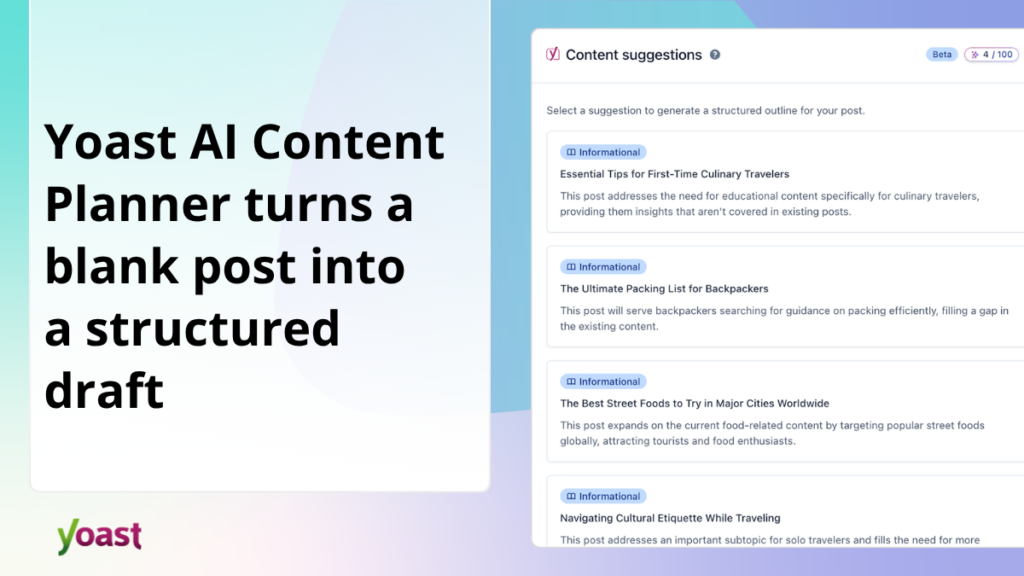
Yoast AI Content Planner is now available for Yoast SEO Premium users. Open a new post in your WordPress editor and you will find five relevant post ideas waiting for you, created from the content on your existing website. Choose one and Yoast will create a structured draft for you to write in.
What does it do?
Yoast AI Content Planner scans the content of your existing website, identifies the important gaps, and provides you with five relevant post ideas right in the WordPress editor. Choose the one that feels right, and Yoast will turn it into a structured starter draft, complete with a title, outline, focus keyphrase, meta description, and content notes for each section.
You’ll go from a blank page to a ready-to-write page in just a few minutes.
What do you get?
Here’s what Yoast will create for you once you’ve decided on an idea:
- Ideas for site-specific posts. The suggestions come from your existing content and site structure and are therefore relevant to what you have already created, rather than general topics that might apply to everyone.
- A structured starter draft. Your selected idea becomes a complete design framework: title, H2 outline, focus key phrase, meta description and content notes for each section. The structure is already in place. Just fill it out.
- A suggestion for a focus key phrase. Yoast suggests a key phrase that will give your post a strong SEO foundation from the first step, without you having to do any research yourself. A focus key phrase is simply the main word or phrase you want your post to be found for in searches.
- Idea regeneration. If the first set of five ideas doesn’t feel right, you can generate a new set with an additional spark per session.
A few things worth knowing
Yoast AI Content Planner is located in the WordPress post editor. You can access it from any new blank post. There is nothing new to install, no separate login and no additional setup required.
For the feature to work well, your site must have enough published content for Yoast to build a meaningful picture of what you already cover. If there isn’t quite enough, a lack of confidence warning will appear instead of suggestions.
How to get it
Yoast AI Content Planner is now available for Yoast SEO Premium users. To get started, open a new post in your WordPress editor.
Not on Premium yet? Learn more about Yoast SEO Premium here.
