


A client of mine runs a small online business. They had been sending weekly email newsletters for two years with decent open rates and good sales.
Then I recommended they add WhatsApp marketing via plugins, a topic I covered recently. But I wanted them to push it further.
So I advised them to add SMS to their checkout opt-in and send text campaigns. You made more sales in 48 hours than in the last three email sends combined.
You see, while WhatsApp is great, it doesn’t reach as many people as SMS. People don’t ignore text messages the way they ignore promotional emails or leave them unopened like WhatsApp messages.
Trust me, there was a time when I had over a hundred unopened WhatsApp messages and I know I’m not alone.
What they don’t tell you is that most “WordPress SMS plugins” are not actually SMS tools.
Some collect phone numbers, others send push notifications instead, and many require a separate carrier account before you can send a single message.
I have everything sorted. In this guide, I’ll show you the best WordPress SMS marketing plugins and openly explain what each one does and doesn’t do.
Key insights
- I’ll show you which plugin captures phone numbers And which one actually sends texts, as they are often not the same tool
- I’m revealing a push notification tool that delivers SMS-style results without asking visitors for their phone number
- Mention an option that converts your existing contact forms into SMS campaigns without additional platform setup
- I tested 7 options in WooCommerce stores and content sites to find out what really works for novice WordPress users
- I discover which two popular “SMS plugins” you should avoid in 2026 and why
This is how I test WordPress SMS plugins
🔍 Click here to see my testing methodology
This is exactly how I rate WordPress SMS marketing plugins:
- Setup speed: Can a non-technical WordPress user send their first message in under 30 minutes? I’m testing with a clean WordPress installation without any pre-existing integrations.
- Actual SMS delivery: For real SMS tools, I send test messages to real numbers from different carriers (AT&T, T-Mobile, Verizon) and measure the delivery time and formatting.
- Depth of WooCommerce Integration: Is it triggered by order status, abandoned cart, or product purchase? I’m running live testing scenarios on a staging WooCommerce store.
- Compliance features: Does the plugin handle opt-in consent, opt-out (keyword STOP), and TCPA/GDPR requirements automatically or leave it up to the user to figure it out?
- Price transparency: I document every fee, including gateway costs, per-message fees, and what the “free” version actually allows before you hit a paywall.
- Real User Reviews: I read WordPress.org and G2 reviews, specifically looking for 1-3 star feedback to understand real-world failure modes.
Tools I use:
- Real phone numbers from multiple providers to test delivery
- WooCommerce staging shop with test orders
- GTmetrix and the free website performance tool IsItWP to check the impact on page speed after plugin installation
Why trust IsItWP?
At IsItWP, we’ve been the go-to source for the WordPress community since 2009, helping over 2 million users choose better plugins and tools.
Unlike review sites that never actually use the products, we maintain active accounts, run real customer sites, and offer ongoing WordPress advice.
The best WordPress SMS plugins in comparison
Not every plugin on this list sends SMS the same way.
Some are lead capture tools that forward phone numbers to an SMS platform. Others are push notification tools that send SMS messages.style Commitment without touching the network operators.
And the rest are real SMS senders.
The table below shows you exactly what each one does at a glance. For more information on how these tools fit into a broader strategy, see our roundup of the best marketing automation tools for WordPress.
Additionally, you can use the table of contents below to jump to any WordPress SMS plugin you want to read more about.
With that out of the way, let’s dive in.
1. OptinMonster ⭐⭐⭐⭐⭐
Best for: WordPress site owners who want to create a phone number list for SMS campaigns
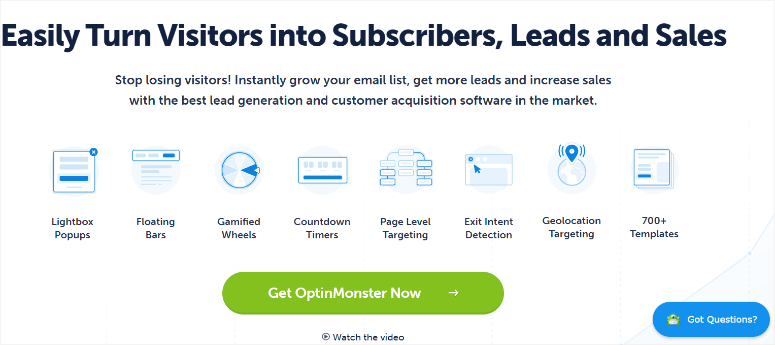
Here’s what it’s all about OptinMonster Unlike every other tool on this list: It doesn’t send a single text message. But it might be the most important part of your entire SMS marketing setup.
You see, before you can run an SMS campaign, you need phone numbers. And most WordPress sites don’t have a good way to collect them.
OptinMonster solves this specific problem better than anything else available. It is one of the most effective lead generation plugins for WordPress precisely because it grabs attention at the right moment.
Why is OptinMonster one of the best WordPress SMS plugins?
Exit Intent® technology is the standout feature here. When a visitor moves their cursor toward the browser’s back button or close tab, a pop-up window opens immediately. This catches them in the middle of giving up.
You can make this popup a “Get a text reminder” offer.

For a product page, this is the exact moment when someone is most likely to sign up via SMS for a restock notification or a limited-time discount.
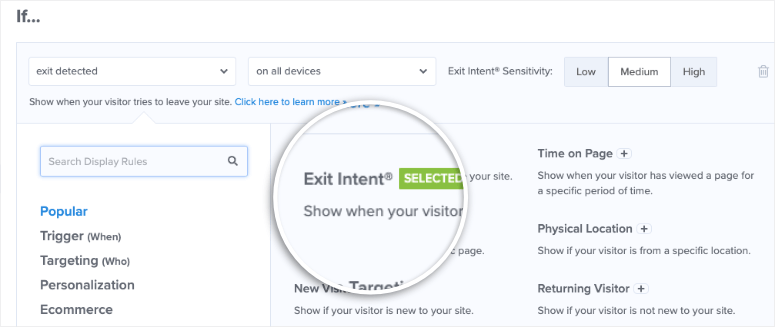
I ran this on a client’s WooCommerce store and their phone number opt-in rate tripled compared to a static footer form.
OptinMonster also offers you over 700 pre-built lead capture campaign templates, such as popups, slide-ins, floating bars, and spin-to-win wheels, all with a drag-and-drop builder.
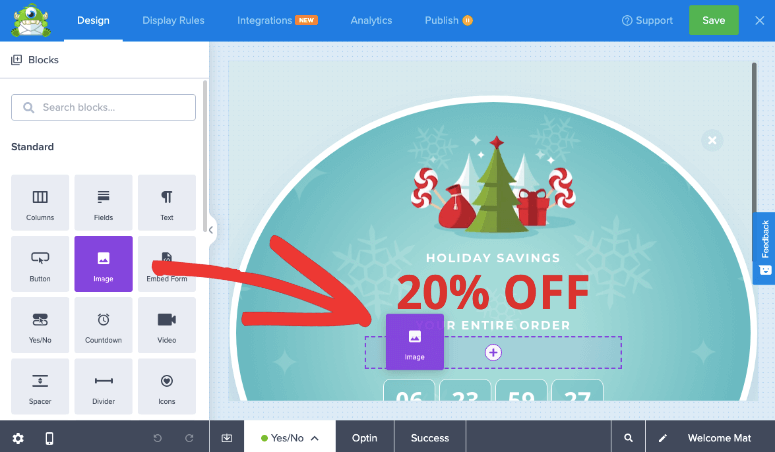
You add a phone number field to each campaign and those numbers are forwarded to the SMS platform of your choice (Brevo, Klaviyo, Twilio, or any tool that accepts Zapier or Webhook connections).
The only point of friction that needs to be mentioned in advance: They don’t have a free plan. This is the most common complaint in the 800+ WordPress.org reviews and it’s worth knowing before you get started.
🟢► Advantages
- Exit intent capture: I placed an exit-intent phone number popup on a product page and saw a 3x increase in opt-ins compared to a static form. The timing is so precise.
- Over 700 templates: Since I started from a conversion-tested design, I didn’t have to puzzle over layout or text. Campaigns were live in less than an hour.
- Behavioral targeting: I provided a different SMS opt-in option for visitors who viewed three or more product pages. The conversion rate of these subscribers was almost twice as high as with cold opt-ins.
- A/B testing: Two versions of my phone opt-in popup ran simultaneously, and OptinMonster automatically tracked which headline drove more submissions.
- Webhook + Zapier routing: Collected phone numbers are fed directly into my Brevo SMS list. No manual export or CSV upload required.
- Works everywhere: The same account covers WordPress, Shopify, and standalone HTML landing pages.
🔴► Disadvantages
- No free plan: There is no free version for OptinMonster. To test it, you’ll need a paid plan. However, they offer a 14-day money back guarantee and a full refund if you feel the product doesn’t fit.
- No SMS sender: OptinMonster collects phone numbers, does not send SMS. You need a separate SMS platform (Brevo, Omnisend, Twilio) to actually run campaigns.
My verdict: If your SMS list is empty or slowly growing, start here. OptinMonster’s exit intent popups are the fastest way to convert anonymous visitors into SMS subscribers. Pair it with Brevo or Omnisend to send.
For more information, see my OptinMonster review. Also compare OptinMonster to Bloom when weighing your lead capture options.
Prices: Free plan available. Pro starts at $7/month
👉 Get started with OptinMonster here
2. PushEngage ⭐⭐⭐⭐⭐
Best for: WooCommerce stores that want SMS-style results without asking for a phone number
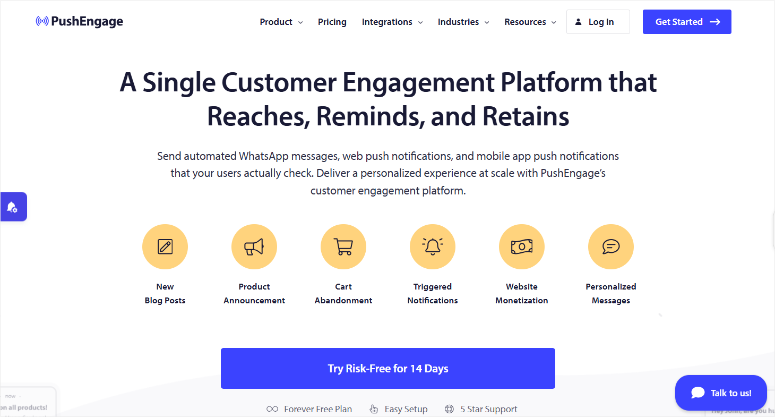
I’ll say it quite honestly: PushEngage is not an SMS plugin. It sends browser push notifications and WhatsApp messages, not SMS through the carrier.
But here’s why it deserves a spot on this list.
Why is PushEngage one of the best WordPress SMS plugins?
The main reason SMS marketing works is that it is direct, personal and hard to ignore. PushEngage delivers exactly these results through a completely different channel, with a much lower opt-in barrier.
A visitor does not have to reveal their telephone number. You click “Allow” in your browser and are logged in. One click, no personal data, immediate accessibility.
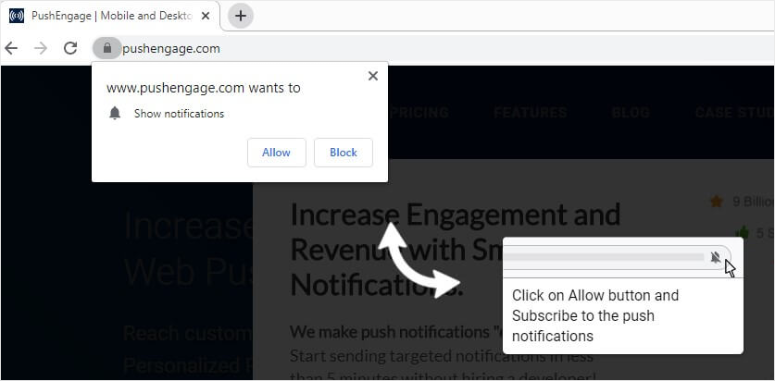
Specifically for WooCommerce stores: PushEngage runs a pre-built 3-step abandoned cart sequence (45 mins → 4 hrs → 24 hrs) that is automatically triggered when someone abandons the cart without purchasing.
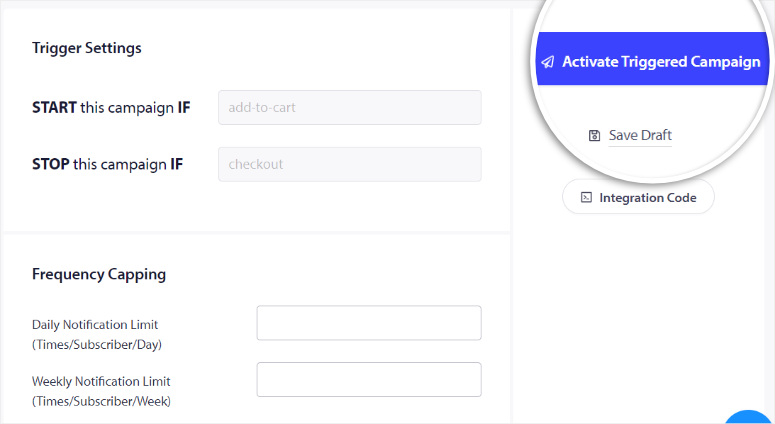
The shopping cart data is dynamically populated with the right product, price, and image without you having to touch anything. I’ve seen PushEngage improve cart recovery by 14% versus an industry average of 8%.
In my testing on a staging WooCommerce store, the sequence fired correctly every time and the product data was correct.
In addition, it connects the WhatsApp Business API natively. Not just a click-to-chat button, but actual automated messages for order confirmations, shipping updates, and repayments.

This is a useful addition for businesses with customers who prefer WhatsApp to email.
This is one of the reasons why PushEngage is among the best WooCommerce plugins to increase sales in the push/messaging category.
The billing complaint is real and worth pointing out: when the free plan’s 200 subscriber limit is reached, some users are automatically upgraded and billed without feeling like they’ve given clear consent. Pay attention to your subscriber count if you’re on the free plan and turn off auto-update if you want full control.
🟢► Advantages
- No phone number required: Visitors subscribe with a browser click. I consistently see higher opt-in rates than with SMS phone number capture forms.
- WooCommerce Cart Recovery: The automated 3-step process ran without manual campaign setup. I just activated it and it started restoring carts.
- WhatsApp included: Native WhatsApp Business API automation covers order updates and cart recovery. I didn’t need a separate WhatsApp tool.
- Sales allocation: I could see exactly how much each campaign brought in WooCommerce sales, not just clicks, making it easier to prioritize what to optimize.
- A/B testing with Auto-Winner: PushEngage automatically selected the better performing notification version and sent it to the rest of my audience. No manual intervention required.
- The free plan is really usable: 200 subscribers and 30 campaigns are enough to validate the tool before choosing a paid plan.
🔴► Disadvantages
- No carrier SMS: If your goal is to reach subscribers via SMS on their phone, regardless of what browser or app they have open, push notifications can’t do that. It requires an active browser or app session.
- Billing risk for automatic upgrades: I had to manually check that auto-update was set to my preference. Users who do not realize this were charged a fee when their free plan limit was exceeded.
My verdict: If you want SMS-style engagement without the hassle of collecting phone numbers, PushEngage is the smartest shortcut. For WooCommerce shops, the subscription usually pays for itself in the first week just by automating abandoned shopping carts.
For more information, see my PushEngage review. Compare PushEngage to OneSignal if you need to choose between the two push notification platforms.
Prices: Free plan available (up to 200 subscribers). Paid plans start at $8/month.
3. Formidable Forms + Twilio ⭐⭐⭐⭐⭐
Best for: WordPress sites that use forms that want instant SMS follow-ups on submissions
Most SMS tools require you to first create a list, import it, set up a campaign, and then send it. Formidable Forms with the Twilio add-on skips all of that.
The SMS will be sent as soon as someone submits your form. It’s the closest thing to plug-and-play SMS for WordPress and actually works.
Why is Formidable Forms one of the best WordPress SMS plugins?
The practical use case is simple: someone fills out your contact form, booking request, or lead intake form.
And within seconds they will receive an SMS confirmation with their appointment, a reference number or a follow-up question.
No manual step or separate platform to log in. The trigger is triggered by the form submission itself.
Formidable Forms is already one of the most powerful drag-and-drop form builders.
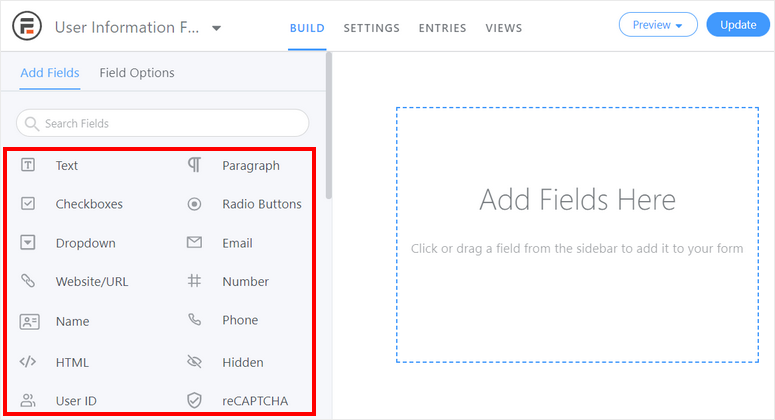
The Twilio add-on overlays SMS directly on top of the form’s logic.
You connect your Twilio account, choose which form triggers the message, write the text (using merge fields from the form data), and you’re done.
I specifically tested the SMS retrieval feature. Users respond to a text with a keyword vote and Formidable automatically logs the response in the form entries table.
For companies running SMS-based surveys or appointment confirmations, this two-way loop is really useful and rare in a WordPress native tool.
If you already use forms as part of your email capture strategy, the Twilio add-on converts those same forms into SMS triggers with minimal additional cost.
The catch: Twilio is a separate paid account. You pay per message sent (approximately $0.0079/message in the US), so the cost scales with volume.
For a high-volume broadcast campaign, that adds up. For form-driven one-on-one notifications, it’s very affordable.
🟢► Advantages
- Form to SMS in seconds: I set up a booking confirmation SMS in about 20 minutes. From form creation to live test message on my phone.
- Two-way SMS: My test subscribers were able to respond to the confirmation text and their responses were logged directly into the Formidable entry table.
- SMS surveys work smoothly: I ran a simple poll via SMS, users responded with a number to vote on, and Formidable counted the responses without manual counting.
- WordPress.org family tree: A rating of 4.8/5 across 500+ reviews means the core plugin is stable and well supported.
- Zapier + Constant Contact + Mailchimp integrations: The collected telephone numbers can also be included in email marketing lists.
- Free version available: The basic Formidable plugin is free; You are updating specifically for the Twilio add-on.
🔴► Disadvantages
- Requires a Twilio account: You’ll need to set up a separate Twilio account, purchase a phone number (around $1/month), and manage your credit. This is an extra step that most beginners don’t expect.
- No broadcast tool: This is ideal for triggered individual messages (form submissions, appointments). It’s not the right tool to send a promotional text to 2,000 contacts at once.
My verdict: If you collect leads, appointments or inquiries via WordPress forms, this is the most direct SMS solution available. Setup takes less than 30 minutes and automation is instant.
Check out my review of Formidable Forms. You can also compare WPForms with Formidable Forms if you are still looking for a reliable form builder.
Prices: Free version available. Formidable Forms starts at $39.50/year. Twilio charges approximately $0.0079/SMS (US).
👉 Get started with Formidable Forms here
4. Brevo ⭐⭐⭐⭐⭐
Best for: Small businesses that want email and SMS marketing on an affordable platform
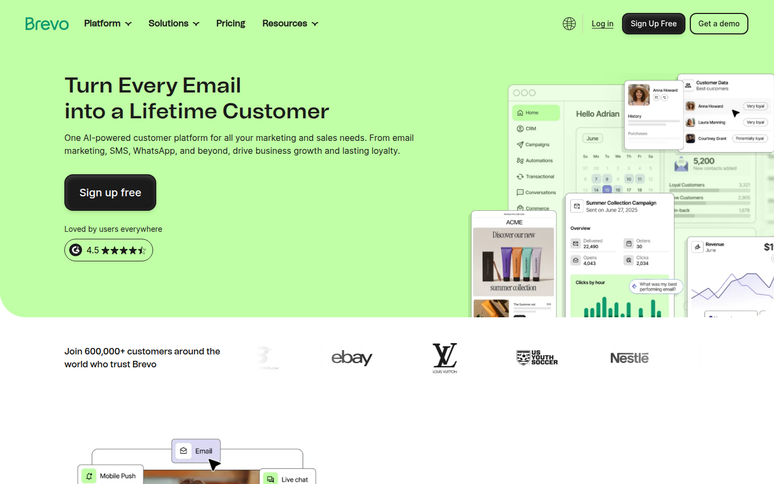
The case for Brevo is simple: most small businesses don’t need a separate email tool and a separate SMS tool.
Brevo combines both in one dashboard and it’s really affordable. There is a free plan and SMS credits are charged based on usage in addition to the basic subscription.
Why is Brevo one of the best WordPress SMS plugins?
For WordPress, connect via official Brevo plugin on WordPress.org to collect subscribers directly from your website.
From your Brevo account, manage everything: email campaigns, SMS campaigns, automations and contact segmentation in one place.
What sets Brevo apart from simpler tools is the depth of its segmentation.
I built a segment of subscribers who had opened at least two emails but hadn’t made a purchase, and then sent them an SMS with a 15% discount code.
This kind of cross-channel behavioral targeting. Using email engagement data to trigger SMS is something that is typically managed by significantly more expensive tools.
If you’ve ever wondered whether you need a dedicated SMTP and email delivery solution in addition to your SMS tool, that question is irrelevant thanks to Brevo’s unified platform.
The automations also work well.
I set a trigger: If someone abandons a WooCommerce cart AND doesn’t open the recovery email within 2 hours, send an SMS. Two separate conditions, one automated workflow, no ongoing management.
Compliance is integrated. Brevo processes opt-out requests automatically. If a subscriber replies STOP, they will be immediately removed from the SMS list.
Automatic handling is particularly important for GDPR-aware European companies.
🟢► Advantages
- Email + SMS in one account: I managed a complete campaign. Email sequence followed by SMS follow-up without switching platforms or importing lists.
- Deep segmentation: I targeted subscribers based on email behavior, purchase history, and geography. All from the same contact list used for email.
- Automated opt-out handling: STOP replies automatically remove subscribers from SMS sends. I didn’t have to manually manage a suppression list.
- A/B testing for SMS: I tested two versions of an ad copy and Brevo tracked which resulted in more clicks.
- Affordable starting point: Free plan includes unlimited contacts; You pay per SMS credit used, which keeps costs very low in the early stages.
- WooCommerce + Ecommerce Integrations: Connects to WooCommerce, Shopify, Magento and major CRM tools.
🔴► Disadvantages
- Limited phone support in the free plan: When I had a billing question, live phone support was not available on the free tier. Email and chat only.
- SMS scheduling limited to lower tiers: Scheduling SMS for a future date and time requires an upgrade beyond the Starter plan.
My verdict: Brevo is the best all-in-one option for small businesses that want to run SMS alongside email without duplicating their marketing stack. The depth of segmentation is significantly higher than its price level.
For more information, see my Brevo review.
Prices: Free plan available. Paid plans start at $8.08/month. SMS credits are usage-dependent👉 Get started with Brevo here
5. Omnisend ⭐⭐⭐⭐
Best for: WooCommerce stores that need two-way SMS with global reach
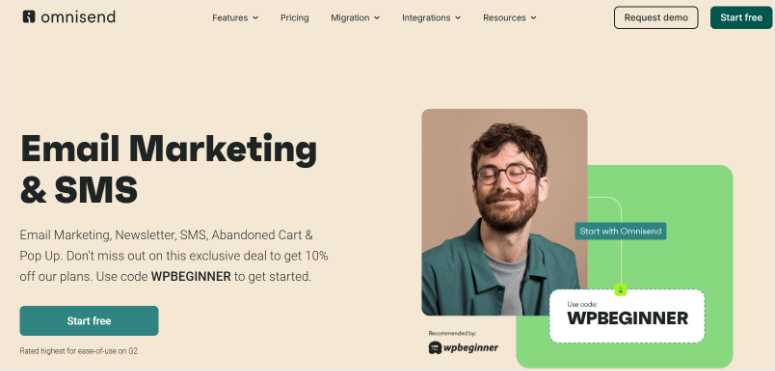
If you sell to customers outside the US or want your SMS recipients to be able to respond to your SMS, Omnisend is the tool that most others can’t match.
Two-way text messages are rarer than you think. Most platforms allow you to send one-sided texts. Omnisend actually cares about answers.
A customer responds to your shipping update text with “Where’s my order?” and that response will be forwarded back to Omnisend where your team can respond.
This closes a loop for post-purchase customer service via SMS that remains open with pure email tools.
Why is Omnisend one of the best WordPress SMS plugins?
Global coverage is the other differentiator. Omnisend supports all country codes, which sounds obvious, but it isn’t.
Several tools on this list have limited international carrier coverage or charge significantly more for non-US SMS. I tested shipments to Kenya, Canada and the UK using the same workflow and all three were delivered flawlessly.
The drag-and-drop campaign builder is fast.
I created a three-message post-purchase SMS sequence in less than 20 minutes. A thank you SMS immediately after purchase, a review request on the 5th day and a restock reminder on the 30th day.
The customer’s name and the product ordered were automatically inserted into each message.
For stores already using WooCommerce upsell and cross-selling strategies, Omnisend’s SMS automation is the logical next level.
You can trigger post-purchase text messages based on what was purchased and what you plan to offer next.
The pricing structure is understandable: the basic plan gives you email and access to SMS, but SMS messages themselves are purchased additionally as credit.
For low volume stores, this is fine. For large-volume campaigns, model the cost per message before committing.
🟢► Advantages
- Two-way SMS: Customers can reply to my SMS and I can reply. This is very useful for support and order questions.
- All supported country codes: I sent test campaigns to five different countries without any special configuration or carrier restrictions.
- SMS + Email in one automation: I created a single flow that first sent an email, checked if it was opened, and escalated an SMS if not, all in a single workflow.
- SMS Contests and Giveaways: I ran a simple keyword-based SMS contest and Omnisend automatically logged all entries.
- The free plan includes SMS features: Basic SMS functionality is available in the free tier. Useful for testing before committing.
- WooCommerce + Live Chat + Helpdesk Integrations: The ecosystem of connected tools is broader than most competitors.
🔴► Disadvantages
- SMS credit is also available: The basic subscription does not include SMS message volume. You also purchase credits, creating a second level of pricing to track.
- Paid plans can escalate quickly: Once your store grows beyond the free tier, the price jumps become noticeable for small businesses with low margins.
My verdict: For WooCommerce stores with international customers or anyone who wants customers to be able to respond to campaigns, Omnisend is the best choice on this list.
The two-way SMS feature alone makes it stand out from the crowd.
Prices: Free plan available. Paid plans start at $11.20/month (billed quarterly). SMS credit purchased separately.
👉 Get started with Omnisend here
6. FunnelKit Automations ⭐⭐⭐⭐
Suitable for: WooCommerce stores that want visual SMS automation with conditional logic
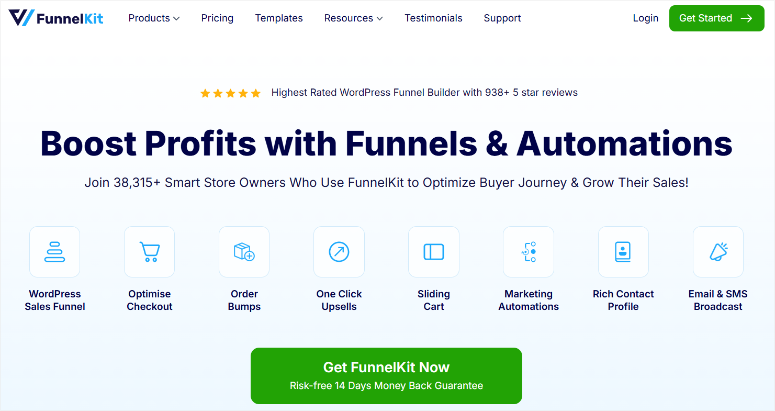
Every other SMS tool on this list sends texts based on simple triggers: “Abandon Cart → Send SMS”.
With FunnelKit Automations you can add conditions and branches in addition to these triggers, making your campaigns truly intelligent.
Why is FunnelKit Automations one of the best WordPress SMS plugins?
Here’s a concrete example: Someone abandons their shopping cart.
Instead of immediately triggering an SMS, FunnelKit first checks whether the cart recovery email sent 30 minutes ago was opened.
If yes, skip the text message (not annoying). If no, send the SMS with a discount code that expires in 2 hours. This “if/else” logic is created visually without the need to create any code, just drag and drop nodes.
For WooCommerce shops that run complex customer journeys.
Those that include post-purchase upsells, winback sequences, and loyalty milestones; It is the closest thing to a professional marketing automation platform available within WordPress itself.
The SMS messages support dynamic tags, so the customer’s name, their specific product and even custom coupon codes are automatically inserted into each text.
I tested an expiring coupon sequence. FunnelKit generated unique codes per customer and tracked redemptions back to the campaign.
If you want to understand which campaigns actually generated sales, FunnelKit’s reporting gives you the depth of WordPress analysis you would normally need a separate tool for.
The honest caveat: SMS features are included in the Professional plan. This is the highest annual price on this list. For stores that generate serious WooCommerce sales, this is justified.
For a site that sends a handful of notifications per month, that’s probably overkill.
🟢► Advantages
- Visual conditional builder: I created a “If email opened, skip SMS; if not, send” flow in about 15 minutes. The drag-and-drop node editor is really intuitive.
- Pre-built WooCommerce Sequences: Abandoned cart recovery welcome series. Ready-to-use templates that I could start immediately and customize later.
- Expiring voucher codes in SMS: FunnelKit generated individual discount codes per customer that expired two hours after the SMS was sent. Creates urgency without offering excessive discounts.
- Advanced delay control: I set SMS delays after a specific day and time (e.g. “Send Tuesday at 10am only”). It offers more control than most competitors.
- Sales allocation: Campaign reports showed exactly how much WooCommerce sales each SMS sequence generated.
🔴► Disadvantages
- SMS requires the Professional plan: The entrance fee is the highest on this list. Overkill for sites with simple SMS requirements.
- Learning curve for the builder: The visual editor is powerful, but first-time users typically spend 30-60 minutes understanding node types before they feel confident.
My verdict: If you’re doing serious WooCommerce automation and want SMS to be integrated into your existing workflow logic rather than bolted on, FunnelKit is the only WordPress native tool that does it at this level.
Prices: Free version available. Pro starts at $99.50/year.
👉 Get started with FunnelKit Automations here
7. WP SMS ⭐⭐⭐⭐
Best for: WordPress site owners who want to use their own SMS gateway or provider
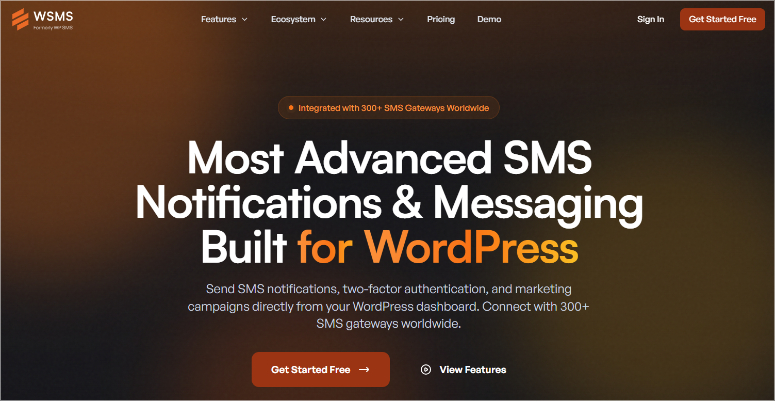
Every other tool on this list locks you into their platform’s SMS infrastructure. WP SMS does the opposite: it connects your WordPress site to the SMS gateway you already use or want to use.
With support for 250+ SMS gateways (Twilio, Vonage, Infobip, BulkSMS, Plivo and hundreds more) WP SMS is the most provider-flexible option on this list.
Why is WP SMS one of the best WordPress SMS plugins?
If you’re in a region where Twilio has poor coverage or high per-message fees, you can switch to a regional provider with better rates without changing anything in WordPress.
All you have to do is swap the gateway in the settings.
The plugin takes care of the WordPress site:
In the free version you get all core features. The Pro upgrade adds integration plugins for popular form builders, WooCommerce extensions, and additional gateway support.
That’s a very reasonable price for a website that just wants reliable SMS notifications without an ongoing SaaS subscription.
For store owners building their complete WordPress eCommerce plugin stack, WP SMS fills a very specific gap: operator control and self-hosted reliability that no SaaS SMS tool offers.
The compromise: WP SMS is a connector, not a campaign platform. You won’t find any drag-and-drop builders or A/B testing here. It sends texts reliably and flexibly, but leaves the campaign strategy up to you.
🟢► Advantages
- Over 250 gateway integrations: I switched from Twilio to a regional provider in my settings in under 5 minutes. The plugin didn’t care which gateway I used.
- WooCommerce Order SMS: Changes to the order status (pending → in process → shipped) automatically triggered an SMS. No separate platform required.
- Two-factor authentication: I have enabled SMS-based 2FA for my WordPress admin login. A useful layer of security that you don’t get with most SMS marketing tools.
- Admin notifications: New comments and user registrations are sent to me immediately via SMS. Useful for busy websites where you cannot constantly monitor the dashboard.
- Free Core Plugin: All essential features are free. The Pro is optional and adds integrations, not core features.
- Self-hosted control: No SaaS dependency. Everything runs through your WordPress installation and the gateway you have chosen.
🔴► Disadvantages
- No campaign builder: WP SMS sends messages, but doesn’t help you write, schedule, or A/B test broadcast campaigns. To do this, pair it with a dedicated platform.
- There are still costs per message: WP SMS itself is cheap, but you still pay per message sent to your gateway (Twilio, Vonage, etc.).
My verdict: For a WordPress site that wants direct gateway access, 2FA security, and reliable order notifications without a monthly SaaS fee, WP SMS is the cleanest self-hosted solution on the market.
Prices: Free version available. Pro from $59/year (1 site).
👉 Get started with WP SMS here
This is my list of the best WordPress SMS marketing plugins. But there are some options that just barely made the breakthrough. I mention them below.
Bonus: Best WordPress SMS Marketing Plugins
Also consider: drops ⭐⭐⭐
Drip is a powerful email marketing automation platform designed specifically for WooCommerce stores, offering comprehensive revenue attribution and behavioral segmentation.
It used to offer SMS, but SMS has been discontinued for new customers.
If you’re already a Drip subscriber and have SMS, it’s worth keeping. The segmentation and automation are excellent. For new users looking specifically for SMS, look elsewhere on this list.
Also consider: HubSpot ⭐⭐⭐
HubSpot combines SMS, email, CRM, live chat and a website builder on one platform.
The SMS features are solid: drag-and-drop builder, CRM-powered personalization, and automation triggers.
But the SMS-enabled marketing hub is expensive. For most WordPress site owners, other tools on this list are much more practical due to this price level.
HubSpot makes sense if your company is already committed to the HubSpot ecosystem.
Now you have all the top SMS marketing WordPress plugins and the bonuses. With such a long list, it can be difficult to narrow down what you need. To help you with this, read the following section.
How to choose the best WordPress SMS plugin
Now that you know what each of these tools offers, the real question becomes: which one suits your specific situation?
If you don’t have a text message list yet, start with OptinMonster.
- Before you can send a single SMS, you need phone numbers. OptinMonster’s exit intent popups are the fastest way to build this list from your existing traffic.
- These are lead capture tools that convert existing visitors into subscribers without the need for new traffic. Pair OptinMonster with Brevo or Omnisend to send once your list is ready.
If you run a WooCommerce store and want to get quick results, use PushEngage.
- There’s no need to ask for a phone number, no carrier account required, and abandoned cart automation kicks in in under 30 minutes.
- Technically it’s not SMS, but it delivers SMS-level results for most WooCommerce use cases.
If you already use Formidable Forms for lead collection, add the Twilio add-on.
- All you need is a Twilio account and an add-on to receive SMS confirmation texts with every form submission.
- Configuring the form-to-SMS workflow takes approximately 20 minutes.
If you want email and SMS in one tool for less than $15/month, go with Brevo.
- This is the most cost-effective way to run both channels from one dashboard, with enough segmentation to actually target the right people.
If you sell internationally or need two-way SMS, choose Omnisend.
- Global network coverage and the ability to receive and respond to customer responses puts them in a different category than one-way broadcast tools.
If you’re doing serious WooCommerce automation with complex logic, FunnelKit.
- The Visual Conditional Builder is the only WordPress native tool that handles “if this, then that, but only if the other is true” SMS logic without code.
- Combine it with your broader online marketing toolkit for maximum reach.
If you want to use your own SMS provider or need 2FA for WordPress, go for it WP SMS.
- Support for over 250 gateways and self-hosted architecture give you control that no SaaS platform can provide.
There’s one thing you need to get right, regardless of which tool you choose:
Compliance. Before sending your first SMS campaign, make sure you have the express written consent of each subscriber (TCPA requires this in the US).
Your opt-in form should clearly state that you agree to receive marketing communications. Tools like Brevo and Omnisend process the opt-out (STOP keyword processing) automatically.
However, it is always your responsibility to properly obtain opt-in consent.
You now have everything you need to choose the best SMS marketing plugin for your business. If something is unclear, check out the frequently asked questions below.
FAQs: Best WordPress SMS Marketing Plugins
Do I need a separate SMS service to send texts from WordPress?
Yes, in almost all cases. WordPress does not natively send SMS messages. Plugins like Brevo and Omnisend are all-in-one platforms. You sign up for an account and receive both the WordPress plugin and the SMS sending infrastructure. Other plugins like WP SMS and Formidable Forms + Twilio require you to connect a third-party SMS gateway (like Twilio) that handles the actual message delivery.
What is the difference between SMS plugins and push notification plugins?
SMS plugins send text messages over telephone networks. The subscriber must provide you with his phone number. Push notification plugins (like PushEngage) send browser notifications that appear on the subscriber’s device. The subscriber grants one-click browser permission instead. Push notifications have a lower opt-in frequency but require an active browser session. SMS reaches the phone’s native messaging app regardless of what the user does.
Is sending SMS messages via WordPress expensive?
The cost depends on which tool you use. With Brevo and Omnisend, SMS credits are included in the pay-as-you-go price in addition to your basic plan. Typically $0.01 to $0.015 per message for US numbers. Tools that use Twilio directly (WP SMS, Formidable Forms + Twilio) charge the Twilio rate of approximately $0.0079/message for US SMS. For 1,000 messages per month, the message cost is $8 to $15.
Are SMS plugins compatible with WooCommerce?
Yes, every plugin on this list integrates with WooCommerce. Brevo, Omnisend and FunnelKit offer the deepest WooCommerce integration (cart abandonment, order status, purchase history segmentation). WP SMS supports WooCommerce order status notifications. PushEngage has a dedicated WooCommerce automation suite, including cart recovery and price drop alerts. For more tools that extend WooCommerce, check out our guide to transactional email services for WordPress. Email and SMS work best together.
What types of notifications can SMS plugins send?
The most common SMS notification types in WordPress are: abandoned cart reminders, order status updates (in process, shipped, delivered), appointment confirmations, special offers and flash sale notifications, post-purchase review requests, subscription renewal reminders, and form submission confirmations. Compliance Note: Transaction notifications (order updates, confirmations) have different consent requirements than marketing texts. Review the TCPA guidelines for your use case.
Do I need the subscriber’s permission before sending SMS?
Yes. And that is not optional. In the USA, the Telephone Consumer Protection Act (TCPA) requires express written consent before sending marketing texts. Your opt-in form must clearly state that the user consents to receiving SMS from your company. Tools like Brevo and Omnisend handle automatic opt-out (STOP keyword processing), but obtaining initial consent is always your responsibility. Sending unsolicited text messages can result in significant legal penalties.
Final Verdict: Should I Use SMS Marketing on My WordPress Site?
Absolutely. If your customers are using their phones, SMS belongs in your marketing mix.
Remember that small online business I mentioned at the beginning? They had been sending emails for two years with decent results. The SMS campaign did not replace their email strategy.
It reached people who opened text messages but ignored promotional emails. A real part of their customer base that they had been completely missing.
The good news: You don’t need a big budget to get started. With free plans for Brevo, Omnisend, and PushEngage, you have enough time to test the channel before spending a dime.
Even the paid options are affordable, with most starting at less than $15/month.
Choose a tool, get your opt-in consent, send your first campaign and see what happens. Open rates will tell you the rest.
Resource Hub: SMS Marketing and WordPress Growth
Everything you need to build a stronger marketing stack around your SMS campaigns.