
Google AI overviews appear in Google search results for a growing share of searches, and if your content isn’t structured to deserve a mention, you’ll lose visibility to competitors who have already adapted. Unfortunately, the challenge is not awareness. Most SEO leaders know that AI overviews exist. The challenge is in the execution: translating Google’s deliberately vague guidelines into repeatable content workflows, measuring whether your AI website optimizations are actually getting citations, and proving business impact when traditional metrics like rank position and CTR no longer tell the whole story. This playbook closes this gap.
I’ll walk you through the best practices for optimizing content for Google AI Overviews – from technical fundamentals and answer-first formatting to structured data, long-tail question mapping, and the measurement frameworks you need to track your brand in AI search. Whether you’re looking to figure out how to make your first SEO appearance in AI overviews or you’re refining an existing generative engine optimization strategy, it’s designed for practitioners who need to act, not just understand.
In each section you will find a specific workflow: what to do, why it works and how to measure it. You’ll also learn how AI overviews relate to the broader shift in response engines (i.e. where platforms like ChatGPT, Perplexity and Gemini are changing the way shoppers discover brands) and how to ensure your AI-generated content strategy supports visibility across all brands. Let’s get into it.
Table of contents:
What are AI Overviews (AIOs) and how do they work?
Google AI Summaries are AI-generated summaries that appear at the top of Google search results and are powered by Google’s Gemini large language model. Instead of presenting a traditional list of blue links, an AI digest summarizes information from multiple high-ranking websites into a single, source-linked answer block, complete with inline citations pointing to the pages from which it came.
According to 2026 data from Stan Ventures, AI overviews now appear in 16% of all Google desktop searches. Furthermore, Amsive revealed, Google AI Overviews is heavily oriented towards social platforms and video platformsincluding:
- Reddit (21% of quotes)
- YouTube (18.8%)
- Quora (14.3%)
- LinkedIn (13%)
Additionally, Google’s AIOs most often trigger on longer, multi-word searches where Google’s systems determine that a synthesized answer would be more useful than a ranked list with links, especially if the answer spans multiple sources.
However, to give you a little more context about how AI overviews actually generate their answers, here’s a look at what happens behind the scenes when a user enters a query that triggers an AIO:
- Google interprets search intent using its Gemini model. Google then determines whether a synthetic answer would serve the user better than a list of links.
- The system performs multiple related searches across subtopics and data sources. This is a process that Google officially calls “query fanout.”
- Relevant content is retrieved from the Google index. Gemini then evaluates passages (not just entire pages) for clarity, factual accuracy and thematic relevance.
- The AI generates a synthesized summary that directly addresses the query. Typically it draws on three to five sources.
- Source links are displayed next to the summary. This gives users the opportunity to explore further while at the same time attributing the information to its origin.
Next, let’s cover how you can optimize your content to get those citations.
Pro tip: Google’s own documentation confirms that there are no technical requirements beyond standard search permission, but your pages must be indexed and suitable for displaying a snippet.
How query fanout expands a single search to many
Both AI Overviews and AI Mode use a technique called query fanout to provide comprehensive answers.
According to Google’s official Search Central documentationthe system “performs multiple related searches across subtopics and data sources” and generates an answer at the same time.
This is how it works in practice: When someone is looking “Best CRM for Small Businesses” Google’s AI doesn’t just retrieve results for that exact phrase. The system breaks down the query into subqueries – “CRM pricing for small teams” “Comparison of CRM functions” “Easiest CRM to set up” “CRM integrations with email marketing” – and retrieves relevant content for everyone. The synthesized response reflects all of these aspects, even if the user only entered one query.
This is a sea change from traditional search, where a single query returned a single set of keyword-matching results. Now a single search generates multiple fetch events, and your content can be cited by uniquely answering any of these subqueries. (Question-based content fits better with long-tail search intent because it reflects the subqueries that Google’s AI generates behind the scenes.)
To effectively optimize your pages for Google’s AI overviews, they need to address the range of questions surrounding a topic, not just the primary keyword. For people looking to improve visibility in Google’s AI overviews, the appropriate action step is clear: map the sub-questions that stand out from your target query and ensure that your content provides direct, well-structured answers to each individual question.
Next, I’ll explain in detail the differences between AI Overviews and AI Mode – and why the distinction is important for your optimization strategy.
AI Overviews vs. AI Mode: What’s the Difference?
These two features are closely related but serve different roles in Google Search.
However, it is important to understand the difference because strategies to optimize content for Google AI Overviews do not automatically translate to AI mode and vice versa.
Below I’ve created a diagram to illustrate the key differences between AIOs and AI Mode:
Now that I’ve discussed the key differences, here’s the key takeaway: AI overviews reward content that leads with a direct, quotable answer.
AI Mode rewards content that has comprehensive thematic coverage of multiple related sub-questions. Google AI Overviews content optimization best practices (i.e., answer-first formatting, clear heading structure, and strong EEAT signals) also lay the foundation for visibility in AI Mode, but AI Mode additionally favors content ecosystems (i.e., topic clusters, supporting pages, and internal links that strengthen topic relationships and site structure) over standalone posts.
How to track whether your content appears in AI overviews
The biggest problem for organic growth practitioners is the limited visibility of AEO performance. To close this gap, teams turn to dedicated response engine monitoring tools (more on this later, readers).
But if you are new to AEO and want to know the best way to get started, I recommend you HubSpot’s AEO Grader. This allows you to evaluate how your brand and content appears in major search engines, providing baseline measurement that is not possible with traditional rank tracking.
Next, I’ll explain how to optimize your content so that it’s regularly cited in AI overviews.
How to optimize for AI overviews
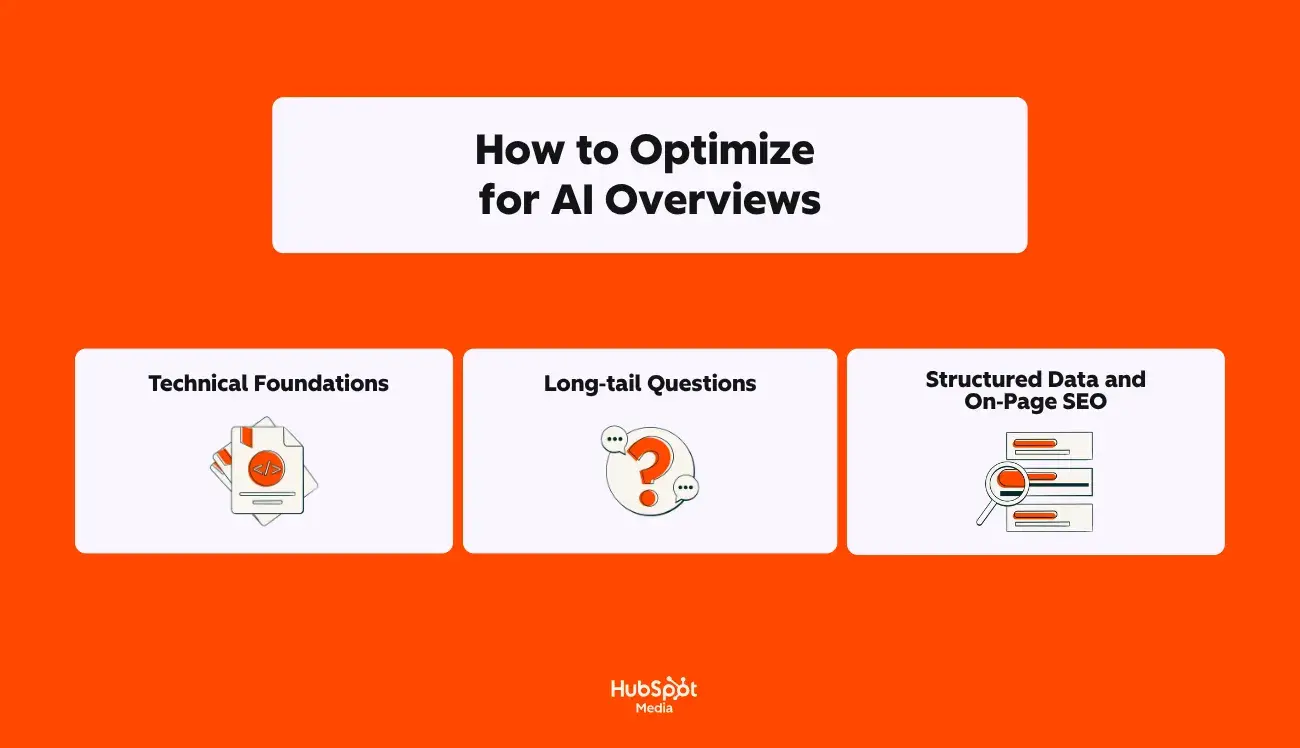
Google’s own Search Central documentation clarifies: “There are no additional technical requirements” to appear in AI overviews beyond the standard search permission. But in practice, the websites that receive citations consistently have three things in common:
- A clean technical basis
- Content structured around the questions that AI systems actually break down queries into
- Schema markup that reinforces what is already visible on the page
To build each layer into a repeatable workflow:
1. Technical basics
Accessible content requires crawlability and indexability. If Googlebot cannot access, render, and index your pages, they cannot be selected as a cited source in AI Overviews. This is the non-negotiable baseline before any content or schema work.
Google Search Central confirms that a page must be indexed and eligible to display a snippet to be considered as a supporting link in AI synopses. Pages blocked by robots.txt tagged with no indexor restricted by nosnippet Directives are automatically excluded from the AI overview citation.
Because AI synopses aggregate information from multiple sources, every blocked page means a missed citation opportunity for every subquery that touches on your topic.
Quick technical audit checklist
To confirm that your pages are eligible for citation in AI Overview, perform these checks before investing in content optimization. Before investing in content optimization, do these checks:
- Robots.txt: Make sure Googlebot isn’t blocked from crawling important tables of contents. Look for overly broad prohibition rules that may have been added during deployment or migration and never removed.
- No index / nosnippet Tags: Check your top traffic and top ranking pages on Noindex or nosnippet Meta tags. A nosnippet The tag specifically prevents Google from generating a snippet. This means the page is not eligible for an AI overview citation, even if it is indexed.
- XML sitemaps: Make sure your sitemap is submitted to Google Search Console, returns a status code of 200, and contains only indexable, canonical URLs. Remove any URLs that return 404 or 301 errors or that do no indexfrom your sitemap.
- Status codes: Crawl your website using Screaming Frog or a similar tool. Flag any 4xx or 5xx errors on pages that target high-value searches. Soft 404s (pages that return 200 but display error content) are particularly damaging because they appear functional but do not provide usable content for AI extraction.
- Canonization: Make sure each page provides a self-referencing canonical tag. Duplicate or conflicting canonical signals can cause Google to index the wrong version of a page – or skip it altogether.
- Depiction: Test JavaScript-heavy pages in Google’s URL inspection tool to confirm that the rendered HTML code matches your expectations. If critical content is only loaded via client-side JavaScript and Googlebot cannot execute it, that content will be invisible to AIOs.
This is especially important because internal links strengthen topic relationships and site structure, which directly impacts how Google’s AI evaluates the depth and authority of your content on a topic.
When pages in a topic cluster are well connected through contextual internal links, AI systems can more confidently identify your site as a comprehensive source for all subqueries generated during query fanout.
Pro tip: For more information on basic SEO checks that support AI Overview eligibility, see our SEO Recommendations Guide.
2. Long-tail questions
Question-based content improves targeting of long-tail search intent, and long-tail queries are exactly where AI overviews appear most often. If you want to show up in AI Overviews from an SEO perspective, you need to match your content to the specific multi-word questions your audience is actually asking.
How to map topics to long-tail questions
Start with your core topic and then systematically identify the questions that arise from it. Here is a repeatable process:
- Mine Google’s own signals. Search for your target keyword and document each question in the “People Also Ask” section. These are the related queries that Google has already identified as being related to your topic. They largely reflect the subqueries generated during the AIO query fanout.
- Classify questions by stage of the buyer’s journey. Create a simple matrix: list your core personalities at the top and your journey stages (awareness, consideration, decision) at the bottom. Enter the specific questions each persona would ask at each stage. For example, an SEO leader in the awareness phase might ask: “What are AI overviews?” whereas the same person might ask at the decision stage: “What tools track citations in AI Overview?”
- Prioritize the specific over the general. General searches like “What is SEO?” I have hundreds of competing sources. Specific questions like “How do I check my website for AI Overview eligibility?” There are fewer high-quality answers available, meaning AI systems are more likely to cite your content if it is well-structured.
- Use question mining tools. Reddit, Also asked, AnswerThePublicAnd Google Trends Surface clusters of related questions around a seed keyword. These tools reveal the natural language patterns that directly impact how AI systems parse queries.
After you finally map your questions, organize them as H2 and H3 headings in your content. Every headline should be worded to match the actual question your audience is typing – “How long does it take to redesign a website?” not “website redesign project duration”.
This structure creates multiple extraction points where the AI can map a subquery to a specific section of your page.
Answer-first phrasing
Answer-first formatting helps AI systems extract important information. Google’s AI scans pages from top to bottom, looking for the most quickly accessible answer to a given query. Sites that provide their answer in the first 40 to 60 words of each section consistently achieve higher citation rates than sites that bury the answer in context after several paragraphs.
With that in mind, here’s how to structure each section for maximum removableness:
- Start with the direct answer. Begin each section with a 1 to 2 sentence answer that directly addresses the title question. If someone asks you the question in person, your first sentence should be what you would say.
- Support with evidence. After the direct answer, add statistics, examples, or expert context that support the claim. (This gives AI systems both the extractable answer and the supporting material to verify it.)
- Keep paragraphs short. Aim for 2 to 4 sentences per paragraph. AI systems prefer content with clear paragraph breaks over dense walls of text.
- Use “X is Y” sentence structures for definitions. A clear definition set (“AI summaries are AI-generated summaries that appear at the top of Google search results.”) is the most common type of content that AI systems extract and cite.
This is one of the most practical content optimization strategies for Google AI Overviews because it addresses the root cause of missing citations: your answer is there on the page, but the AI can’t find it fast enough.
3. Structured data and on-page SEO
Structured data must match the visible page content; In 2026, this isn’t just best practice. Sites with a precise, intent-aligned schema maintained (and in many cases improved) their rich result rates and AI citations. Sites with excessive or misaligned schema may experience reductions.
In the next sections, I’ve broken down the main schema types and the formatting rules that make it easier for AI to extract your on-page content.
Best way to use Schema for AI overviews
Schema markup acts as a translation layer between your content and AI systems. Instead of forcing Google’s Gemini model to guess meaning through natural language processing alone, Schema provides explicit signals about what your content represents.
Here are the schema types that are most important for AI overview citation:
- Article/blog post: Apply this to any editorial content. It communicates authorship, publication date, and thematic focus (all signals that AI systems use to assess EEAT’s timeliness and credibility).
- FAQ page: Pages with the FAQ schema are measurably more likely to appear in AI overviews because the Q&A format accurately reflects how AI systems extract answers. For optimal extraction, keep each answer between 40 and 60 words.
- Directions: When your content guides readers through a process, this schema defines each step, the tools required, and the expected results, which helps AI engines quote instructions in the correct order.
- Organization: Establishes your brand as a defined entity Google’s Knowledge Graph. Use Same Properties to link to your authoritative profiles (LinkedIn, Wikipediasocial channels) to strengthen entity recognition.
After you determine which schema types apply to your content, implement the following rules:
Formatting content for AI overviews
I have one truth that I will stand behind as a content marketer with AEO: How you format your on-page content is just as important as the schema that underpins it.
How to optimize content for Google AI Overviews (while combining structural clarity with high information density):
- Use H2 and H3 headings in question format. When a user’s search query matches your headline, Google’s AI can efficiently find and cite that section.
- Add definition paragraphs. A clear “X is Y” definition in the first 60 words of a paragraph gives AI a clear, extractable message. (For example: “Answer Engine Optimization (AEO) is the practice of structuring content so that AI tools can extract, attribute, and cite your brand when generating answers.”)
- Add comparison tables for multi-option queries. AI overviews often generate comparison content. If your site offers a well-structured table of comparison options, offer AI-enabled content that can be quoted directly rather than summarized from multiple sources.
- Bold key data. By bolding specific statistics, named entities, and critical terms, AI systems can identify the most important information within a section.
- If possible, keep sentences under 20 words. Shorter, meaningful sentences are easier for the AI to summarize without distorting the meaning.
In the following section, I’ll explain how you can measure whether these optimizations actually bring in citations.
Pro tip: Want to learn more about how to optimize your content for Google’s AIOs in under 30 minutes? Check out this video HubSpot Marketing’s YouTube channel:
How to measure and improve visibility
Google AI Overviews summarize information from multiple sources, but Google Search Console AI-specific impressions or citation rates are not broken out as a separate metric.
This gap is the key measurement challenge for the AEO era. AI Overview and AI Mode traffic are reported within the Web search type in the Search Console performance report, bundled with traditional organic clicks rather than in isolation. (This means you may see aggregated traffic changes, but you tilt Determine which pages are cited in AI overviews, how often your brand appears in synthesized answers, or whether your optimization work is making a difference.)
To create a repeatable measurement framework, you need two things: tools that track AI citation visibility across platforms and a clear methodology for linking that visibility to business outcomes.
In the following sections, I’ve described how to tackle both with six standout tools and a step-by-step measurement workflow.
Tools for measuring AI overviews
The response engine optimization monitoring landscape has expanded rapidly, and the following tools represent different approaches, from dedicated AEO platforms to SERP analysis layers integrated into existing SEO suites. However, the right choice depends on whether you need brand-level visibility tracking, keyword-level citation monitoring, or content-level optimization signals.
To help you find the right solution for your team and your budget, take a look at the list of AEO monitoring tools that can help you track, measure, and improve your brand’s visibility in response engines, including Google’s AIOs:
1. Semrush
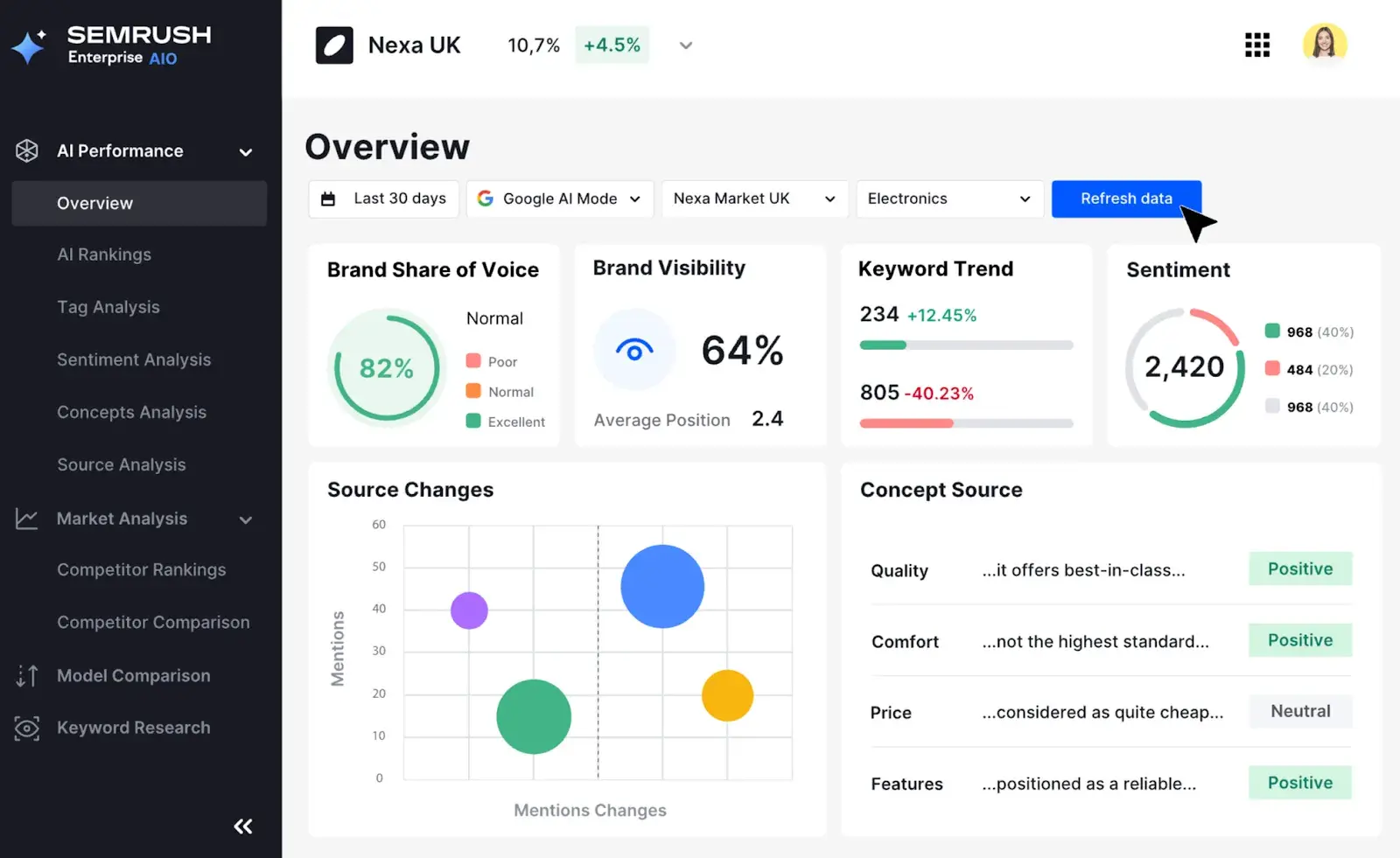
(Alt text) A screenshot of Semrush’s AI Visibility UI in Semrush Enterprise
Best for: SEO teams and agencies that have already invested in the SEMrush ecosystem want AI visibility tracking to be integrated into a comprehensive SEO platform.
Semrush it added AI visibility toolkit as a standalone add-on and a core component of Semrush One, its 2026 unified visibility platform. The toolkit tracks brand mentions and quote presence across all areas ChatGPT, Google AI overviews, Google AI mode, confusionAnd Geminibased on a database of over 100 million monitored prompts worldwide.
Semrushs Prices:
- AI Visibility Toolkit (standalone add-on): $99/month per domain
- SEMrush One Starter: $199/month (SEO toolkit + AI visibility bundled, 50 daily tracking prompts)
- SEMrush One Pro+: $299/month (SEO toolkit + AI visibility bundled, 100 daily tracking prompts)
- Free trial included (14 days, available on SEMrush One plans, AI Visibility Toolkit alone does not have a free trial)
Semrushs Core features:
- AI visibility overview. Provides aggregated brand mention data across five AI platforms with competitive benchmarking.
- Prompt follow-up. Monitor up to 25 custom prompts (AI Visibility Base) or 100 prompts (Semrush Pro+) with daily AI rankings across all platforms.
- Brand perception and sentiment. Analyzes how AI platforms characterize your brand compared to competitors.
- Site audit for response engine optimization. Checks your website for technical issues that may prevent AI bots from crawling your content.
- Quick research. Identifies relevant suggestions and topics that you can target for new AI visibility opportunities.
Semrushs Restrictions to consider:
- The AI Visibility Toolkit does not offer a free trial for individual purchases. You need a SEMrush One subscription to access the trial version.
- Claude and Meta AI are not yet supported in the tracking suite. This can create blind spots for teams whose audiences rely heavily on these platforms for research and recommendations.
- The amount of data can be overwhelming. Teams without a dedicated analyst may struggle to turn insights into action.
2. Ahrefs
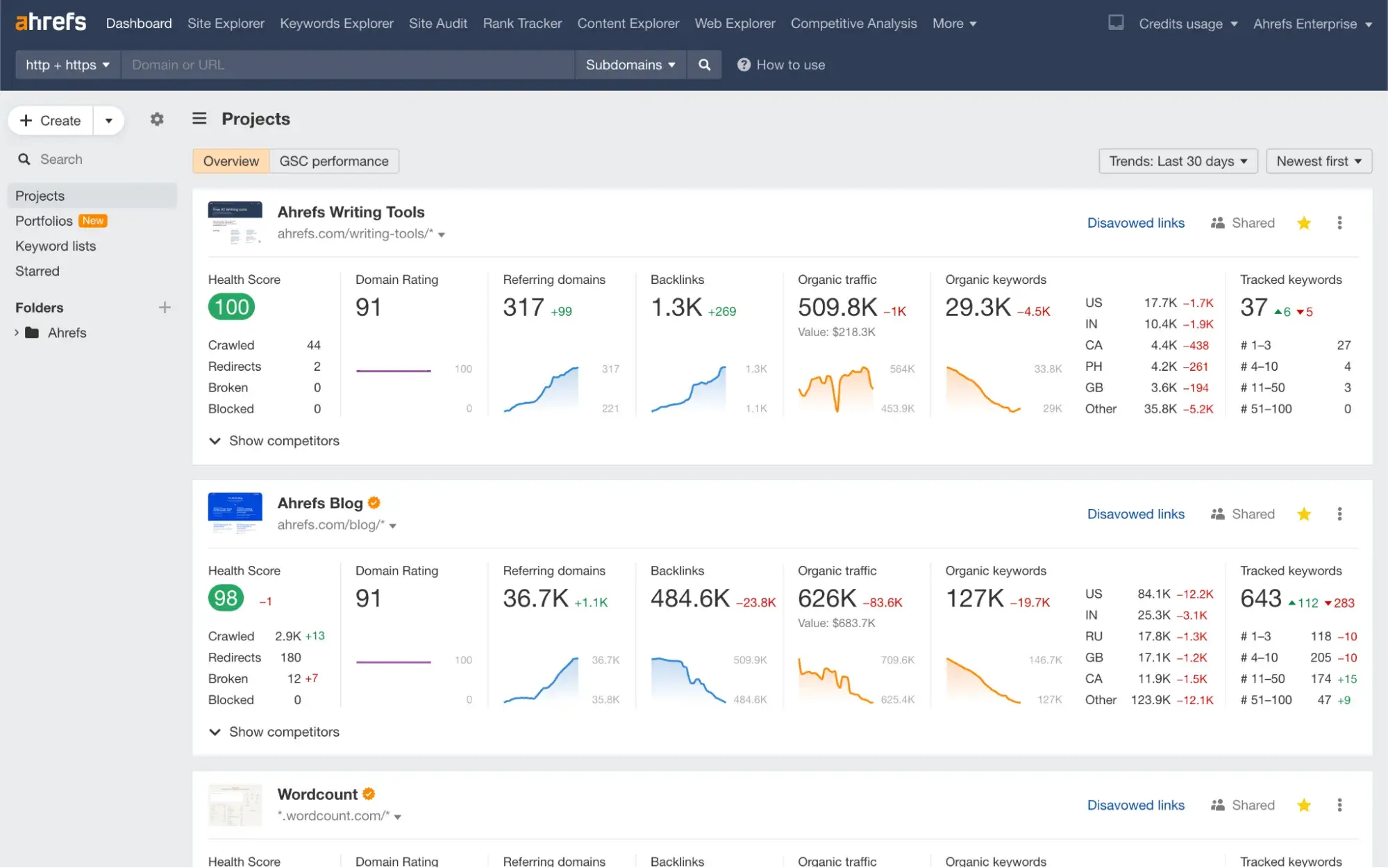
Best for: Enterprise SEO teams creating deep backlink data combined with large-scale AI citation research.
Ahrefs started Brand radar as an add-on to its core SEO platform that tracks brand mentions and citations in ChatGPT, Perplexity, Google AI Overviews, Google AI Mode, Gemini and Microsoft Copilot. Its unique differentiator is ecosystem integration: Brand Radar compares AI citation data with Ahrefs’ backlink index. Backlinks and brand mentions build authority for companies, and Ahrefs is the only platform that allows you to see this relationship in a dashboard.
Ahrefs‘ Price:
- Lite: $129/month
- Standard: $249/month
- Brand radar: $199/month per single AI platform index or $699/month for all 6 platforms
- There is no free trial available for the Core plans (see here)
Ahrefs’ Core features:
- Over 260 million prompt databases. Provides aggregated AI visibility data at scale, not limited to custom prompt lists.
- AI Share of Voice. Shows which brands appear most frequently in AI-generated answers for your topic areas.
- Cross-reference to backlink and AI citation. Links AI mentions backlink authority, showing whether citations correlate with link strength in your niche.
- SERP AI Overview Detection. Flags that track keywords trigger AI overviews and indicate whether your site is being viewed (included in all basic plans except Brand Radar).
- Analysis of the competitive gap. Identifies prompts that mention competitors but don’t mention you.
Ahrefs’ Restrictions to consider:
- The prices are prohibitive for most mid-sized teams. Full 6-platform fire radar coverage on top of a standard plan costs almost $950/month.
- Brand Radar uses a snapshot-based methodology. This can lead to accuracy gaps compared to daily prompt level tracking tools.
- No native tracking for Claude or Grok. Teams monitoring AI platforms beyond the six covered indices must be supplemented with a dedicated AEO tool.
3. HubSpot AEO
Best for: Marketing teams that want AI visibility tracking connected to CRM with actionable recommendations.
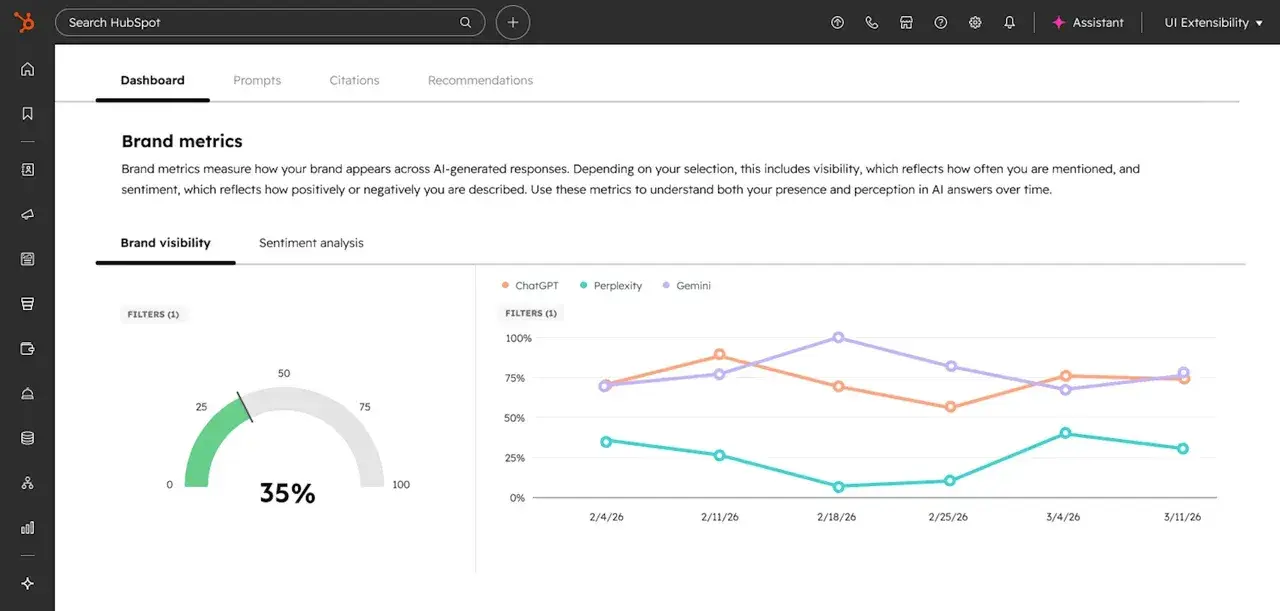
HubSpot AEO is a dedicated response engine optimization tool that tracks how your brand appears in AI-generated responses ChatGPT, confusionAnd Gemini. What sets it apart from pure monitoring platforms, however, is the closed loop between insights and actions: it identifies citation gaps, shows which competitors are emerging in your place, and links recommendations directly to them HubSpot’s content and publishing toolsso teams can act on insights without having to switch platforms.
HubSpot AEOs Prices:
- Standalone: $50/month (no existing HubSpot subscription required)
- Annual billing: $45/month
- Included in delivery Marketing Hub Professional and Enterprise without additional costs
- Free trial available (28 days, 10 prompts on ChatGPT, no credit card required)
HubSpot AEOs Core features:
- Brand visibility dashboard. Tracks the percentage of your monitored prompts where your brand appears in AI responses with week-over-week trend data.
- CRM-powered prompt suggestions. For Marketing Hub To users, HubSpot suggests prompts based on your CRM data (i.e actually questions your buyers ask) rather than requiring manual guesswork.
- Sentiment analysis. Rates how positive or negative response engines characterize your brand on a scale of -100% to +100%.
- Competitor share of voice. Shows your brand mentions as a percentage of total brand mentions across all tracked prompts, compared to named competitors.
- Quote analysis. Surfaces, domains, pages, and content types are referenced in your category’s AI responses.
- Recommendations related to execution. When a gap is identified, teams can create content, publish social media posts, or update pages directly within it HubSpot’s intelligent CRM without changing tools.
HubSpot AEOs Restrictions to consider:
- Engine coverage is currently limited to three platforms (ChatGPT, Perplexity, Gemini). Google AI Overviews and AI Mode are not yet tracked natively.
- The standalone plan’s immediate capacity is limited by response volume. This can seem limiting for teams tracking dozens of keywords across multiple personas.
4. through
Best for: Content teams and SEO experts who need AI overview analysis at the SERP level with the creation of actionable content briefs.
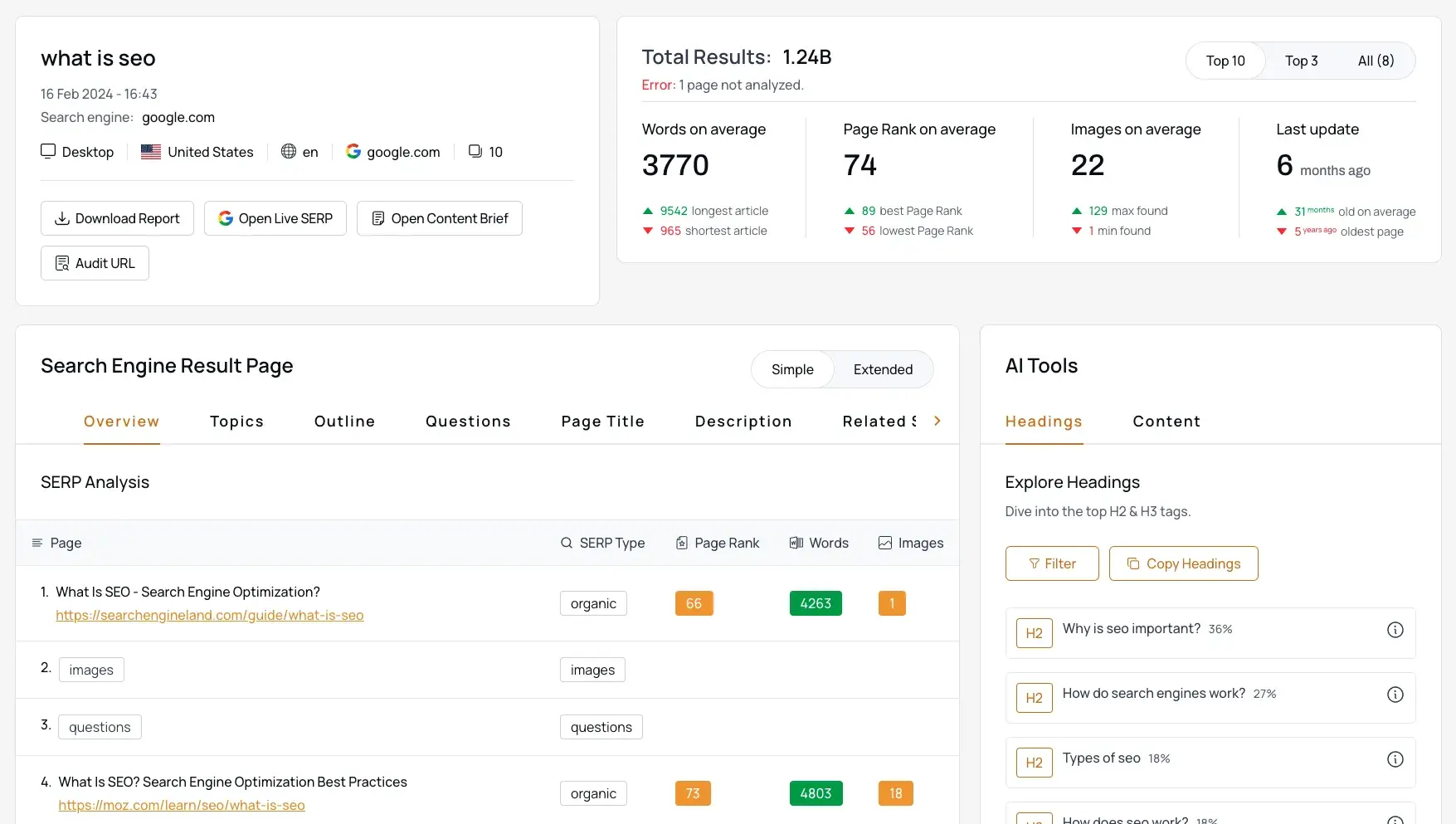
through is a SERP analysis tool that captures full search results pages, including AI summary blocks, allowing you to analyze content patterns, citation sources, and SERP feature interactions. Where most tools answer “Are you being quoted?”until answers “What is the content being quoted?” This makes it particularly valuable as a pre-optimization content research layer, helping teams understand what to write rather than just keeping track of what happened.
thruuu’s Prices:
- Free plan: 10 Google SERPs, 2 content briefs, up to 500 keywords
- Starter: $19/month for 75 credits
- Per: $49/month for 250 credits (AI Overview tracking features require this level)
- Agency: $99/month for 700 credits
thruuu’s Core features:
- AI overview source analysis. Searches and analyzes the content of URLs cited in AI synopses, showing what topics the cited pages cover that your pages may not cover.
- Response Engine Analyzer. Analyzes Google and up to 5 additional AI engines (ChatGPT, Gemini, confusion) in a single analysis; Headings and paragraph topics from AI-cited sources are extracted.
- Creation of content letters. Creates data-driven content outlines based on top 100 SERP results and actual AI citation patterns.
- Tracking brand and competitor mentions. Identifies both your brand and competitor mentions in AI summary summaries.
- SERP preview. Provides live previews of search results and AI overviews for each country without the need for a VPN.
thruuu’s Restrictions to consider:
- Not designed for ongoing daily monitoring. thruuu is best suited for on-demand audits and content planning, not continuous tracking.
- AI Overview features require Pro plan ($49/month). These are not included in thruuu’s starter plan.
- No multi-model AI tracking (ChatGPT, Perplexity) for brand-level visibility KPIs. For those seeking continuous brand-level monitoring across multiple AI platforms, this could represent a significant gap that requires combining thruuu with a dedicated AEO tracking tool.
5. Otterly.ai
Best for: Agencies and marketing teams that want a self-service, prompt-level AI visibility tracker with Looker Studio integration.
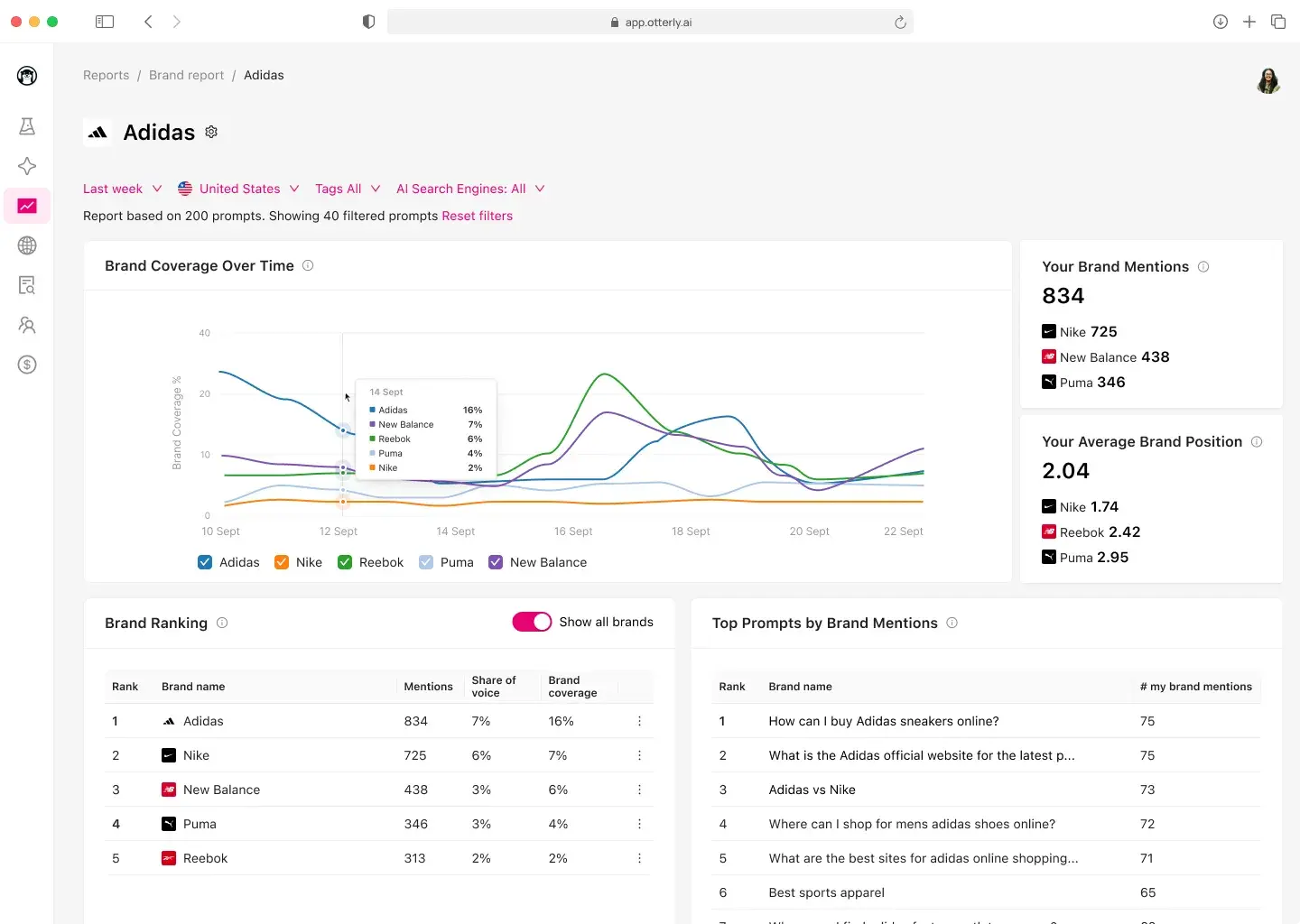
Otterly AI is a dedicated response engine monitoring and GEO platform that tracks brand mentions, quotes and sentiment ChatGPT, Google AI overviews, confusionAnd Microsoft Copilot on its basic plans, with Google AI Mode and Gemini available as add-ons.
Otterly AIs Prices:
- Lite: $29/month (15 searches)
- Standard: $189/month (100 searches)
- Premium: $489/month (400 searches)
- Free trial available (7 days, see here)
Otterly AIs Core features:
- Daily real-time monitoring. Runs predefined prompts daily for select AI engines and saves responses for comparison of historical trends.
- Brand visibility index. A composite KPI that tracks overall brand visibility at AEO over time.
- Link citation analysis. Identifies which specific URLs are most frequently referenced by AI engines.
- GEO audit. Analyzes 25+ on-page factors that impact how AI models interpret and cite your pages, with SWOT analysis and tactical gap identification.
- AI prompt research. Transforms traditional keywords into conversational prompts suitable for AEO, bridging the gap between keyword thinking and prompt thinking.
- Looker Studio and SEMrush integration. Exports data to Looker Studio for custom dashboards and integrates with that SEMrush App Center.
Otterly AIs Restrictions to consider:
- Google AI Mode and Gemini are add-ons and not included in the basic plans. Their addition significantly increases the effective cost.
- Quickly calculate cost of scale. Tracking 100 prompts across five engines effectively requires 500 data collections, which puts Standard close to its upper limit.
- Monitoring focused with limited content optimization guidance. The GEO audit helps, but there are no built-in tools for creating or publishing content.
6. confusion
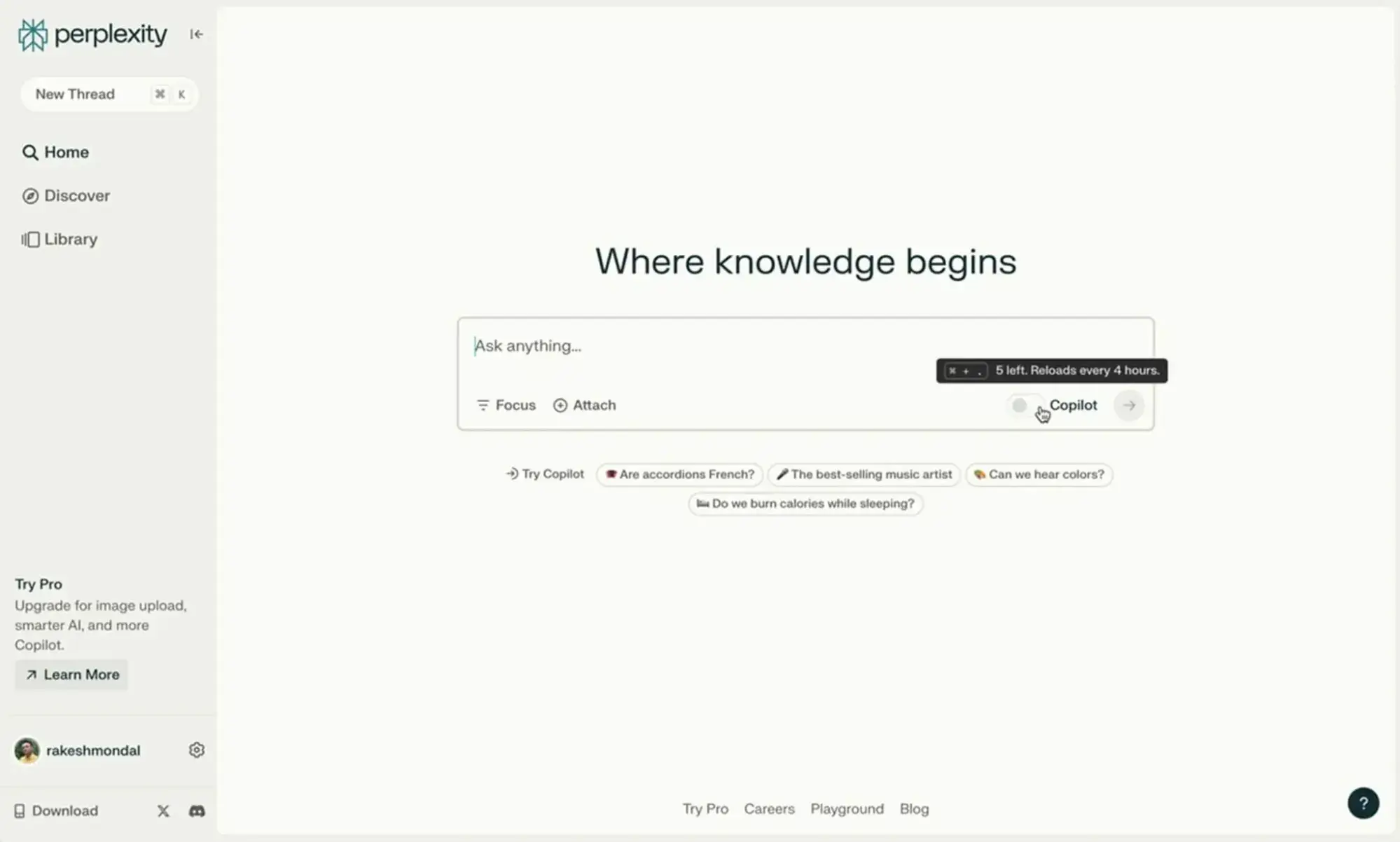
Best for: Publishers and content teams who want first-party citation data directly from an answer engine platform, as well as revenue share for cited content.
confusion is not a traditional monitoring tool; It’s the response engine platform itself. It is Publishing program provides participating publishers with analytics dashboards with citation data per article, revenue breakdowns by query category, and competitive benchmarking with anonymized competitors.
Perplexity Prices:
- Publishing program: Free participation (see hereapply at editors@perplexity.ai; Publishers receive 80% of the revenue generated by citing their content in interactions.
- Perplexity Pro (for general use): $17/month
Perplexity Core features:
- Citation analysis per article. Shows which of your articles are cited, how often, and in response to which query categories.
- Revenue share for quoted content. Publishers receive a share of revenue from subscriptions and interactions when their content is referenced.
- API access. Partners get free access to Perplexity’s online LLM APIsthereby enabling the implementation of a custom response engine on their own websites.
- Source reference. Perplexity prominently displays cited sources with direct links, thus ensuring measurable referral traffic.
- ScalePost.ai Integration. Offers more in-depth analysis of how Perplexity cites your content through a dedicated publisher analytics partner.
Perplexity Restrictions to consider:
- The publishing program is limited to approved partners (20+ media partners as of early 2026). Most brands don’t qualify unless they are established publishers.
- Analytics only covers Perplexity. This does not help you understand visibility in Google AI Overviews, ChatGPT, or Gemini.
- The program focuses on publisher-level metrics. This means that the keyword or prompt level tracking that SEO teams typically require would not be available here and a separate tool would be required for granular monitoring of each query.
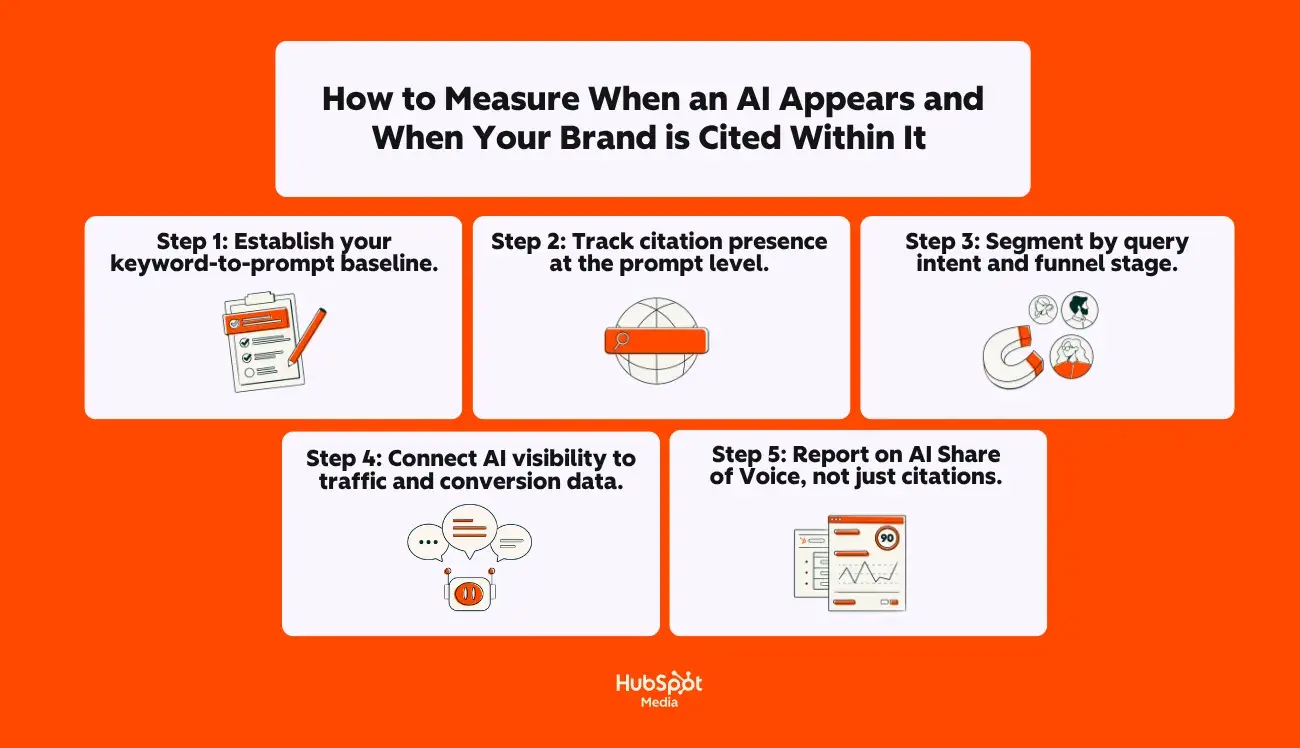
How to measure when an AI appears and when your brand is cited in it
While it’s nice to have the right tools in your stack, knowing which tools you should use is only half the battle. The harder question is building a workflow that turns AI visibility data into decisions your team can act on.
Here is a step-by-step framework for tracking AI overview appearances and brand citations at scale:
Step 1: Set your keyword-to-prompt baseline.
First, determine which of your target keywords are currently triggering AI overviews. Tools like SEMrush, Ahrefs, and thruuu flag AI overview appearances at the keyword level.
Export this list and associate it with your priority keywords – those associated with revenue-driving pages and high-intent searches. This gives you a limited set of keywords where AI overview optimization can directly impact business results.
Step 2: Track the presence of quotes at the prompt level.
For each keyword that triggers an AI summary, determine whether your brand or domain is cited as a source.
HubSpot AEO, Otterly AIAnd Semrush Everyone tracks this, but measures it differently:
- HubSpot AEO Tracks prompt-level visibility in ChatGPT, Perplexity, and Gemini with weekly trends and competitive comparisons.
- Otterly AI runs predefined prompts daily and logs which URLs are cited, giving you link-level citation data over time.
- Semrush Provides aggregated brand mention data across five AI platforms with prompt tracking limits that scale based on plan level.
The most important metric here is citation rate, which is the percentage of your tracked prompts in which your brand appears in the AI-generated response. (This is the AI equivalent of organic click-through rate and is the clearest indicator of improving visibility in Google’s AI overviews and other answer engine platforms.)
Step 3: Segment by query intent and funnel stage.
Not all quotes in the AI overview have the same business value. A quote for “What is CRM software?” (Awareness phase) has a different conversion potential than a quote for it “Best CRM for B2B sales teams under 50 employees” (decision phase).
Would you like my advice as an AEO-focused marketer? Here it is: Segment your tracked prompts by funnel stage and prioritize optimization for the prompts that are closest to purchase intent. Here, content optimization strategies for Google AI Overviews result in measurable pipeline impact and go beyond traditional visibility metrics.
Step 4: Connect AI visibility to traffic and conversion data.
While it doesn’t isolate AI-specific traffic, you can triangulate by comparing Search Console data with citation data from your AI monitoring tool and Google Analytics engagement metrics.
Pages with new or growing AI citations should show corresponding changes in traffic quality. HubSpot’s own data shows that LLM-referred visitors convert 4.4 times faster than organic search visitors. So if your citation rate increases but traffic from those searches doesn’t, the problem is likely with on-page experience, not visibility.
Step 5: Report AI Share of Voice, not just quotes.
For executive reporting, AI Share of Voice is the most useful metric. This is your brand’s percentage of total mentions across all tracked prompts compared to the competition.
This presents AI visibility as a metric of market position (similar to how share of voice works in paid media), making it easier to justify further investment. Both HubSpot AEO And Semrush Present this metric natively. Tracking share of voice over time provides the clearest signal about whether their optimization work is gaining or losing ground.
Frequently asked questions (FAQ) about optimizing for AI overviews
Can I disable AI overviews?
Not clean, at least not yet. As of mid-2026, there will no longer be a way to specifically opt-out of your website from Google AI overviews while maintaining the visibility of your traditional organic search.
The tools Google currently offers work on a broader level:
- nosnippet Meta tag: Prevents Google from showing a section of your content – even in AI overviews. But it also removes the preview text from your traditional organic listings, which significantly reduces click-through rates. For most websites this is the case nosnippet impractical.
- Google Extended in robots.txt: Blocks your content from being used to train Google’s Gemini and Vertex AI models. However, Google’s Search Central documentation specifically states this However, this does not prevent your content from appearing in AI Overviews, as Google classifies AI Overviews as a search feature and not a standalone AI product.
- Block Googlebot completely: Removes your site from all Google search features, including AI overviews, but also completely removes you from organic results.
According to Search Engine Roundtable Google announced in March 2026 that it was “developing additional controls updates to specifically give sites the ability to disable generative AI features in search.” including AI overviews and AI mode. However, Google has not yet presented a timetable, technical specifications or a firm commitment to this.
For most SEO experts and content strategists, the practical recommendation is clear: Instead of opting out, focus on strategies to optimize content for Google AI overviews so that when your content appears in AI-generated responses, it drives meaningful brand visibility, referral traffic, and downstream conversions.
Where can I see clicks from AI overviews?
Google Search Central documentation confirms that “Sites that appear in AI features (like AI Overviews and AI Mode) are included in all search traffic in Search Console.”
However, there is one key caveat: As of 2026, Google Search Console has begun introducing search type filters that allow you to segment AI Summary and AI Mode data from traditional web search. Availability varies by property and historical data prior to the filter’s implementation is not retroactively available.
Here’s what you need to know:
- Clicks from AI overviews appear in Search Console. They are counted as clicks in the performance report. According to Search Engine RoundtableGoogle has confirmed that click data was not affected by the impression logging bug announced in April 2026.
- The impressions may be exaggerated. If your page appears in both an AI summary and traditional organic results for the same search query, Google counts this as two separate impressions. (This “double counting” has increased the number of impressions on many sites and caused the average CTR to decrease, even when actual click volume is stable.)
- The position is reported as the position of the AI summary block. If the AI overview appears in position 0 (especially organic results), all clicks from links cited there will be returned to position 0, regardless of where your link is within the overview itself.
Do I need structured data to be cited in AI overviews?
No, structured data is not a requirement. Google’s Search Central documentation states this clearly: “You do not need to create new machine-readable files, AI text files, or markups to appear in these features.” The only technical requirement is that your page must be indexed and suitable for displaying a standard Google search snippet.
However, structured data must match the visible page content. If so, they provide an additional machine-readable signal to a response engine that improves extraction security. Think of the scheme as a confidence booster, not a requirement:
- FAQ page schema supports machine understanding of FAQ sections. FAQ Schema pages present answers in the precise Q&A format that AI systems analyze most efficiently. Industry tests show that sites with an FAQ schema achieve measurably higher citation rates than sites without it, even when traditional rankings are similar.
- Article/BlogPosting Scheme specifies authorship, publication date and thematic focus (the EEAT signals that AI systems make an assessment when selecting which sources to cite).
- The HowTo scheme supports machine understanding of step-by-step instructions by defining each step, the tools required, and the expected results so that the AI can quote instructions in the correct order.
- Organizational scheme with even Properties help Google’s Knowledge Graph recognize your brand as a separate entity, strengthening your eligibility for entity-based citations.
Conclusion: You can certainly be cited without structured data. But implementing a schema in JSON-LD format and ensuring it accurately describes what is visible on the page removes ambiguity for AI systems and increases your chances of being selected. It is one of the best practices for optimizing content for Google AI Overviews because it provides high value and requires relatively little effort to implement.
Is AI Mode the same as AI Overviews?
No. They are closely related features to Google Search, but they serve completely different roles and create different optimization dynamics.
Google AI summaries automatically appear in Google search results when Google’s systems determine that a synthetic answer would be useful. They sit at the top of the traditional search results page, above organic links, and the user doesn’t have to do anything to trigger them. Traditional organic results, People Also Ask, and other SERP features remain visible below the overview. AI synopses typically display 1 to 3 short paragraphs with inline source links.
In contrast, AI Mode is a separate opt-in experience. The user actively selects the AI Mode tab in Google Search, which opens a chat-style conversational interface without displaying traditional SERPs. The answers in AI mode are longer and more detailed, and the system can issue significantly more subqueries (up to 16+ simultaneous fan-out searches) to create comprehensive, multi-layered answers.
Key differences that matter for SEO appearance in AI overviews compared to AI mode:
- Trigger mechanism: AI overviews occur automatically (“push”); The AI mode is initiated by the user (“pull”).
- Content format that wins: AI overviews reward concise, answer-oriented blocks of content that can be extracted and displayed in a short summary. AI mode rewards comprehensive topic coverage across multiple related sub-questions.
- Organic results: AI overviews exist alongside traditional organic listings. AI mode replaces them completely – the AI reaction is the whole experience.
- Traffic risk profile: AI summaries reduce CTR on informational queries where the summary meets the intent. AI mode creates near-zero click potential for fully resolved queries within the conversational interface.
Both functions use query fanout to retrieve content from multiple sources. Both cite and link to the pages they refer to. And the basic optimization work (e.g. reply-first formatting, strong EEAT signals and clean technical SEO) applies to both.
However, if you’re specifically trying to optimize content for Google’s AI overviews, you’ll want to prioritize clear, direct answer blocks and featured snippet-style formatting. For AI mode, invest more heavily in topic clusters and internal linking that demonstrate broad topic authority.
How long will it take for these changes to take effect?
There is no consistent timeline. It depends on what changes you make and how competitive your target requests are.
Nevertheless, here is a realistic framework based on the typical requirements of each optimization level:
- Technical fixes (crawlability, indexability, rendering): If you solve problems like no index Some issues, such as tags on key pages, robots.txt blocks, or JavaScript rendering issues, may see index changes within days to weeks after Google re-crawls the affected pages.
- Content restructuring (answer-first formatting, question-based headings): Reformatting existing high-level content to lead with direct answers and use H2/H3 headings in question format typically takes 4 to 8 weeks to show measurable changes in AI Overview citation rates. Google needs to re-crawl the updated pages and re-evaluate them against competing content.
- Schema markup implementation: Adding JSON-LD structured data (articles, FAQ page, HowTo) and validating through Google’s rich results test can affect AI citation within 2 to 6 weeks of detecting the markup, although the impact increases over time as Google’s systems build trust in your entity’s signals.
- Creation of new content (topic clusters, long-tail question coverage): Creating new content that targets the subqueries generated during query fanout is a longer process, typically 2 to 4 months, before new pages gain enough authority and index stability to appear consistently in AI overviews.
- AI visibility monitoring (tracking citation rate and share of voice): If you start with a zero measurement, expect to need at least 4 to 6 weeks of baseline data before you can confidently identify trends. Tracking cadences weekly works for most teams. Monthly reporting to leadership shows the share of language moves compared to the competition.
The most immediate benefits come from addressing technical blockers and reformatting existing high-level content. These are changes to pages that Google already trusts, making them the fastest way to improve visibility in Google’s AI overviews. Creating new content is the slowest but longest-lasting lever for building comprehensive thematic coverage that, over time, earns citations in multiple fan-out subqueries.
Beyond AI Overviews: Moving to AEO (Answer Engine Optimization)
AI overviews are a signal of a broader shift that is already changing the way shoppers find information: the rise of answer engines. Best practices for optimizing content for Google AI Overviews include clean technical fundamentals, answer-first formatting, structured data, and question-based content that make all your content more extractable and quotable ChatGPT, confusion, Geminiand any other answer engine that synthesizes answers from the Internet.
This is no coincidence. The same structural clarity that helps you show up SEO-wise in AI overviews makes your brand visible wherever AI generates answers. The content optimization strategies covered in this playbook for Google’s AIOs provide you with a repeatable workflow for achieving citations in the search experiences your audience already uses.
However, Google AI overviews are just one surface on which this matters, and Search Console alone can’t tell you how your brand appears in the answer search engines where shoppers increasingly begin their research. Answer Engine Optimization bridges this gap: it tracks how AI characterizes your brand, identifies where competitors are gaining visibility that you don’t, and connects those insights to content you can actually create and publish. If you’re working on optimizing content for Google’s AI overviews, AEO is the natural next step.
Ready to see how answer machines represent your brand and get a prioritized plan for improvement? Get started with HubSpot AEO.