

Adding a blog to a business website is one of the easiest ways to increase search visibility, build long-term authority, and drive consistent traffic. Many business owners feel that blogging requires a complete redesign or technical knowledge, but most websites can support a blog with just a few setup steps.
A blog turns a static company site into a content hub. It helps answer customer questions, build trust faster, and give visitors a reason to keep coming back. It also supports search engine optimization (SEO) and content visibility across multiple channels.
We’ve helped thousands of people start blogging as a business. or for your businessAnd even with the changes in search engine traffic (ranking algorithm, AI overviews, etc.), blogging remains a great way to build a content database and create visibility in your niche.
In this guide, you’ll learn exactly how to add a blog to a business website depending on the platform you’re using. No technical background required. Each path is explained step by step, making it easy to follow.
Key insights
- Most website platforms already support blogs with built-in tools
- WordPress, Wix, and Squarespace allow you to set up a blog in minutes
- Websites without blogging features can use embedded blogging tools
- To begin with, structure is more important than design
- A blog supports SEO and long-term organic traffic growth
Table of contents
Should every company have a blog?
A blog is not just for authors or influencers. It is a practical marketing tool and a central part of one Content strategy for small businesses.
Search engines prefer websites that publish useful, updated content. Adding a blog to your business website creates more opportunities to rank in search results (SERPs) for customer questions, service topics, and keywords related to your business.
Blogs also support:
Even one helpful article per month can make a measurable difference over time.
Choose the right blog setup based on your website platform
Not every website uses the same website builder. Therefore, the best way to add a blog depends on the platform you already have. Choosing the right method prevents technical problems and saves time.
Start by identifying the current website system. Then follow the appropriate setup path below.
Quick guide to decision making
If you use one of the more popular website builders, they probably already offer blogging as part of their feature set. If your website builder doesn’t have blogging, don’t worry, we have an option for you too!
Use WordPress blog features if:
- The site is already running on WordPress
- Strong SEO control is required
- Plugins and customization are important
Use Wix or Squarespace blogging tools if:
- The page is already created there
- Ease of use is most important
- No technical setup is preferred
Use an embedded blogging tool if:
- The current builder does not have a blog feature
- The site cannot be rebuilt
- Adding content without redesign is required
Best option based on goals
If you are a beginner and looking for an easy way to get started without a lot of additional setup steps like Wix, Squarespace or built-in blog features in your website builder.
If that’s what you’re looking for more control Check your website and plan to do everything SEO For your business, WordPress would probably be the best option as it is highly customizable.
If you have one E-commerce website You should check out Shopify or WooCommerce’s blog features if you already use WordPress.
If you have a live site does not support blogging nativelyand you don’t want to switch platforms or rebuild, you have two main options:
- Host your blog on a subdomain: Your blog would be on a different website builder and use a subdomain (e.g. blog.yourwebsite.com).
- Use an embedded blog platform: Embedding a blog allows you to add a blog to a blank page on your existing website.
Choose your best blog setup based on your current website
The fastest way to add a blog is to follow the path that corresponds to the platform you are already using. Most websites do not require a rebuild. A blog can usually be added directly.
Use this quick guide:
This shortcut takes you out of the guesswork and goes straight to the correct setup steps.
How to add a blog in WordPress
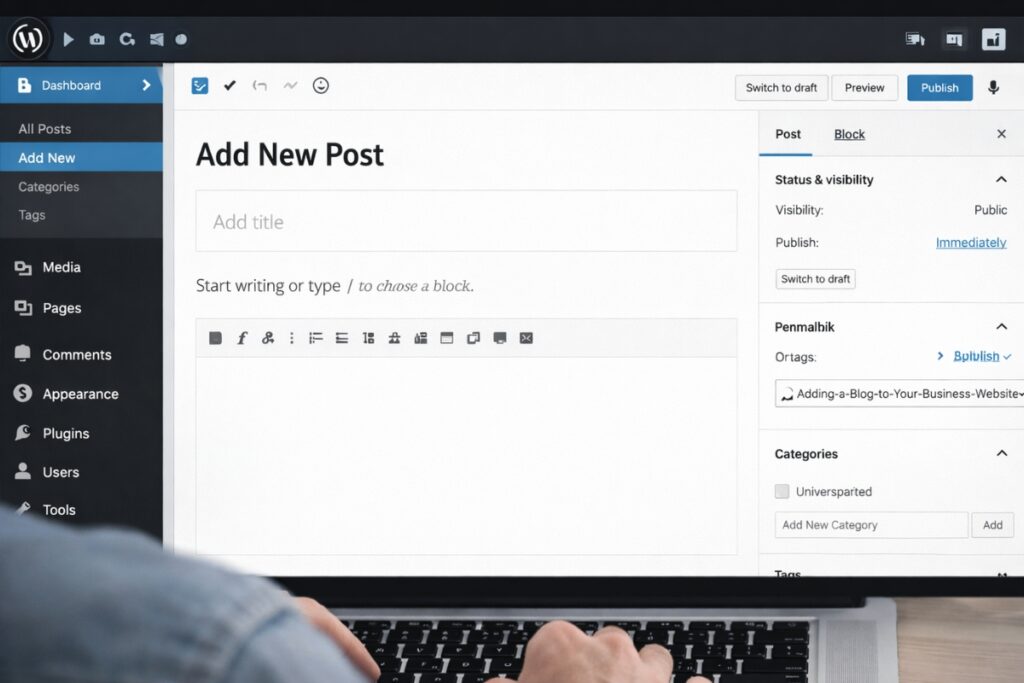
WordPress already has full blogging functionality, making it one of the easiest ways to add a blog to your business website without additional tools, making it one of the most flexible options for business websites that want to publish content regularly.
There is no need to add a blog as a separate tool as posts, categories and blog pages are integrated into the core system.
This option is best for businesses that want strong SEO control, customizable blog layouts, and room to expand their content library over time. It supports easy publishing for beginners and also allows advanced configuration later if required.
WordPress blogs can be started quickly and then gradually improved through better structure, plugins and internal linking.
Step by step:
- Log in to the WordPress dashboard
- Go to Posts
- Click Add New
- Write the article
- Add a title and headings
- Set a featured image
- Click “Publish.”
How to create your own blog page:
- Go to Pages
- Create a page called Blog
- Go to Settings and then Reading
- Assign the Posts page to the blog
This will automatically link all posts to the blog page.
Optional but recommended:
- Install an SEO plugin (Yoast is popular)
- Enable categories and tags
- Customize the post URL structure
How to add a blog in Wix
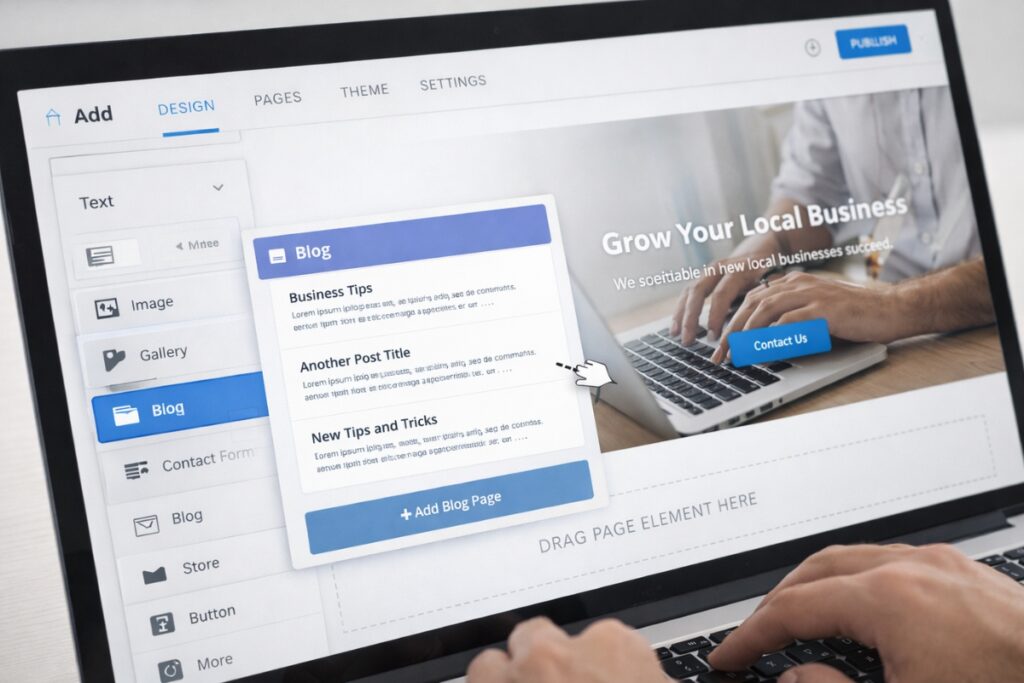
Wix offers a built-in blogging feature that makes it easy to add a blog to your business website with minimal setup. Designed for users who want a quick and easy setup process.
The blog module is visual, template-based, and beginner-friendly, making it a good choice for small businesses managing their own website without technical support.
The system automatically takes care of the blog layout, post formatting and category pages. This reduces configuration time and allows site owners to focus on writing and publishing rather than setting up details.
Wix blogs are well suited for local businesses, service providers, and small online brands that want consistent content without complex customization.
Step by step:
- Open the Wix Editor
- Click Add Apps
- Search for Wix Blog
- Click Add to Site
- Choose a layout
- Customize the design
- Publish your blog
Wix automatically creates:
- Blog homepage
- Post templates
- Category pages
No coding is required.
How to add a blog in Squarespace
Squarespace treats blogs as structured collections of content, making it easy to add a blog to your business website within the existing page system. This makes them easy to organize and manage.
Blog posts, categories and tags are managed in the same page manager used for the rest of the site, so there are no additional features to install.
This approach works well for companies that value clean design and visual presentation. By default, blog templates are professionally designed and mobile responsive, reducing formatting effort.
Squarespace blogs are particularly useful for portfolio sites, creative businesses, consultants, and service brands that want tight integration between publishing and design.
Step by step:
- Go to Pages
- Click on the plus symbol
- Select Blog
- Choose a layout
- Name the blog page
- Start adding posts
Squarespace includes built-in features such as:
- Categories
- Tags
- Scheduling
- SEO areas
Everything is managed in the same dashboard.
How to add a blog to a website without blog features
Some business sites use builders that don’t include blogging tools. In this case, an embedded blog system can be added.
Options include:
- Drop-in blog platforms
- WordPress installations subdirectory
- Subdomain blog setups
When choosing between a subdomain and a subfolder for blog setup, a subfolder is usually better for search engine optimization. A subfolder ensures that the blog content remains closely tied to the main domain, which helps search engines treat it as part of the same website.
A subdomain can still function, but is often treated more like a separate site. If the platform allows it, choose a subfolder structure for a company blog.
Embedded blog method:
- Sign up for a hosted blogging tool
- Join the domain or subfolder
- Matching the design style
- Embed or link from the main page
This keeps the main website intact while adding blog functionality.
How to structure your business blog correctly
A well-structured blog is easier to navigate and easier for search engines to understand, especially when guided by clear instructions Basics of content strategy. Structure influences ranking more than many design elements.
Think of the blog like a library. Items should be logically grouped, internally connected, and easy to search.
Category planning examples
Categories should reflect real topics, not random labels.
Good category examples:
- Instructions
- Customer questions
- Service tips
- Case studies
- Local advice
Avoid creating too many categories at the beginning. For most business blogs, three to six are enough.
Examples of internal links
Internal links connect related articles. This means that readers stay in the picture longer and search engines can reflect the relevance of the topic.
For example, A post about website design mistakes contains links to:
- How to choose a website builder
- How to add a blog to your business website
- SEO Basics for Small Businesses
Inserting these internal links naturally into paragraphs where topics connect provides your website visitors with the opportunity to learn more information about your company.
URL structure best practices
Keep blog URLs short, readable, and relevant to the topic of the blog post.
- Good example: yourwebsite.com/add-blog-business-website
- Bad example: yourwebsite.com/post?id=8472&ref=page2
Use words, not numbers. If possible, include the main topic or keyword phrase.
Blog navigation tips
Prioritize the mobile view of your blog since most of your visitors are likely on a mobile device.
Helpful navigation elements:
- Category menu
- Recent Posts Section.
- List of popular posts
- Search bar
- Clear link to blog homepage
Avoid deeply nested menus that hide items.
Column posts and support posts made easy
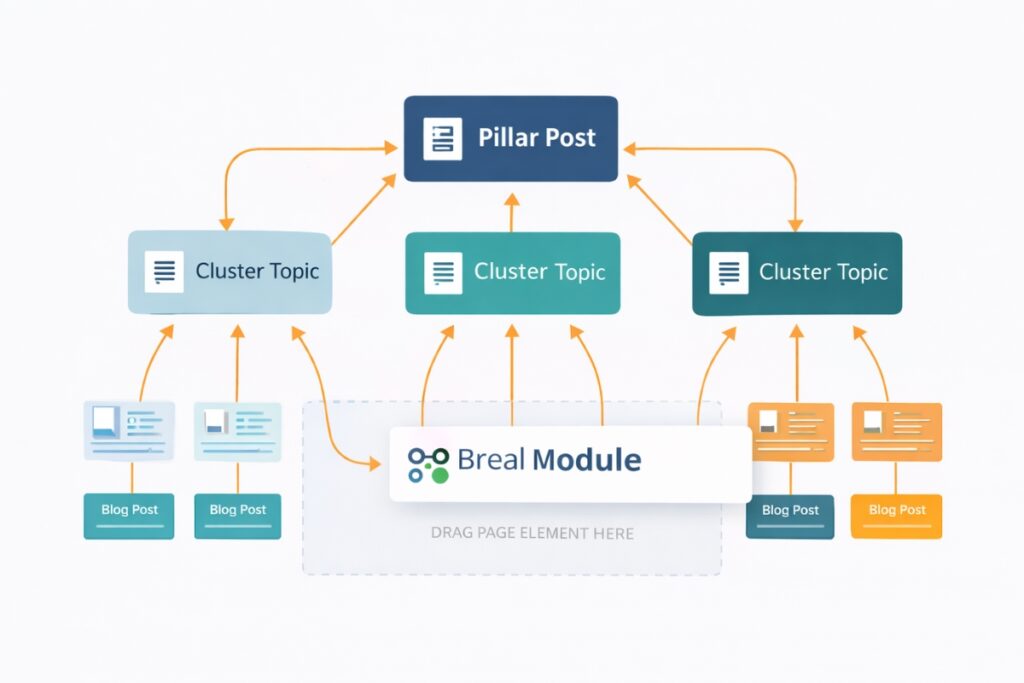
A pillar post is a complete guide on a main topic. Support posts cover smaller related topics.
For FirstSiteGuide, a Pillar posts might look like this: How to add a blog to your business website
Support contributions would deal with topics such as:
Support posts link back to the pillar post. This creates a content cluster.
Basics of content clustering
Content clustering means grouping related articles into a main topic.
Advantages:
- stronger thematic authority
- better internal linking
- improved ranking signals
- clearer content map
Clusters help search engines understand the depth of expertise.
Basic SEO settings before publishing
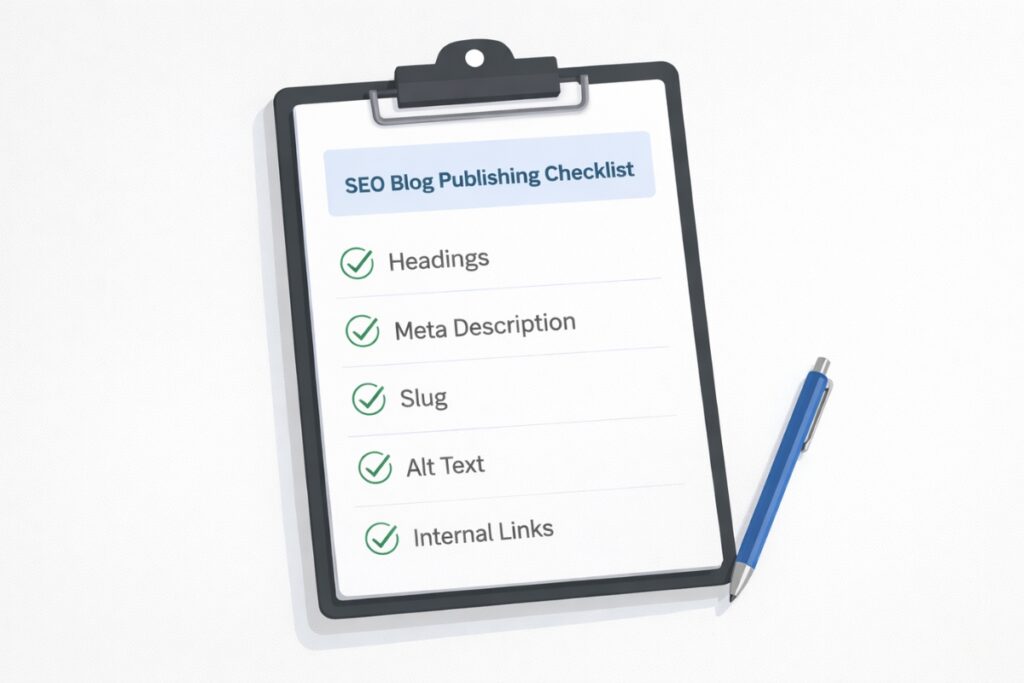
Before publishing a blog post, some SEO settings should always be checked. These improve visibility and click rates.
Guide to title length
Keep the titles in between 50 to 60 characters if possible.
Contain:
- primary keyword
- clear advantage
- readable wording
Avoid keyword stuffing (e.g. How to find this Best Electrician in Austin, TX for Rewiring at home from one Electricians near me). These titles don’t read well and search engines generally don’t like keyword stuffing.
Tips for writing meta descriptions
Meta descriptions should be approximate 150 to 160 characters.
Contain:
- Topic summary
- Benefit for the reader
- Natural use of keywords
Write for people first, search engines second.
Example of a heading structure
Use headings to structure content clearly.
Recommended structure:
- H1 for the article title
- H2 for main sections
- H3 for subsections
Don’t skip heading levels arbitrarily. Keep the hierarchy logical.
Basics of image optimization
Images should always contain alternative text.
Alt text should:
- Describe the picture
- Insert topic keywords naturally
- Help with accessibility
Compress large images to improve page speed using free services like TinyJPG.
Tips for placing internal links
If possible, add at least 2 to 4 internal links per article. These support content clusters and search engine rankings, providing your reader with additional related content to read.
Best placement:
- within relevant paragraphs
- in related topic mentions
- not forced
- not just grouped below
What to post on your company blog first
The introductory topics should match real customer questions and support a long-term evergreen content strategy. Helpful content performs better than advertising posts.
Starter theme templates
Use these as plug-and-play formats:
- How to choose the right one (service).
- Cost guide for (service)
- Common mistakes in (industry task)
- Beginner’s guide to (topic)
- Checklist for (goal)
- Read this before hiring a (service provider).
- Step-by-step guide to the (process)
- What most people do wrong (topic)
Industry examples
Local service company
- How do you choose a local contractor?
- Home Services Pricing Guide
Online business
- Tool comparisons
- Setup tutorials
Professional Services
- Customer preparation guides
- Requirements checklists
Question based blog ideas
Search engines love posts in question format.
Examples:
- How long does it take to create a website?
- What pages should a company website have?
- Is blogging still worth it for the company?
Common blog setup mistakes to avoid
Many blogs fail not because of the quality of the content, but because of setup errors.
Publishing without keyword focus
- Problem: Articles do not target a unique search phrase
- Result: Low ranking potential
- Fix: Assign a main topic to each post
No headlines in articles
- Problem: Large blocks of text
- Result: Poor readability and SEO signals
- Fix: Use headings H2 and H3 consistently
No internal links
- Problem: Items remain isolated
- Result: Weak subject relationships
- Fix: Link related posts together
Too many categories
- Problem: Thin category pages
- Result: Watered down authority
- Fix: Keep the number of categories low
Only write advertising posts
Problem: Low reader trust
Result: Low commitment
Fix: First, focus on helpful education
Ignore meta descriptions
Problem: Poor CTR
Result: Lower traffic even if there is a ranking
Fix: Write custom meta descriptions
Before you wrap up, you should do a quick quality check here before publishing your first post.
Quick blog publishing checklist

Before you publish your first blog post, read this quick checklist:
- The title contains the main topic keyword
- Only one H1 is used on the page
- Clear headings H2 and H3 are added
- The URL slug is short and readable
- The featured image contains alternative text
- There are at least two internal links included
This quick review will help improve readability and search visibility right from the start.
Final steps to add a blog to your business website
Adding a blog to a business website is easier than most expect. Proper setup depends on the current platform, but most builders already include blog functionality or support simple add-ons.
Start with a clear structure, post helpful content and follow a simple one Content marketing plan So your blog supports real business goals. Growth comes from consistency, not complexity.
A blog becomes more powerful over time as articles accumulate and link together. Even small businesses can build a strong search presence through regular publications and practical topics.
Frequently asked questions
Not every business website requires a blog, but most benefit from it. A blog helps improve search visibility, answer customer questions, and build authority. Even service-oriented companies can gain traffic through helpful articles.
Yes. Most website platforms allow you to add a blog without having to rebuild the website. WordPress, Wix, and Squarespace have built-in blogging tools. Other platforms may use embedded or external blog systems.
WordPress is one of the most flexible options for blogging because it includes advanced SEO control and content tools. However, Wix and Squarespace blogs are also well suited to small business needs and are easier for beginners.
Consistency is more important than volume. One to four high-quality posts per month is enough for many small businesses. Helpful, search-focused articles perform better than frequent, low-value posts.
SEO results are not available immediately. A blog improves SEO over time as articles are indexed and linked to. On most websites, changes only occur after several weeks to months of continuous publishing.
Start with topics that answer customer questions. How-to guides, pricing explanations, performance comparisons, and common mistakes are strong first articles. These topics match actual search intent.